THE FLASHBACK FIX
Why Your Face Looks White in Flash Photos: 5 Fixes
If your face looks chalky next to your neck in flash photos, it is often flashback: some sunscreens and white setting powders reflect camera flash. Five quick checks before a night out, why it happens and gentle edits afterwards.
Try the idea on your own photo with Stunna.


Free to download. Pro options available.
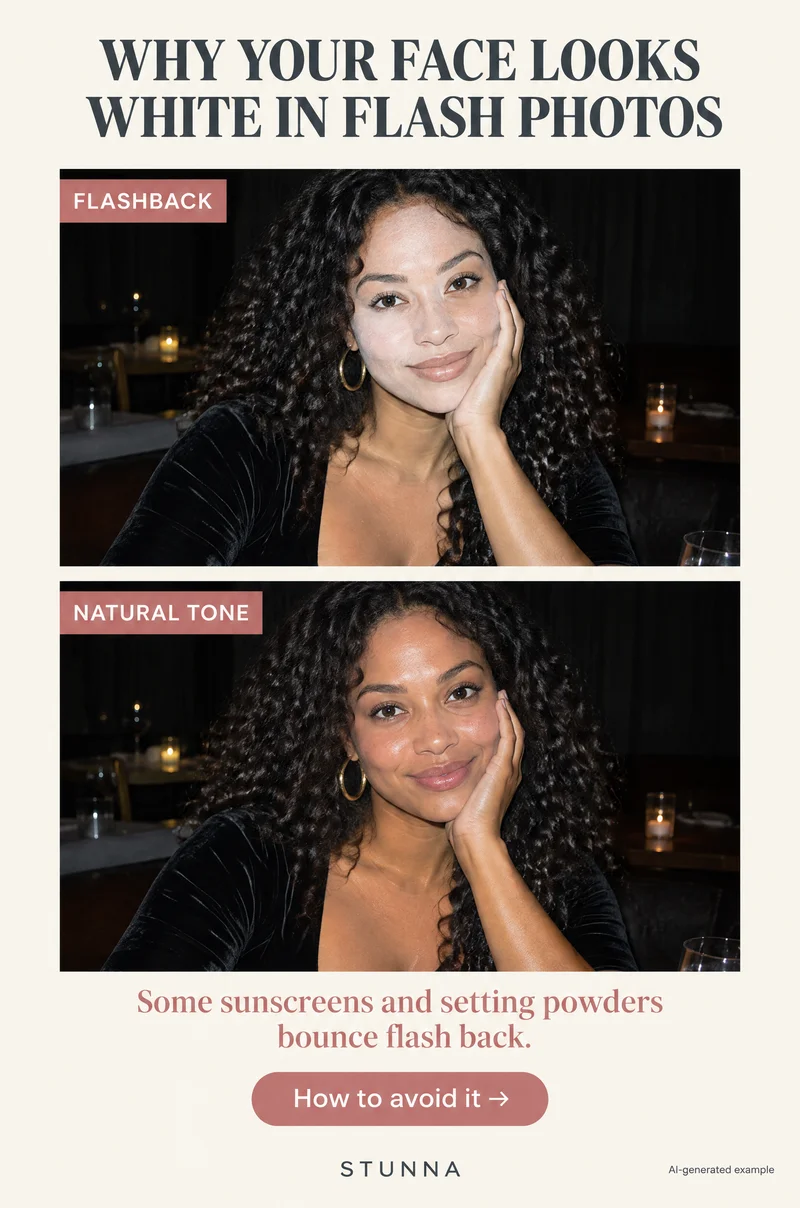
You looked great in the mirror, then the flash photos came back and your face was a shade or two lighter than your neck, with a white cast under the eyes. That is usually called flashback, and it is common at parties, weddings and nights out when someone uses flash. It is not a sign you did your makeup wrong. Some products simply bounce flash back toward the camera more than others. Below is why it happens, five checks to run before you leave and gentle ways to fix a photo afterwards. This is practical photo advice, not skincare or medical advice, and the comparison images are AI-generated illustrations, not actual Stunna results.
What flashback looks like
Flashback shows up as a face that looks paler, greyer or more chalky than the rest of your skin in a flash photo. The difference is easiest to see at the jawline, where the face meets the neck, and in areas where powder sits heavier, like under the eyes, along the nose and on the forehead. Sometimes it looks like a white or lilac haze; sometimes the face just looks flat and ashy.
It often does not show up in the mirror or in photos without flash, which is why it catches people by surprise. It also tends to be more noticeable on medium and deeper skin tones, because the contrast between a pale cast and your real tone is easier to see. The fix starts with knowing it might happen and testing before the night begins.
Why some sunscreens and powders bounce flash back
A camera flash is a short, very bright burst of light that comes from right next to the lens. Most makeup and skincare scatters that light in all directions, but some ingredients can reflect a lot of it straight back toward the camera, which makes those areas look lighter than the skin around them.
The ingredients most often discussed are mineral sunscreen filters such as titanium dioxide and zinc oxide, and some silica-based or very white setting powders. Not every product with these ingredients causes flashback, and how much shows depends on the formula, how thickly it is applied, the flash and the camera. That is why a quick test with your own products and your own phone tells you more than any ingredient list.
It helps to know what flashback is not. It is not caused by the phone being broken, and it does not mean the product is bad for your skin. It is a photo issue, and it mostly matters at night when flash is likely.
Flash photos without a white face: 5 checks
Run through these before a night out, a party or any event where you expect flash. The whole thing takes a couple of minutes.
- 01 Take one flash test photo: once your makeup is done, take a photo of yourself with the flash on, in a dim room, about an arm's length away.
- 02 Check face vs neck: zoom in on the jawline and compare your face with your neck and chest. If the face is clearly lighter or greyer, you have flashback.
- 03 Go light on white powder: if the test shows a cast, the setting powder is usually the easiest layer to adjust. Use less, press it in only where you need it and skip baking under the eyes for the night.
- 04 Blot, then test again: press a blotting paper or clean tissue over the areas with a cast to lift excess powder, then take another flash photo to compare.
- 05 Try a step back or soft flash: if it still shows a little, ask the photographer to step back, turn on more room light or soften the flash so it is less harsh.
Take the test photo the right way
The test only works if it looks like the photos you will actually get. Turn the main light off or stand in a dim hallway, set your phone flash to on and use the rear camera if you can, since that is the flash friends will use on you. Hold the phone about an arm's length away, or ask someone to take it. A bright bathroom with the light on will not show the problem, because the flash barely contributes.
Look at the photo zoomed in, not just as a thumbnail. Compare three places: your cheek, the side of your jaw and your neck just below it. A small difference is normal, because faces and necks often differ slightly in tone anyway. What you are looking for is a clear white or grey layer that sits on the face and stops at the jawline. If you are going somewhere with a professional photographer, a phone flash test will not be identical to their flash, but it is still a useful early warning.
Go light on powder, blot and keep your sun protection
Setting powder is the layer most people can change easily. Translucent powders that look clear in the pot can still look white under flash on some skin. For a night out, use a small amount, press it in with a puff or brush only where you get shiny, and brush off any excess. If you have a tinted powder close to your skin tone, it is often less likely to show a white cast than a pure white one. Baking, where powder sits on the skin for a few minutes before you dust it off, puts a thick layer exactly where flashback shows most, so you may want to skip it on nights with a lot of flash.
Blotting helps if you already applied too much. Press a blotting paper or a clean tissue on the area for a second, lift it, and repeat on the next area. Do not rub, which moves the foundation underneath. Then take another flash test photo and compare it with the first.
Sunscreen is a different matter. Keep using sun protection in daylight as you normally would; that matters far more than a party photo. Flashback is mainly a concern at night, under flash. If your daytime sunscreen consistently shows in flash photos, some people choose a different or tinted formula for evening events. Patch-test anything new, and ask a pharmacist or dermatologist if you have questions about what suits your skin.
Step back or soften the flash
Distance and light change how strong flashback looks. A flash fired from very close lights the face harder and makes any reflection more obvious. Ask the person taking the photo to step back a pace or two and zoom slightly if needed, or move to an area with more ambient light, like near a lamp or the bar, so the flash is not the only light source.
If you are taking the photos yourself, you can soften a phone flash by turning on a lamp in the room or bouncing light off a nearby white wall instead of firing straight at faces. On a camera with a flash, lowering the flash power or bouncing it off the ceiling makes a big difference. These are the same tricks that help with glare on shiny outfits, which our sequin party photo guide covers in more detail.
Gentle edits if the photo already has flashback
If the photo is already taken, a light edit can soften the cast. The goal is to bring your face back toward the tone of your neck, not to make you darker, warmer or smoother than you are. Compare against your neck and hands the whole time.
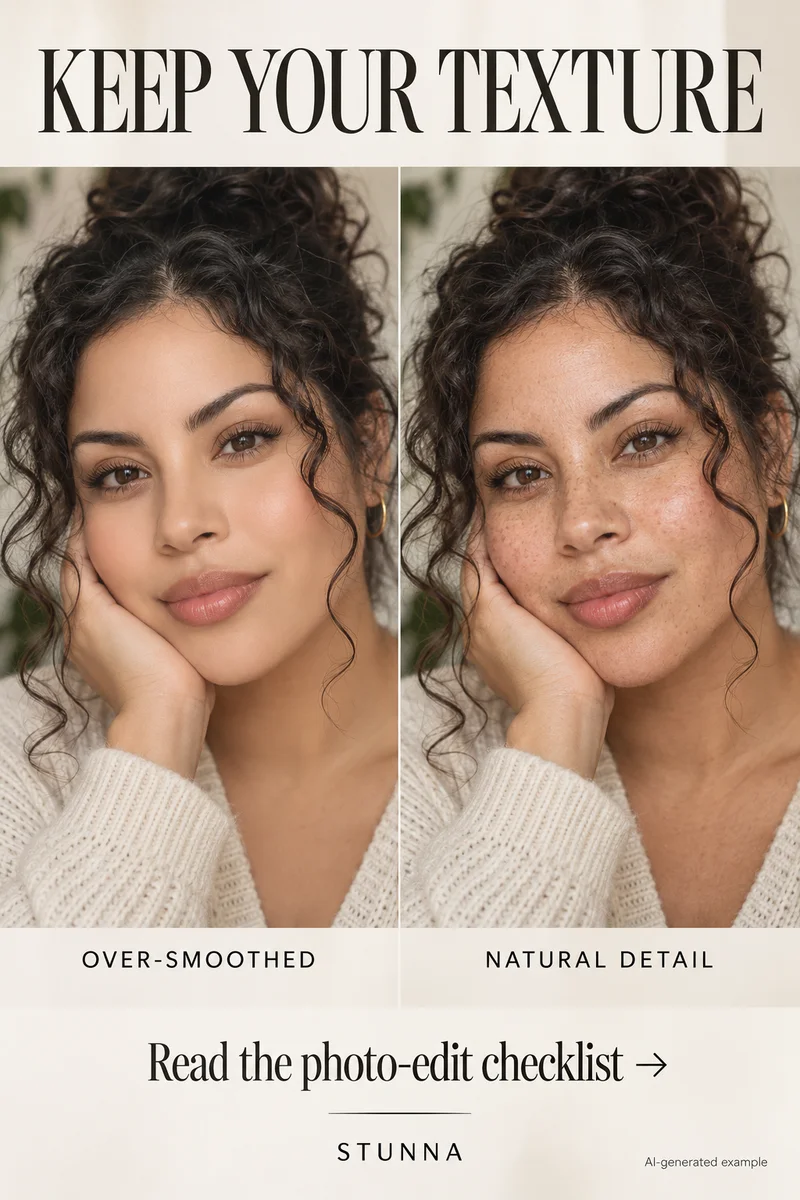
Avoid one-tap filters that change everyone's skin tone at once, and avoid smoothing, which makes a chalky face look even flatter. Our natural skin photo edit guide explains how to keep real texture while you fix light and color.
- Lower the highlights a little so the brightest parts of the face lose some of their white glare.
- Use a selective or brush tool on the face, if your app has one, and lower exposure or brightness slightly on the areas with a cast.
- Nudge warmth or tint only if the cast looks grey or lilac, and stop as soon as face and neck look like the same person.
- Check the jawline and under the eyes at full size, where the edit is most likely to look patchy.
- Keep the original. If the edit changes your real tone, go back and try a smaller adjustment.
A few useful answers
Why does my face look white in flash photos?+
It is often flashback: some sunscreens and white setting powders reflect camera flash back toward the lens, so the face looks paler or chalkier than the neck. It usually does not show in the mirror.
Which ingredients can cause flashback?+
Mineral filters like titanium dioxide and zinc oxide and some silica-based or very white setting powders are most often discussed. Not every product with them causes it, so test with your own products.
How do I test for flashback?+
Once your makeup is done, take a photo with the flash on in a dim room from about an arm's length away. Zoom in and compare your face with your neck and jawline.
Should I skip sunscreen to avoid flashback?+
No. Keep using sun protection in daylight as usual. Flashback is mainly a night-time flash issue. Adjust the powder layer first, and ask a pharmacist or dermatologist about evening options.
Can I fix flashback in a photo afterwards?+
Often, yes, with a light edit: lower the highlights, reduce brightness slightly on the pale areas and compare with your neck. Avoid filters and smoothing that change your real tone.