Album and mixtape covers
Square crops of a portrait or a city at night take a glitch well. Vertical pixel sort gives a melting, poster-like cover. Save a PNG to keep the hard edges crisp.
FREE ONLINE PHOTO TOOL
A free image glitcher for the photos you already have. Split the color channels, datamosh it, pixel sort it or corrupt it like a broken JPEG, then save a still or a looping video. The glitch effect runs online, right in your browser.
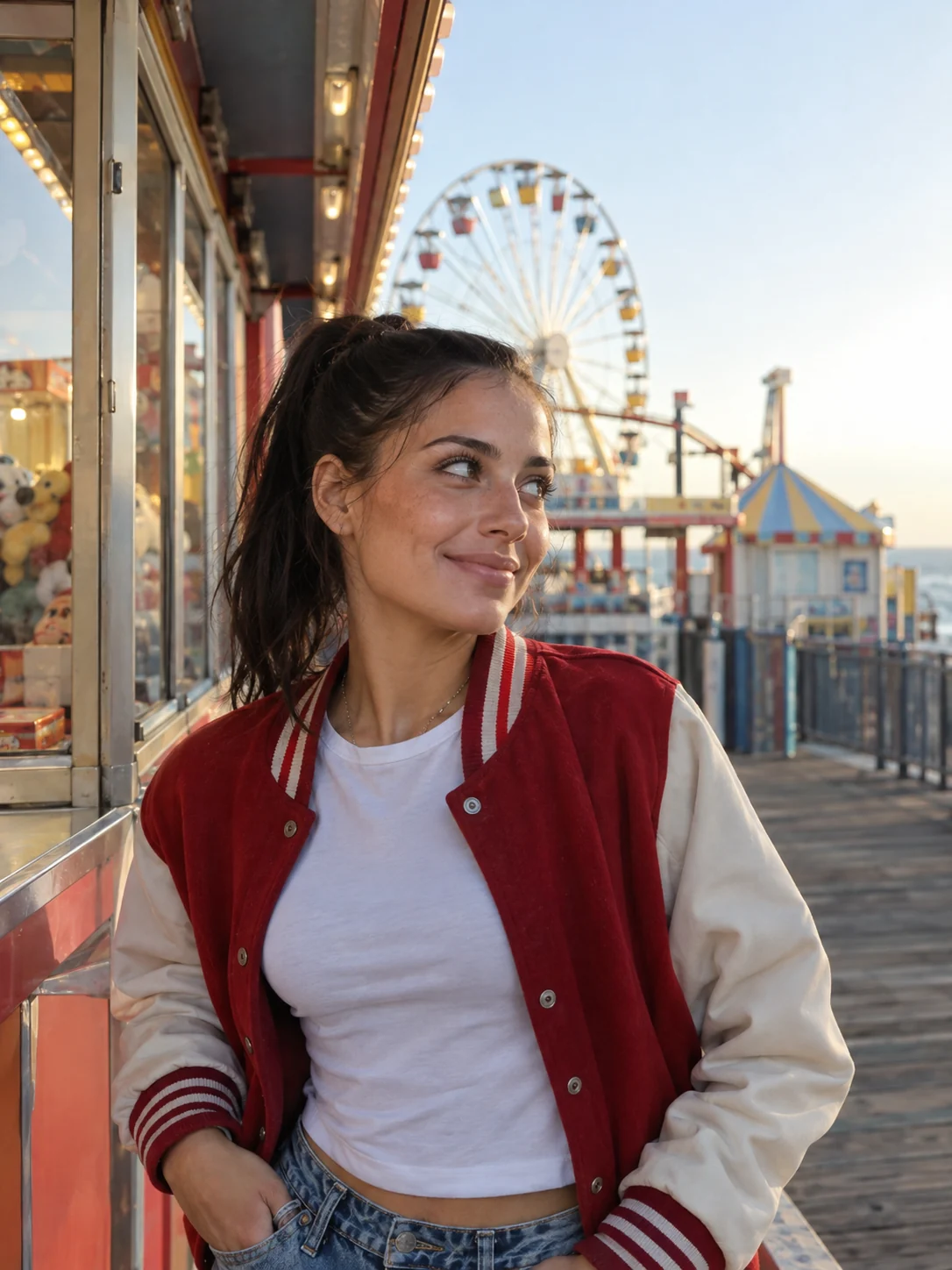
RGB split · seed 271828 · Sample photo; the glitch is rendered live above.
Every roll breaks your photo a new way. Keep the one you love.
or drop it here · JPG, PNG, WebP · up to 20 MB
Free. No signup. No watermark. Up to 3000 px.
Like breaking photos?
Wait till you see the camera looks. Stunna’s VHS Camcorder look adds tape lines, soft focus and a timestamp to the whole scene with AI.
Try VHS Camcorder in StunnaTry the sample or choose your own photo.
Pick a JPG, PNG or WebP from your camera roll or computer, or start with the sample. Bold colors and strong edges give the glitch more to break.
Choose RGB split, Datamosh, Pixel sort, Corrupted JPEG or VHS tracking, then tune the sliders. Tap Re-roll for a new random break until one feels right.
Download a PNG or JPG up to 3000 px, or record a 3-second looping video sized for a feed post or for Stories and Reels. No watermark and no account.
Digital glitches happen when image data gets damaged or misread. Color channels slip out of line, rows of pixels jump sideways and compressed blocks decode into the wrong colors. This glitch effect photo editor recreates those errors on purpose from the actual pixels of your photo, so the result still reads as your shot, just broken in interesting ways.
Each preset copies a different kind of failure. RGB split pulls the red and blue channels away from the green. Datamosh shifts horizontal slices and smears blocks, like a video file that lost its keyframes. Pixel sort reorders runs of pixels by brightness into long streaks. Corrupted JPEG flattens the frame into blocks with banding and a few wrong-colored squares, and VHS tracking adds the rolling bar and wobble of a bad tape. For a cleaner tape look that keeps the photo intact, try the VHS filter or the camcorder filter.
Every glitch comes from a seed number. The same seed with the same settings always gives the same image, so the preview and the download match, and you can come back to a glitch you liked. It is a pixel effect, not AI: nothing is generated and nothing is uploaded.
Try the free toolGlitch art is art made from digital errors. Artists break files, signals and software on purpose and keep what comes out: colors that slip off their edges, frames that melt into each other and blocks that decode into the wrong place. It grew out of net art and experimental video in the early 2000s, and today it shows up on album covers, gig posters, fashion campaigns and music videos.
Some artists still bend the data by hand, which is slow and hard to repeat. A glitch art generator like this one simulates the same errors with sliders and a seed, so you can steer the chaos, keep a result you like and get it again later. Because it is a glitch effect online, there is nothing to install.
Glitch a photo nowSquare crops of a portrait or a city at night take a glitch well. Vertical pixel sort gives a melting, poster-like cover. Save a PNG to keep the hard edges crisp.
Keep the face readable at thumbnail size. RGB split with a small channel offset holds up when it is tiny, while a heavy datamosh can hide the eyes. Check the preview small before you save.
Lock the seed and keep one preset for the whole night so the dump looks like one broken camera. A glitched shot also makes a strong first slide; see our photo dump cover ideas.
Corrupted JPEG and VHS tracking give costume shots a haunted, found-footage feel. Our Halloween photo ideas cover the costumes and the light, and the red light filter adds the mood first.
The glitch tool scrambles the pixels you already have. In Stunna, AI camera looks rebuild the whole shot: VHS Camcorder adds tape scanlines, soft focus and a timestamp, and MiniDV Still adds interlacing and blown highlights. Free to download, with optional Pro features.


Free to download. Optional Pro features. AI results vary.
Explore Stunna’s AI looks
Open this page, choose a photo or use the sample, then pick RGB split, Datamosh, Pixel sort, Corrupted JPEG or VHS tracking. Adjust the sliders, tap Re-roll until you like the result, and download a PNG, a JPG or a looping video. It works in Safari, Chrome and other modern browsers on phone and desktop.
Glitch art uses digital errors as a style: color channels out of line, rows of pixels shifted sideways, sorted pixels and broken compression blocks. Artists make these errors on purpose by corrupting files, cables or software. This tool simulates the same errors on your photo with controls you can repeat.
Datamosh comes from damaged video: frames lose information, so slices jump and blocks smear across the picture. Pixel sorting is an algorithm that reorders the pixels in a row or column by brightness, which makes smooth, melting streaks. Datamosh looks chaotic and blocky, pixel sorting looks liquid.
Yes. Choose Loop video under Download as, pick Stories 9:16 (1080 × 1920) or Feed 4:5 (1080 × 1350), and the tool records a 3-second loop that cuts between variations of your glitch. The photo is cropped to fill the frame. Safari saves an MP4; browsers that can only record WebM save that instead, which some apps ask you to convert first. If your browser cannot record video, the option is hidden and still downloads work as usual.
Yes. Every glitch has a seed number, shown next to the Re-roll button. The same photo, preset, settings and seed always give the same image. Turn on Lock seed to keep that glitch when you choose another photo, or type in a seed you noted down earlier.
Yes. All five presets, the loop video and PNG and JPG downloads are free, with no account and no watermark. The Stunna app is free to download too, with optional Pro features.
No. The glitch is rendered in your browser on your device, and the photo is never sent to a server. Closing the tab clears it. Downloads are re-encoded from the canvas, so EXIF data such as location and camera details are not included.
Stills are PNG or JPG up to 3000 px on the long edge; smaller photos keep their size. Loop videos are 1080 × 1350 or 1080 × 1920. You can upload JPG, PNG or WebP files up to 20 MB and 60 megapixels. For iPhone HEIC photos, export or convert to JPG first.
Not here. This tool glitches photos, and it can turn a photo into a short looping glitch video. It does not edit existing video files or generate glitch text.
Photo tips and ideas that pair well with this tool.