Start close and centered
Distortion exaggerates whatever is in the middle of the frame. A face or a group in the center looks fun, while a horizon near the edge curves strongly.
FREE ONLINE PHOTO TOOL
Turn a photo into a frame from a home video. Pick MiniDV, VHS tape or fisheye, add a REC overlay or date stamp if you like, and download a free JPG.
This free tool is a photo effect that processes your existing pixels. It is not a video editor, and it does not convert video or use the AI of the Stunna app.
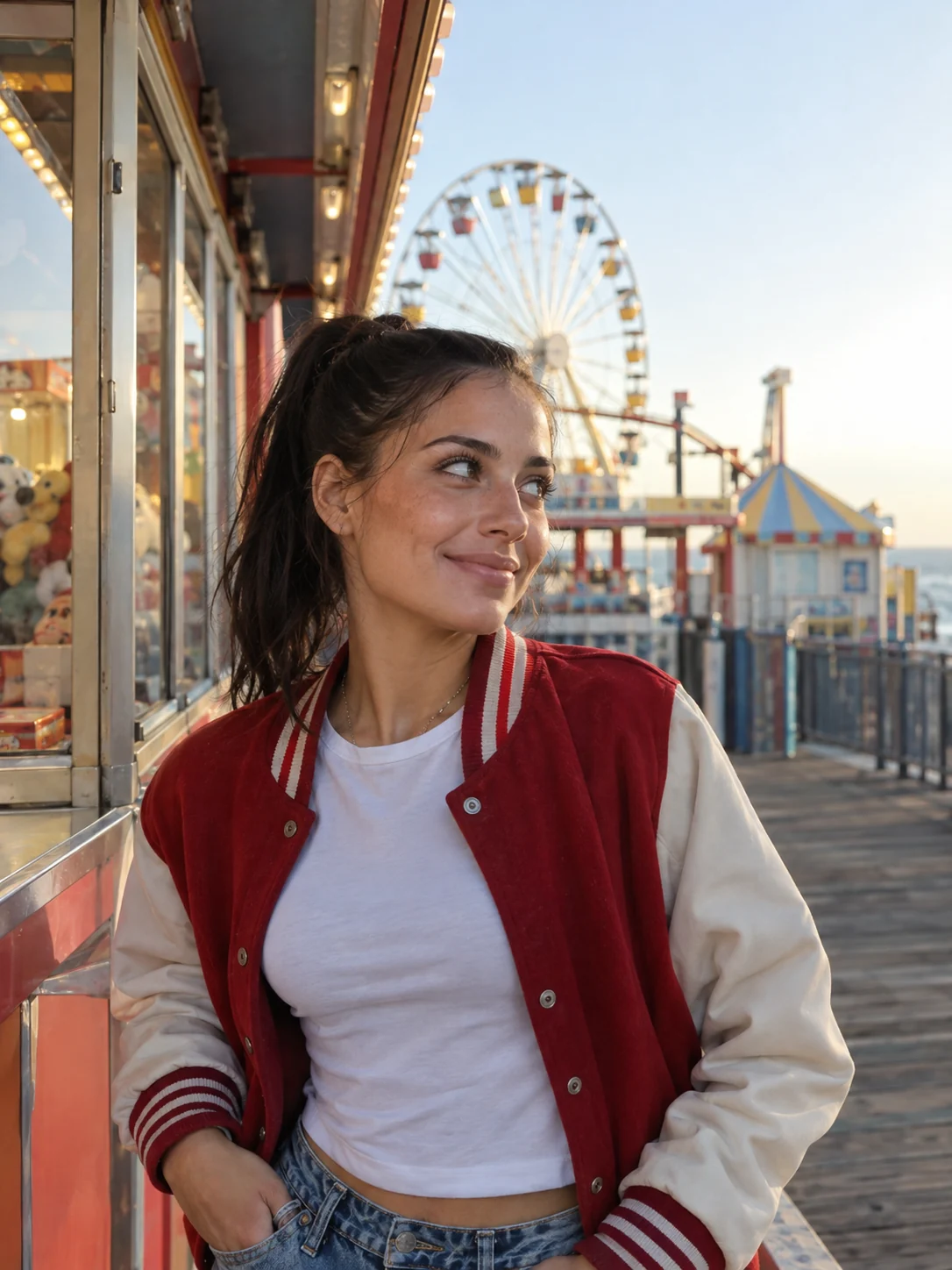
MiniDV camcorder · Sample photo; the effect is rendered live above.
Pick a tape-era look, then tune the details.
or drop it here · JPG, PNG, WebP · up to 20 MB
Free. No signup. No watermark. Up to 3000 px.
Get the full look in Stunna
Stunna’s MiniDV Still and Fisheye Flash presets add timestamp, interlacing and a curved flash lens with AI.
Try MiniDV Still in StunnaTry the sample or choose your own photo.
Pick a JPG, PNG or WebP. Selfies, party shots and anything shot at arm’s length work well, because camcorders were famously close and a little unflattering.
MiniDV is soft and slightly smeared with a REC overlay. VHS adds scanlines and heavy color bleed with PLAY text. Fisheye bends the frame and darkens the corners.
Use the sliders for softness, color bleed, scanlines or lens bend. Turn on the date stamp for the classic orange digits, then download a watermark-free JPG.
A still taken from home video has a look you cannot get from a modern phone camera. MiniDV camcorders recorded small, low-resolution images that were soft by today’s standards, with colors that smeared slightly at edges. VHS tape added horizontal scanlines and a pronounced color bleed, where red and blue drift away from the shapes they belong to. Wide fisheye lenses stretched the frame into a bulge.
This tool simulates those three characters on your photo. MiniDV softens the image, adds a trace of chroma bleed and the REC and timecode text from a camcorder viewfinder. VHS pushes the bleed and scanlines much further and swaps the text for PLAY. Fisheye curves the frame outward from the center and darkens the corners like a lens vignette. Every effect has its own slider, so you can mix a gentle bend with soft focus or tape lines without the others.
These are visual approximations. Real tape artifacts come from motion, interlacing and tracking errors that a single frame cannot show, and a photo effect cannot reproduce them exactly. What you get is a convincing still, which is usually all that a caption or a collage needs. For the cleaner color of an early-2000s compact still camera, try the digicam filter instead.
Try the free toolA seaside arcade portrait with the MiniDV look: softened detail, a touch of color smear and a REC overlay. Switch to VHS tape or Fisheye for the other two eras.
Try it on your photo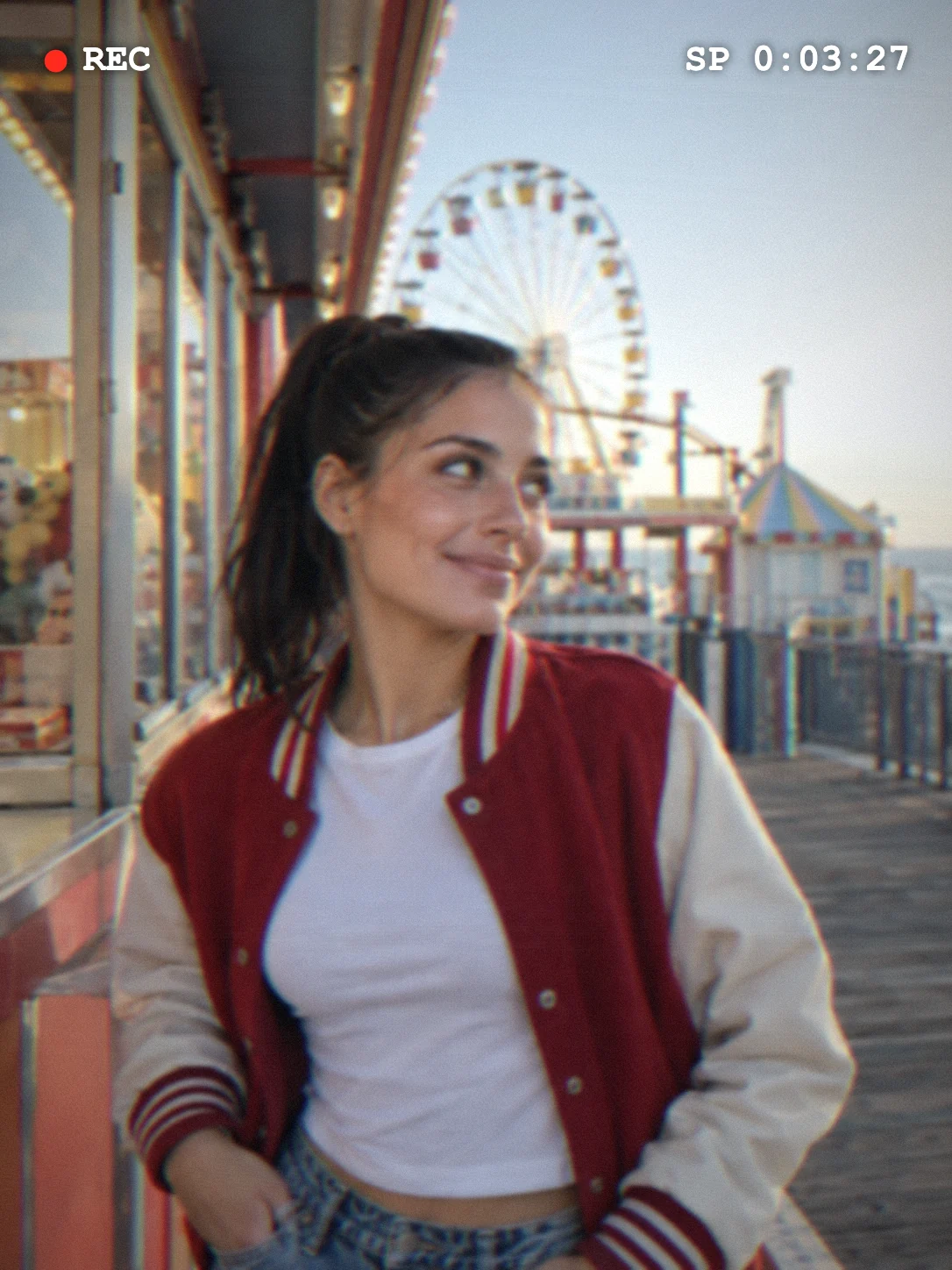
Distortion exaggerates whatever is in the middle of the frame. A face or a group in the center looks fun, while a horizon near the edge curves strongly.
Scanlines and color bleed together can turn a picture into mush. Around 40% to 60% on each keeps faces readable.
The orange stamp in a corner completes the home-video feel. Set the date to any day you like, then check that it does not cover a face. For more date formats and colors, use the timestamp camera.
Scanlines are sized to the picture, so they look the same at any resolution, but fine details soften more on a large export. Zoom in before you download.

The free filter treats the photo you took. In Stunna, MiniDV Still adds camcorder timestamp, interlacing and blown highlights with AI, and Fisheye Flash adds a close curved lens with harsh club flash. Free to download, with optional Pro features.


Free to download. Optional Pro features. AI results vary.
Explore Stunna’s AI looks

Choose your photo, pick MiniDV camcorder, then adjust the softness and color bleed. Turn on the date stamp for the timestamp, and download the JPG.
Yes. Pick VHS tape for scanlines, strong color bleed and PLAY text, then adjust the sliders. It works on any still image, not on video files.
Choose Fisheye and set the lens bend. The center bulges outward and the vignette darkens the edges, like a wide-angle lens used up close.
Yes. Edit and download as many photos as you like with no account and no watermark. Downloads are JPG files up to 3000 px on the long edge.
No. The effect is rendered in your browser, so the photo stays on your device. Closing the tab clears the session.
They are AI looks in the Stunna app. MiniDV Still adds camcorder timestamp, interlacing and blown highlights, and Fisheye Flash adds a close curved lens with club flash. Results vary.
Photo tips and ideas that pair well with this tool.