Keep it out of the way
The bottom right is the classic spot, but move the stamp if it covers hands, text or a face. Dark corners make the color easier to read. If you add a white border afterwards, the stamp stays on the photo, not the frame.
FREE ONLINE PHOTO TOOL
Add the little orange date to the corner of any photo. Choose the day, the format and the color, then download a free JPG. It all runs on your device.

Stamp only · Sample photo; the effect is rendered live above.
Set the date, pick a look and download.
or drop it here · JPG, PNG, WebP · up to 20 MB
Free. No signup. No watermark. Up to 3000 px.
Get the full look in Stunna
Stunna’s Digicam Y2K and Disposable looks add the color, flash and grain of the era with AI.
Try Digicam Y2K in StunnaTry the sample or choose your own photo.
Pick a JPG, PNG or WebP. If a JPG stores the day it was taken, the stamp starts with that date; otherwise it starts with today’s date.
Change the date if you like, then choose a format, color, corner and size. Add Digicam color or Disposable film for the full throwback finish, or keep your own colors.
Compare with Show original, then save a watermark-free JPG with the stamp built into the picture.
Before phones quietly attached a date to every picture, many compact digital cameras and disposables with a date back printed it straight onto the image: a small orange number in the bottom corner. A timestamp camera look brings that back. It is part nostalgia and part record keeping, because the date turns an ordinary snapshot into a dated memory. Home video had an on-screen date too, which the VHS filter can add alongside tape lines.
This tool draws the stamp onto your photo on your device. For JPG photos it reads the capture date from the file’s EXIF data when one is stored, and falls back to today’s date. You can change it to any day, and choose from six date formats, four colors, any corner and a size that suits the picture. The type is a monospaced approximation of an LCD date back, not a copy of any camera maker’s font.
A stamp is a styling choice, not proof of when a photo was taken. It shows whichever date you pick, and it is permanently part of the downloaded copy, so keep your original if you may want a clean version later.
Try the free toolAn Alpine lakeside portrait with an orange date stamp in the bottom right corner. Pick another corner, color, format or size in the editor, or add Digicam color for a nostalgic finish.
Try it on your photo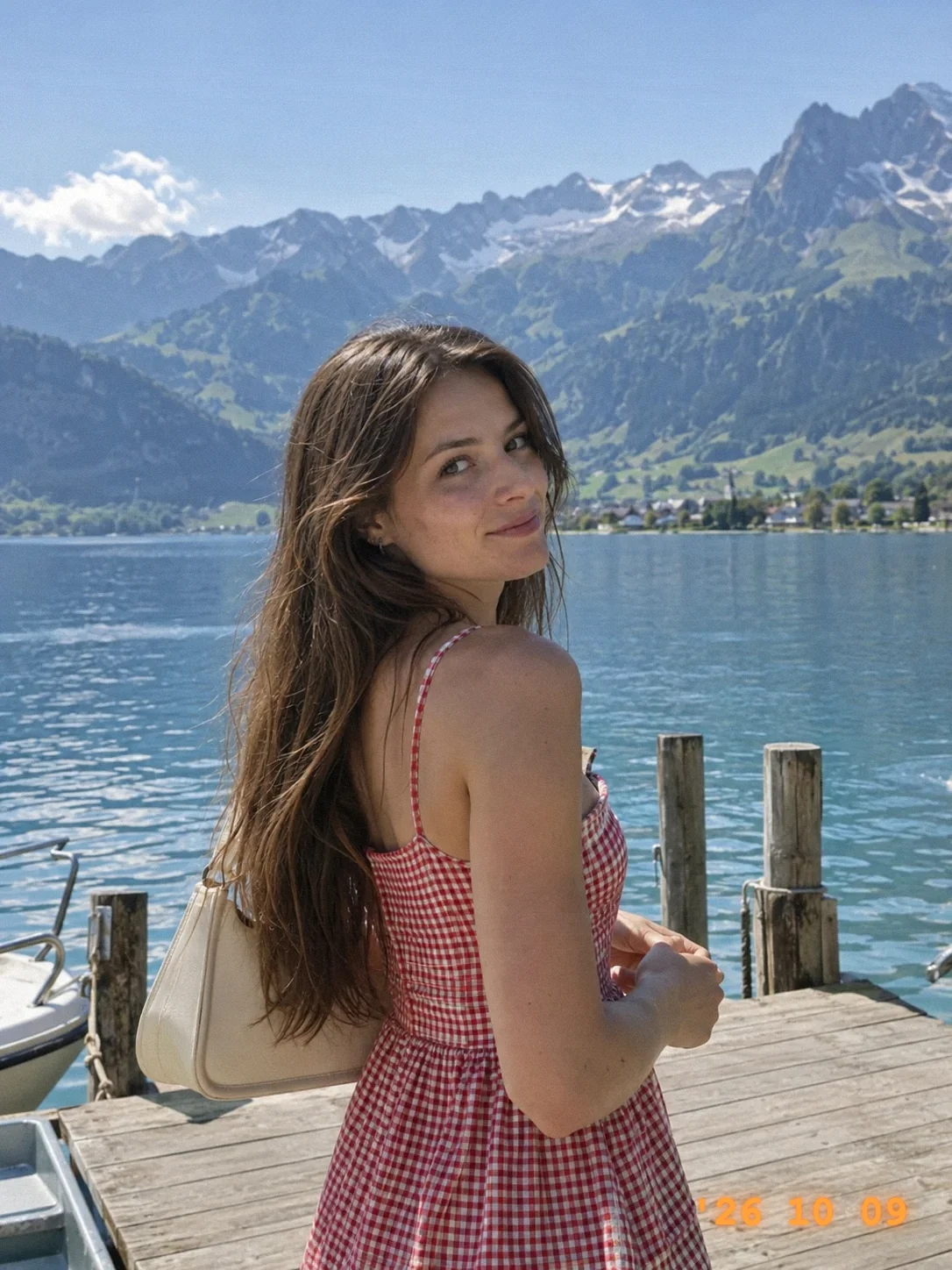
The bottom right is the classic spot, but move the stamp if it covers hands, text or a face. Dark corners make the color easier to read. If you add a white border afterwards, the stamp stays on the photo, not the frame.
Use the real day for a diary-style photo or a trip set planned with our travel photo dump ideas, or back-date a throwback. If an upload has no EXIF date, which is common for screenshots and social-media saves, set it by hand.
Orange is the classic, but on a sunset or a warm wall it can vanish. Switch to white or red, and nudge the size up a little.
Between 80% and 110% looks authentic. Much larger and the date starts to read as a caption rather than a camera imprint.

The free tool adds the date. In Stunna, Digicam Y2K and Disposable add the rest of the era with AI: CCD-style color, crisp flash and grain, and VHS Camcorder includes a timestamp. Free to download, with optional Pro features.


Free to download. Optional Pro features. AI results vary.
Explore Stunna’s AI looks
Choose your photo, set the date, format, color, corner and size, then download. The stamp is drawn into the JPG, so it shows up anywhere you share it.
It is a free web tool that stamps photos you already have. It does not open your camera. For new photos, take them with your usual camera app first and add the date here.
For JPG photos that contain an EXIF capture date, yes. PNG and WebP files, screenshots and many photos saved from social media have no capture date, so the stamp starts with today’s date. You can always edit it.
Yes. Pick any day in the date field and the preview updates immediately. The stamp is decoration, so it is not a record of when the photo was really taken.
It is inspired by one. The orange glowing digits are drawn in a monospaced typeface and approximate an LCD date back without copying a specific brand.
Stunna’s VHS Camcorder look includes a timestamp, and the Digicam Y2K and Disposable looks cover the color, flash and grain of that era. They use AI, so results vary.
Photo tips and ideas that pair well with this tool.