FREE ONLINE PHOTO TOOL

Flash filter.
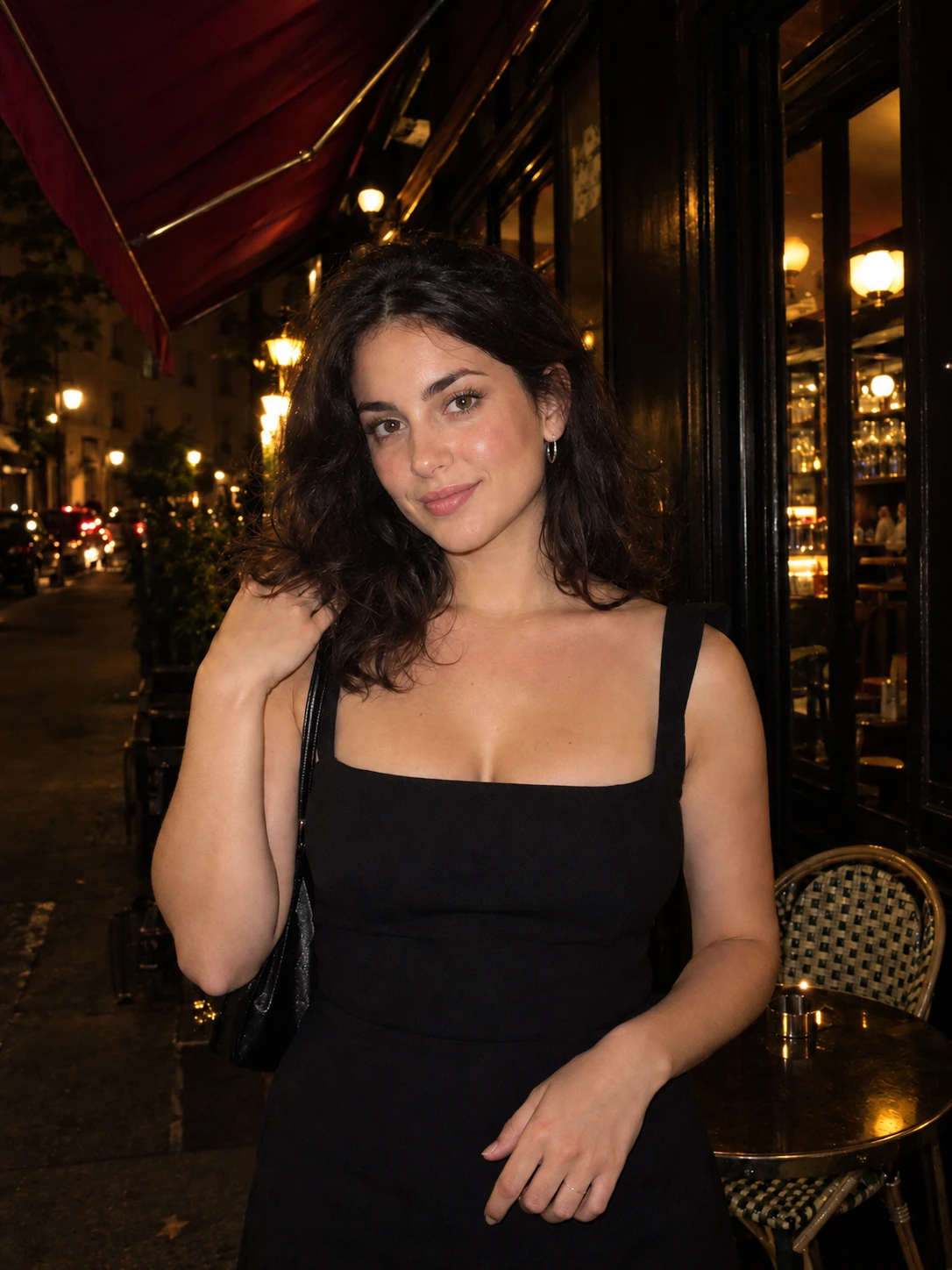
Bright subject. Dark night.

Add the look of an on-camera flash to a photo you already took. It finds the person, lights them up and lets the background fall away. Free, and it runs on your device.

This free tool simulates a flash with person detection and relighting math on your device. It is not the AI relighting used in the Stunna app.

Try it on our sample
Portrait sample for the filter editor

Night direct flash · Sample photo; the effect is rendered live above.

Fire the flash.

Finds the person in your photo, then lights them up.

or drop it here · JPG, PNG, WebP · up to 20 MB

Choose your flash look

Free. No signup. No watermark. Up to 3000 px.

Get the full look in Stunna

Night Flash and Day Flash in the Stunna app relight your photo with AI instead of adjusting pixels.

Try Night Flash in Stunna

Try the sample or choose your own photo.

Edited on your deviceNo account neededFree, watermark-free downloads

How to add a flash effect to a photo

  1. Choose a photo

    Pick a JPG, PNG or WebP with a person in it. A short moment later the editor has found your subject and the flash is on.

  2. Pick a flash look

    Night direct flash for the classic night-out photo, Day fill flash to lift shadows in daylight, or Overexposed party flash for a hard, blown-out look.

  3. Adjust and download

    Set the flash strength and background darkness, add a date stamp if you like, then save a watermark-free JPG up to 3000 px.

What a flash really does to a photo.

An on-camera flash is a small, hard light sitting almost on top of the lens. That position explains the look: faces are lit straight on, so shadows nearly vanish, skin picks up a little shine, and because flash fades quickly with distance, the background drops into darkness. The result feels candid, a bit raw and very much like a night out. It is the look behind the Canon G7X trend, and our G7X filter app is built around that camera.

This flash filter recreates those effects on your photo. A small model finds the person on your device, the subject is relit as if by a flash from the camera, and the rest of the scene is darkened by the amount you choose. If no person is found, the effect centers on the middle of the frame instead. The photo is never uploaded.

The three looks behave differently. Night direct flash is the strongest contrast, day fill flash keeps the scene bright and only softens shadows, and party flash pushes the exposure until highlights start to blow out. Start from a photo where the person is clearly separated from what is behind them, and keep expectations realistic: a filter cannot add detail the camera never saw.

Try the free tool

Three flash looks

Night direct flash
A bright, evenly lit subject with a dark background. The look of a compact camera at night. Great for street, restaurant and party photos, and for the mirror selfie poses people shoot with the flash on.
Day fill flash
A gentler pop with the background left mostly intact. It lifts shadows under eyes and hats in bright light and keeps the scene looking like daytime.
Overexposed party flash
A hard, hot flash that clips the highlights and sinks the background deep. Loud on purpose, so pull the strength back for a subtler result. It suits holiday parties too, so pair it with our Christmas photo ideas.

Same moment. A real pop of flash.

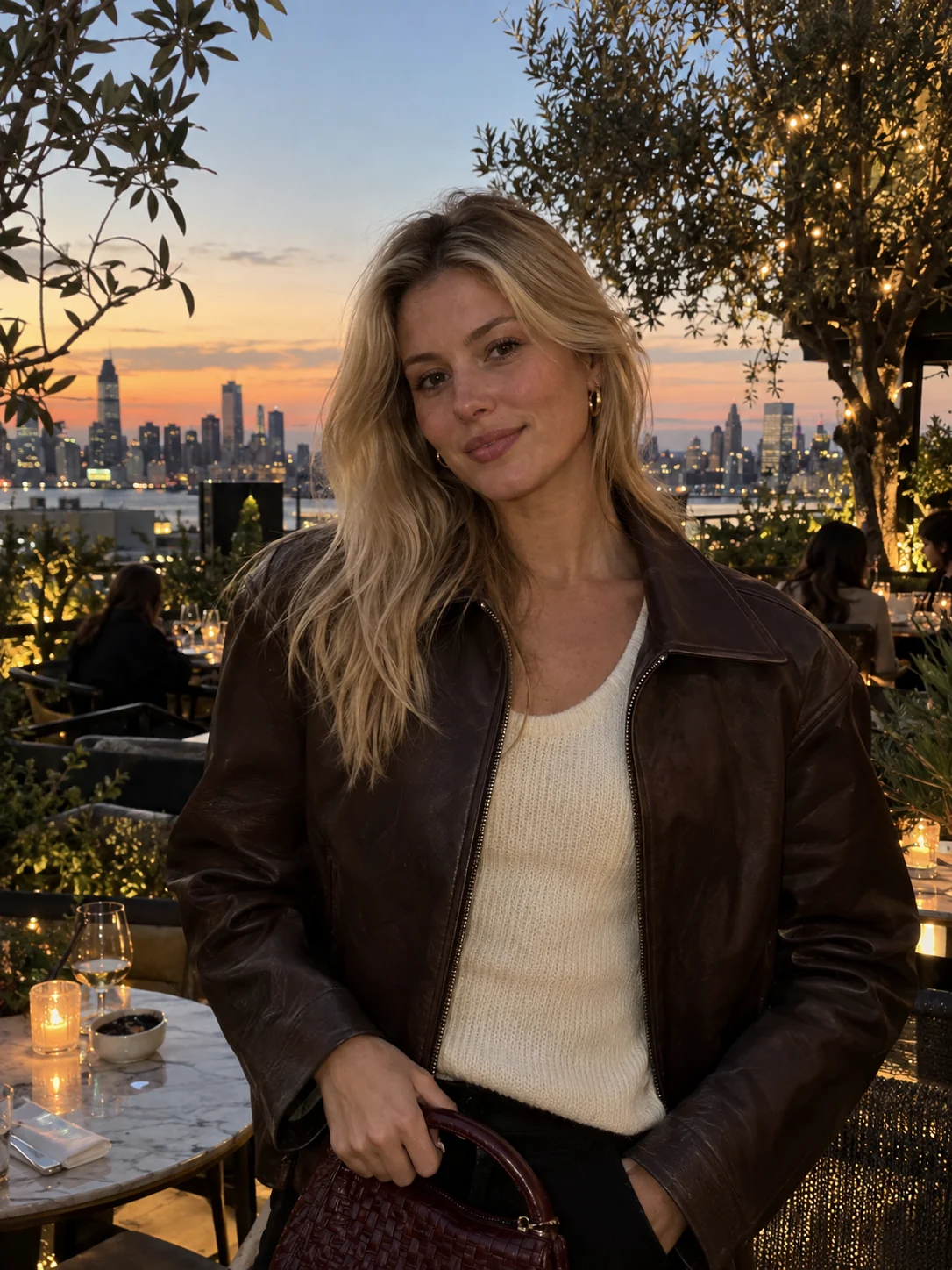
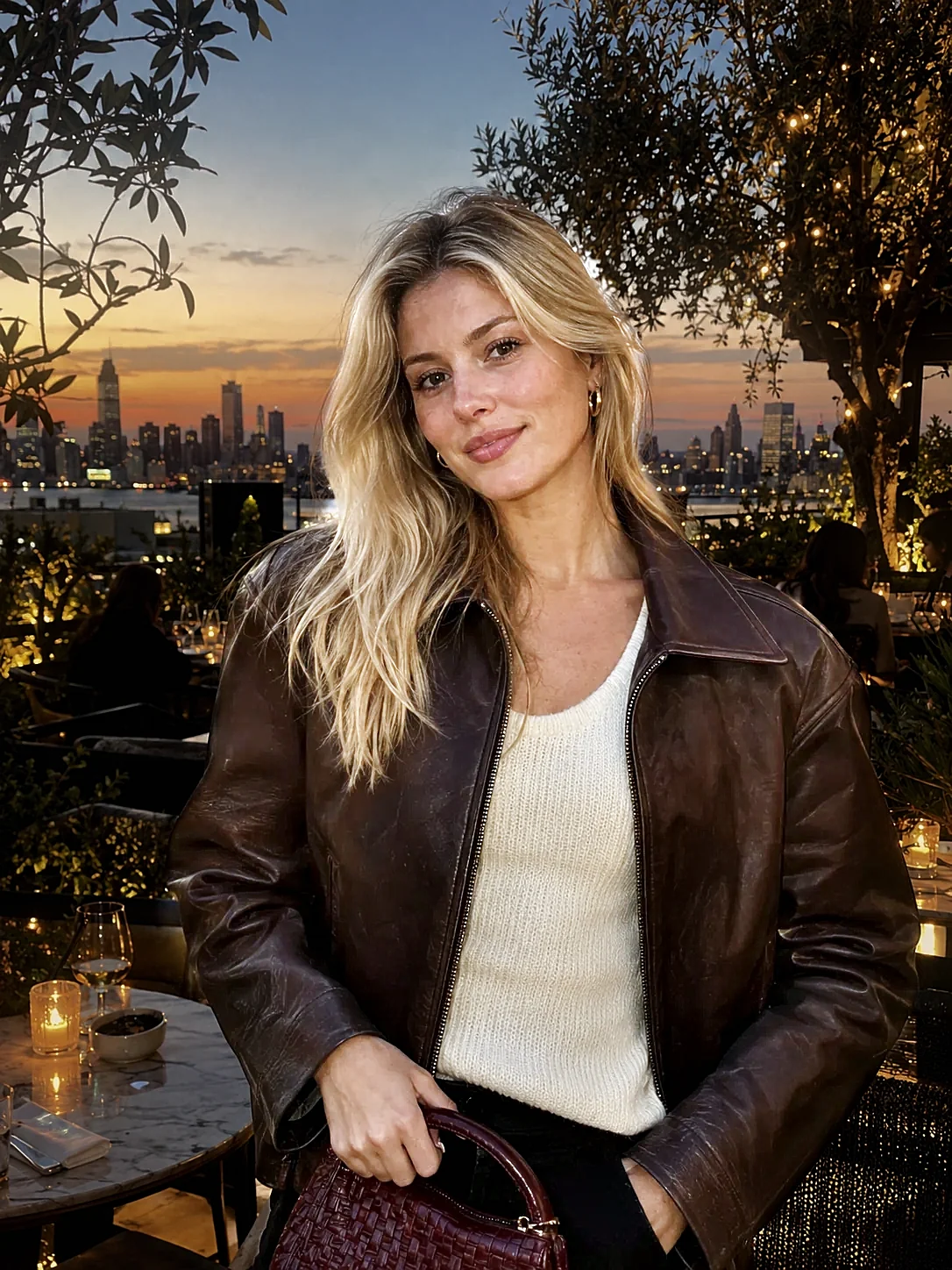
A rooftop evening portrait lit with the Night direct flash look: the subject brightens while the skyline and restaurant fall into shadow. Try Day fill flash or Overexposed party flash for a different finish.

Canon G7X filter Try it on your photo
Rooftop portrait of a woman in a brown leather jacket
Before
The same portrait with the free Night direct flash effect
Night direct flash

A few details make the difference.

Get close, then lose the room

Flash fades fast, so a subject within a couple of meters separates from the background most clearly. A person pressed against a wall has no depth for the effect to use. Our flash photography tips cover distance when you shoot.

Use fill flash in bright light

Hard midday sun puts shadows in eye sockets and under hat brims. Day fill flash lightens them without darkening the sky behind.

Watch bright lights in the background

Lamps, signs and windows are treated as light sources and keep some of their glow. If the background is too dark, lower the background darkness slider. For a colored night look instead, try the red light filter.

Add a shadow on the wall

Close to a wall, a real flash casts a soft shadow beside the subject. Raise Wall shadow a little to bring that detail back, and add the date stamp for a compact-camera feel.

Stunna app icon

Get the full look
in Stunna.

The free filter relights the pixels you already have. Night Flash and Day Flash in Stunna use AI to rebuild the light: a crisp flash on you, a darker background and flash-style color. Free to download, with optional Pro features.

Download on the App StoreGet it on Google Play

Free to download. Optional Pro features. AI results vary.

Explore Stunna’s AI looks
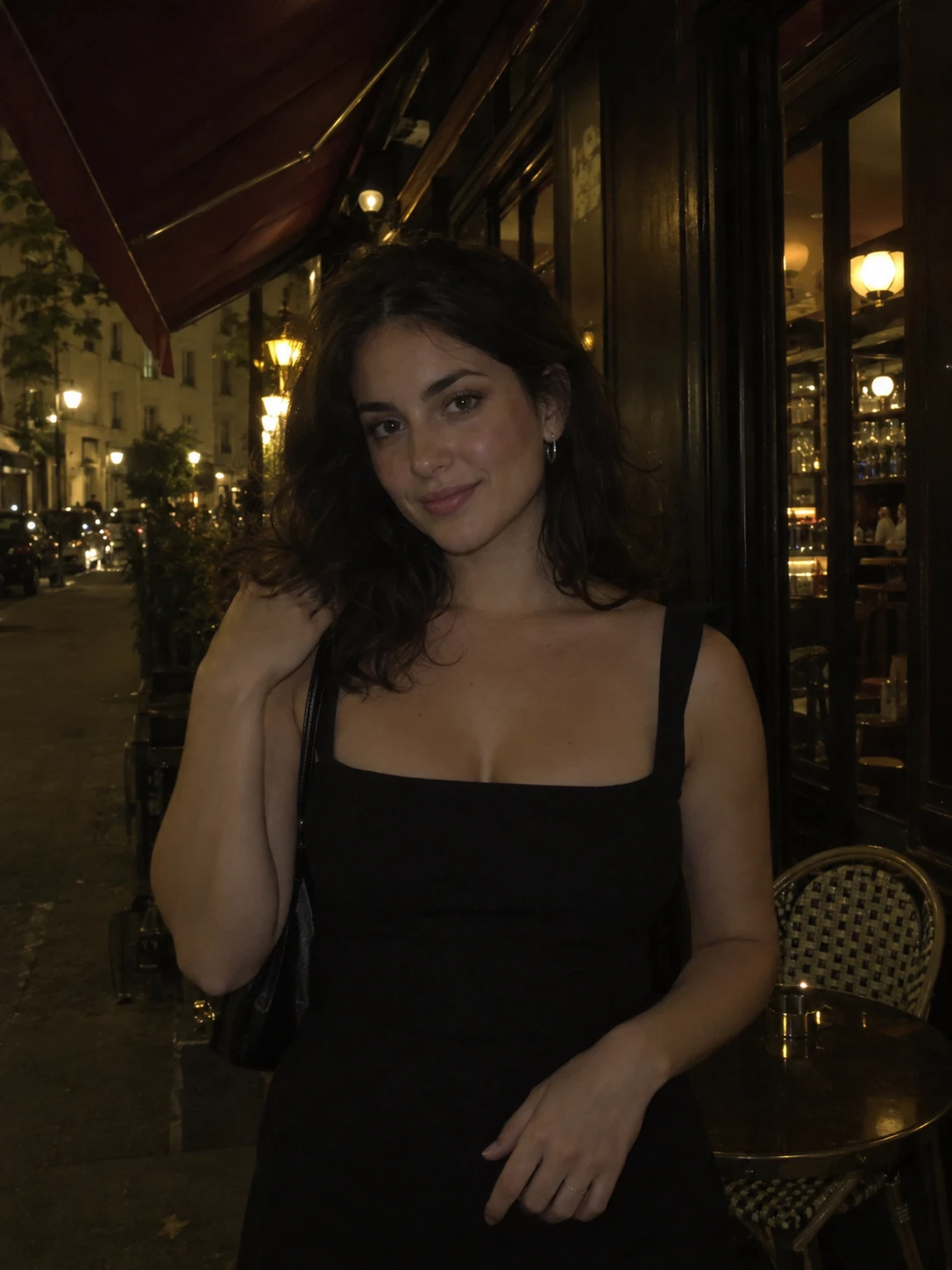
Night portrait outside a cafe before an AI look
Before
The same portrait with an AI flash look from the Stunna app
Stunna app · AI example

Flash filter questions,
answered.

Is the flash filter free?

Yes. Edit and download as many photos as you like with no account and no watermark. Downloads are JPG files up to 3000 px on the long edge.

Does it work on photos without people?

Yes, with limits. When no person is found, the flash centers on the middle of the frame. It suits objects, food and pets best when they sit near the center.

Are my photos uploaded to find the person?

No. The detection model runs in your browser. The first use downloads the model once, but your photo stays on your device.

Can this fix a dark photo?

It can brighten a subject, but it cannot recover detail that is not in the photo. Photos that are blurred or heavily underexposed will look noisy.

How is this different from the Canon G7X filter?

The G7X page is tuned to one compact-camera style. This flash filter adds a daylight fill look and an overexposed party look. Both use the same on-device flash engine.

What do Night Flash and Day Flash do in the Stunna app?

They use AI to relight the whole photo instead of adjusting existing pixels, with a bright subject and moody background for Night Flash and a crisp daylight flash for Day Flash. Results vary.