THE SPARKLER PHOTO GUIDE
Sparkler Photos: Safe Phone Tips for Glowing Shots
Set up safely, light faces with a second source, use night modes or Live Photos, and follow a short shot list for Bonfire Night, Diwali, New Year and weddings.
Try the idea on your own photo with Stunna.


Free to download. Pro options available.
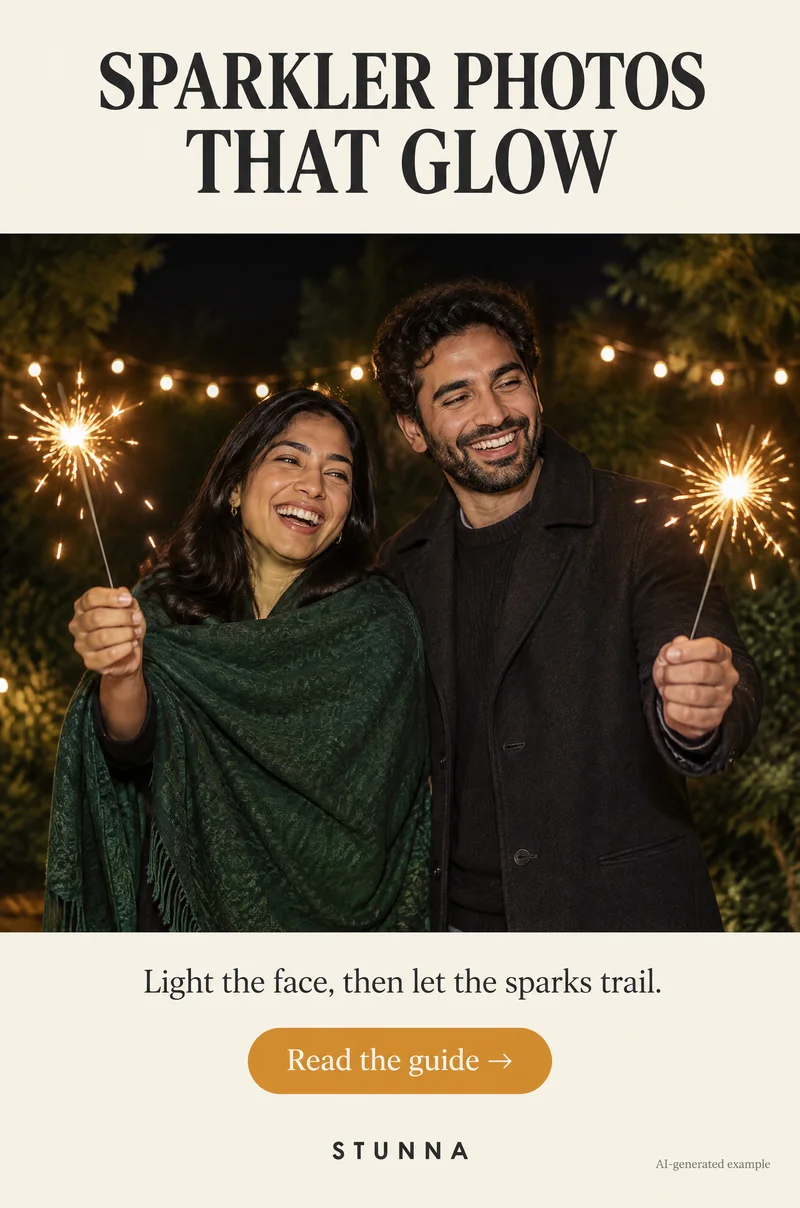
Sparklers turn up at Bonfire Night on 5 November, Diwali, New Year’s Eve and wedding send-offs, and they look magical in person. On a phone they often become a blown-out blob next to a dark, blurry face. The fix is simple: light the face with something else, then let the sparks be the sparkle. Safety comes first in every step below. The images on this page are AI-generated examples, not actual Stunna results.
Sparkler photo checklist
Run through these five points before anyone lights up. They keep people safe and give you better photos, because a calm setup leaves time to frame the shot.
Children should only hold sparklers with close adult supervision, and many packs carry age guidance worth following. Hold a sparkler at arm’s length, never hold more than one lit at a time, never wave it near someone else, and drop each spent sparkler straight into water, because the wire stays hot after the sparks stop. If you are photographing, step back and let the person holding it concentrate.
- Read the box, follow local rules: check the packaging instructions and any venue, park or event rules before lighting. Some venues do not allow sparklers at all.
- Arm out, away from faces: the sparkler stays at arm’s length, held away from hair, scarves, faces and other people. Pose around that rule, not the other way round.
- Light faces with a second source: a porch light, string lights or a friend’s phone flashlight held to one side gives the face shape while the sparkler does the sparkle.
- Shoot a burst or Live Photo: sparks and smiles change constantly, so take several frames and pick later.
- Bucket of water nearby: put a bucket of water close to where people are standing so spent sparklers go straight in.
Light the face, then let the sparks trail
A sparkler is a tiny, very bright point of light. Your phone exposes for that point, so faces fall into darkness. Give the face its own light: stand people a little in front of a lit window or porch, near warm string lights, or ask a friend to hold a phone flashlight off to one side and slightly above eye level. Our string light photo guide shows how soft background lights also add depth.
Keep the sparkler lower than the face and out to the side so it does not flare across the eyes. Warm, low light looks more natural than a flashlight pointed straight on; the same idea makes faces glow at a candlelit dinner party.
Phone settings: night modes, Live Photos and long exposure
Night modes brighten dark scenes by combining frames, which helps faces but can smear fast-moving sparks. Brace your elbows or rest the phone on a wall or table, and ask people to hold still for a second while the sparkler moves.
On iPhone, take a Live Photo and then try the Long Exposure effect from the Live Photo options in the Photos app. Moving sparks blur into trails while still parts of the scene stay steadier. On Android, look for night or long-exposure modes where your camera app offers them; names and options vary by phone, so test a few frames before the main moment.
Short sparkler moments mean someone will blink. Shoot bursts and check the eyes, and our blink photo guide has a few more tricks for groups.
A five-shot sparkler list
Plan these before the first sparkler is lit so you are not scrambling while it burns down. Around a street party or New Year in town, the night shots in our city break photo list pair well with these. For wedding send-offs, the steady pace in our walking photo poses helps couples look relaxed, as long as the venue allows sparklers and guests keep them held high and away from the couple.
- The lit face: one person, sparkler held out to the side, face lit by your second source, looking just past the camera.
- The trail: a Live Photo or long-exposure frame where the sparkler moves slowly in an arc while the person stays still.
- Sparks only: a close shot of the sparkler against a dark sky, filling the frame with bright points.
- The group glow: two or three people standing apart, each holding one sparkler at arm’s length, lit by porch or string lights.
- The quiet after: the bucket, spent wires and a lantern or candle, a calm detail that closes the set.
Writing words with light (optional)
Writing a name or year with a sparkler is a fun extra, not a requirement. Use a long-exposure option, ask the writer to move slowly with the sparkler at arm’s length, and keep letters large and simple. Words appear mirrored from the writer’s side, so they write backwards or you flip the photo afterwards. Expect several attempts, and stop once the sparkler is short.
Easy edits that keep the glow
Edit lightly. Lift the face a little, keep the shadows dark, and avoid pushing the sparks so bright they lose their texture. A touch of film texture with the grain tool can hide night-mode noise. If the scene was lit by colored bulbs, our red light photo guide explains how to keep skin believable.
A printed-look frame suits a single favorite, and our polaroid photo guide shows that style. For flash-style night portraits, our G7X flash guide covers the look, and the AI photo editing checklist helps you review any AI edit before saving.
A few useful answers
Why is the sparkler bright but the face is black?+
The phone exposes for the brightest point. Add a second light on the face, such as a porch light, string lights or a flashlight held to one side.
How do I get sparkler trails on an iPhone?+
Take a Live Photo, then choose the Long Exposure effect in the Photos app. Keep the phone steady and let the sparkler move slowly.
Is it safe for children to hold sparklers for photos?+
Only with close adult supervision and following the packaging guidance. Keep one lit sparkler per person, held at arm’s length, and a bucket of water nearby.