THE 0.5 SELFIE GUIDE
How to Take a 0.5 Selfie That Looks Good
Five tips for a good 0.5 selfie: faces near the middle, closer than feels normal, phone low and tilted up, the whole scene in frame and ten shots to keep one. Plus why the edges stretch.
Try the idea on your own photo with Stunna.


Free to download. Pro options available.
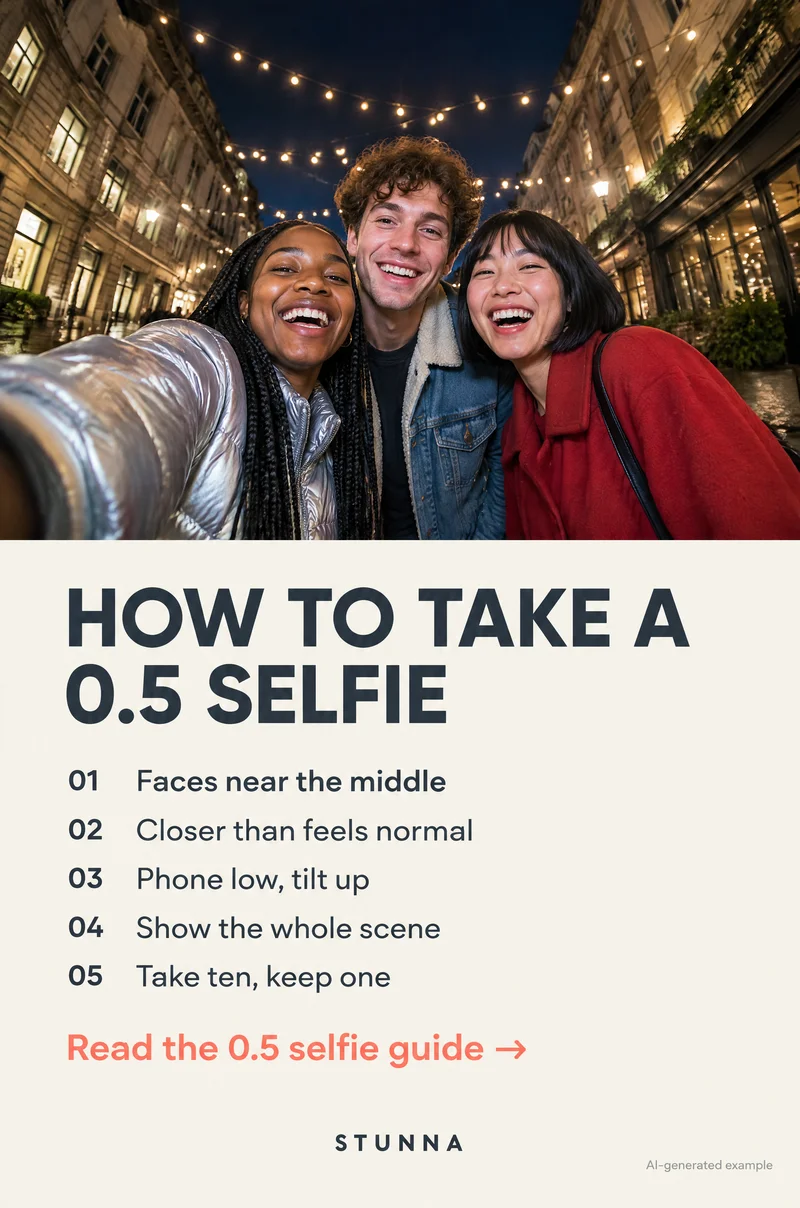
A 0.5 selfie is a photo taken on your phone's ultra-wide lens, the one marked 0.5x in the camera app. It fits far more of the world into one frame: a whole group, a giant Christmas tree, a lit-up street. It also bends things. Faces near the edges can look wider than in real life, and whatever sits closest to the lens looks bigger. The good news is that both effects are predictable. Keep every face near the middle, get closer than feels normal, hold the phone low and tilt it up, let the scene fill the edges and take plenty of frames. Below are those five tips in full, why the edges stretch, the low-angle shot that fits a whole tree in, and how to adapt it all for groups and solo shots. The illustrations are AI-generated examples, not actual Stunna results.
What a 0.5 selfie is, and how to switch to it
Most phones with more than one rear camera have an ultra-wide lens. In the camera app it usually shows up as a 0.5x or .5 button next to 1x. Tap it and the view jumps much wider than the main camera from the same spot.
On most iPhones and many Android phones the ultra-wide lens is only on the back. That is why a 0.5 selfie usually means turning the phone around, pointing the rear cameras at yourself and shooting without seeing the screen. Some Android phones have a wider setting on the front camera too, often shown as a small people icon or a zoom-out button; it helps, but it is rarely as wide as the rear 0.5x lens.
Shooting blind is easier than it sounds. Hold the phone in landscape or portrait with your thumb on a volume button, which works as a shutter on iPhone and most Android phones. Point the lenses at the middle of the group, take a few frames, check them and adjust. After two or three rounds you will know roughly where to hold it.
Why faces near the edges stretch
Two things happen with an ultra-wide lens, and they explain almost every 0.5 selfie that looks off.
The first is edge stretch. To keep straight lines like walls and lampposts looking straight, the phone corrects the ultra-wide image. That correction pulls shapes near the edges and corners outward, so a round face sitting at the side of the frame comes out wider and slightly smeared toward the corner. In the middle of the frame, the same face looks close to normal. Some phones, including recent iPhones, have a lens correction setting in the camera settings that is usually on by default; it keeps lines straight but does not stop faces near the edge from stretching.
The second is closeness. On any lens, the thing nearest the camera looks biggest, and with an ultra-wide you are usually very close. A hand, a nose or the arm holding the phone can look large. A little of that is the charm of a 0.5 selfie. A lot of it, aimed at someone's face, is what people dislike.
So the fix is simple: put faces in the middle, where the lens is kindest, and let the background, the buildings and the lights take the bending at the edges. A curved street or a leaning tree at the side reads as fun. A stretched friend at the side does not.
The 5 tips for a 0.5 selfie that looks good
These are the five steps from the checklist Pin, in the order you use them. Run through them once before the first frame and you will spend less time deleting.
- Faces near the middle: squeeze every face toward the center of the frame, roughly inside the middle third. If someone is on the end, ask them to lean their head in rather than stand further out. Leave the edges for the scene.
- Closer than feels normal: hold the phone nearer than you would for a regular selfie, often just beyond a bent elbow rather than a fully stretched arm. Being close makes your faces big enough to read while the ultra-wide lens still fits the background in. If faces look tiny, you are too far away.
- Phone low, tilt up: bring the phone down to around chest height and tilt the top of it back toward you so the lenses look up at your faces. The low angle shows the sky, the ceiling lights or the top of the tree behind you, and it is the most flattering way to use the lens. There is a full breakdown below.
- Show the whole scene: the point of 0.5 is the wide view, so give it something to show. Stand where the lights, the market stalls, the tree or the skyline surround you, and check that the edges of the frame hold the place, not a stranger's elbow or a bin.
- Take ten, keep one: an ultra-wide frame changes a lot with small moves, and someone is always mid-blink. Take a quick run of ten or so frames, shifting the angle a little between them, then zoom in on each face and keep the one where everyone looks like themselves.
The low-angle 0.5 selfie: fit the whole Christmas tree in
This is the shot that makes December 0.5 selfies worth taking. Standing under a giant lit tree, a city light display or a tall building, a normal selfie only shows a few branches. Hold the ultra-wide lens low and tilt it up and the whole tree, star included, fits behind you.
The trick is to lean toward the phone as you tilt it. Leaning in keeps your faces near the middle of the frame and big enough to read, while the tree fills the top and curves gently at the sides. It also helps your jawline: a low phone with you leaning in looks friendly, while a low phone with you leaning back mostly shows the underside of your chin.
- Stand a few steps from the tree, close enough that it towers over you but with a little space so it is not right behind your head.
- Hold the phone at chest height on 0.5x, lenses facing you, then tilt the top of the phone back until the camera looks up at your faces.
- Lean in toward the phone together and drop your chins very slightly.
- Check the frame: faces in the middle, the top of the tree inside the frame, no one's head cut off at the side.
- Shoot a burst while you laugh or talk, then try one frame a little lower and one a little higher.
0.5 selfies for groups
Ultra-wide group selfies are where 0.5 shines, because everyone fits without anyone holding the phone at the far end of a long arm. The person holding the phone should stand in the middle or slightly in front of the group, not on the end. Everyone else leans their heads in toward the center, taller friends bend a little and shorter friends come forward so all the faces sit at roughly the same distance from the lens.
Distance matters as much as position. Someone standing a step closer to the phone than the rest will look bigger than everyone else, which is funny once and unkind if it happens every time. Line up shoulders, squeeze in and let the person holding the phone call out where to move: closer, lean in, drop down a little. For bigger groups, add a second row: the front row crouches or sits and the back row leans over them. If you want a bigger set of group ideas, our group photo guide covers still, conversational and moving frames.
Solo 0.5 selfies
On your own, the 0.5 lens is a way to show yourself and the place in one frame without asking a stranger to take your photo. Keep your face in the middle, hold the phone a little closer than feels normal and use the low tilt-up angle to bring in the sky, a ceiling or a tall landmark. A slight high angle also works for showing an outfit and the floor of a room, as long as your face stays central.
Watch the arm holding the phone. At the edge of an ultra-wide frame it can look very long. Tuck your elbow in, hold the phone with both hands near your chest or let the arm run out of the frame entirely. If you want a full-length shot rather than a selfie, prop the phone on a wall or a bag at hip height, set the timer and step back; there is more on that angle in our phone camera angle guide.
Common 0.5 selfie mistakes
Most disappointing 0.5 selfies come from the same handful of habits. Each one has a quick fix.
- A friend at the edge: squeeze everyone toward the middle, or shoot again with that friend in the center.
- Too far away: faces become tiny and the photo is all background. Bring the phone in.
- Phone held high and pointing down: foreheads grow and bodies shrink. Lower the phone and tilt up instead.
- One person much closer to the lens: line everyone up at the same distance.
- Dirty lens: the ultra-wide lens picks up fingerprints easily and turns night lights into smudges. Wipe it on a soft cloth before shooting.
- Busy edges: a stranger's face or a bright sign at the side pulls attention, especially because edges stretch. Shift a step or two.
- Only one frame: take ten, check faces at full size and keep the best one.
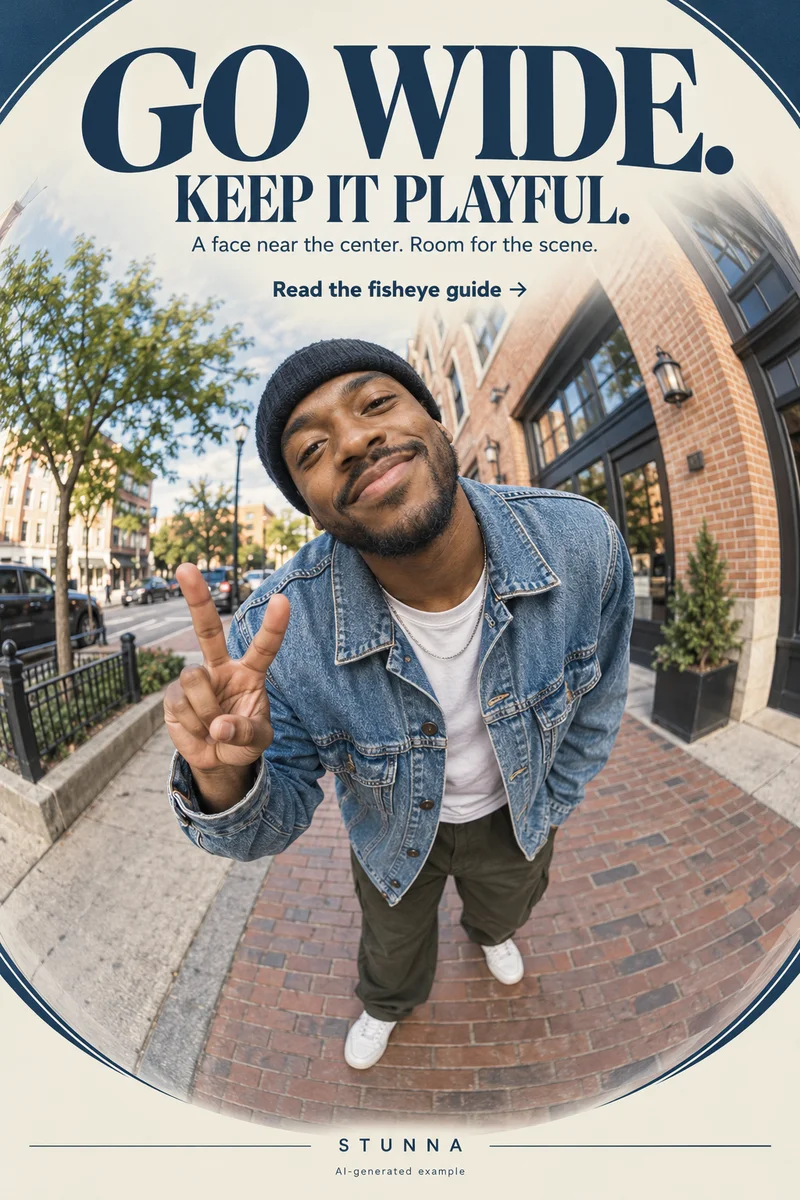
- Expecting a fisheye: 0.5x is wide but mostly keeps lines straight. If you want the round, bulging look on purpose, our fisheye photo guide covers how to frame it.
A few useful answers
What is a 0.5 selfie?+
A selfie taken on the phone's ultra-wide lens, shown as 0.5x in the camera app. It fits much more of the scene into one frame, which is why it is popular for groups and big backgrounds.
Why does my face look stretched in a 0.5 selfie?+
Ultra-wide lenses stretch shapes near the edges and corners of the frame, and whatever is closest to the lens looks largest. Keep faces near the middle and at the same distance from the phone.
How do I take a 0.5 selfie with the front camera?+
On most iPhones you cannot, because the 0.5x lens is on the back. Turn the phone around, point the rear lenses at yourself and use a volume button as the shutter. Some Android phones offer a wider front-camera setting.
What is the best angle for a 0.5 selfie?+
Hold the phone around chest height and tilt it up toward your faces while you lean in. It flatters faces and fits tall backgrounds like Christmas trees and buildings into the frame.
Where should people stand in a group 0.5 selfie?+
Put the person holding the phone in the middle or slightly in front, squeeze every face toward the center and keep everyone at roughly the same distance from the lens.