GO WIDE. KEEP IT PLAYFUL.
Fisheye Photo Ideas: Portraits and Framing Checks
Try three playful wide-angle compositions and four framing checks, then learn how a generated fisheye look differs from a camera lens.
Try the idea on your own photo with Stunna.


Free to download. Pro options available.
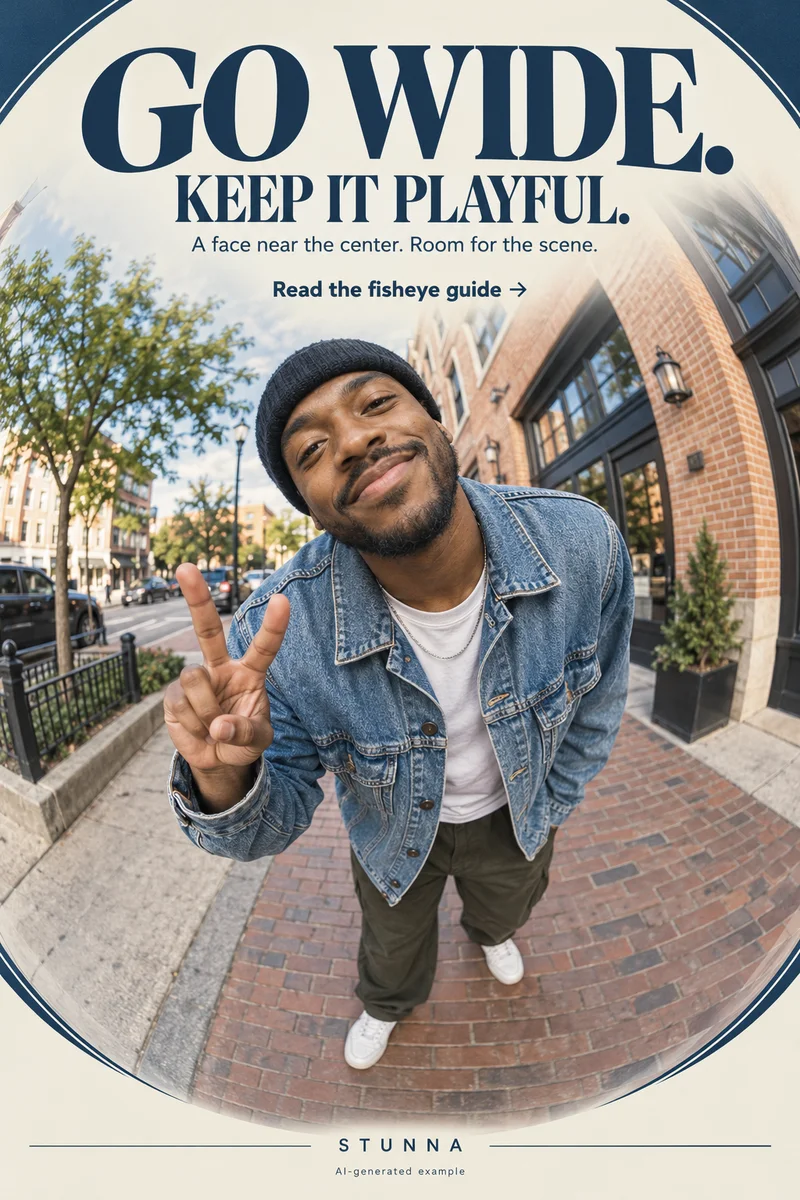
A playful wide-angle picture gives the person room to share the frame with a street, room or outfit. Let the edges carry the drama while the face remains the anchor. Below are three composition ideas and the four checks from the Pin, followed by a clear explanation of the generated route. The hero is an AI-generated illustration, not a lens test or an actual Stunna result. Framing advice here does not imply that Stunna controls your phone's lens hardware.
Choose your route: camera perspective or a generated look
A fisheye lens creates a very wide, curved view. [Nikon's lens overview](https://www.nikonusa.com/c/lenses/dslr-lenses/special-purpose) describes fisheye compositions that bend and warp the scene. A phone's available ultra-wide camera can give a wider perspective, but selecting it does not turn it into a true fisheye lens. Camera options vary by device and camera app.
Stunna's Fisheye generates a curved wide-angle look from an uploaded photo. The 0.5 Bestie preset is another creative direction in the catalog; its name does not promise an in-app hardware zoom control. For either generated route, use a clear source and compare the result with it. Physical capture and generated perspective are different ways to explore the idea.
Composition 1: a centered portrait with a lively room
Put the face near the middle and include a doorway, floor pattern or shelf that describes the setting. Keep a comfortable distance instead of pushing the camera into the face. Leave space above the head and around the shoulders.
Take a calmer reference before trying a wider or closer version. Compare the face and nearby hands as you change position. A curved doorway can serve the effect; unfamiliar facial features are a reason to choose another version.
Composition 2: an outfit portrait with room for the floor
Leave space above the head and below the shoes. Floor lines or a wall can carry the wide-angle mood. Keep the face near center and adjust the photographer's distance and angle gradually, watching how outfit and scene relate.
Give hands room beside the outfit instead of near the corners. Review shoes, straps and seams after a generated edit. Choose playful styling without promising to reshape body proportions. The phone-angle guide covers more restrained alternatives.
Composition 3: a street portrait with a wide scene
Choose a quiet street position and one clear setting detail, such as a building corner or windows. Keep the face easy to find and away from the outer edge. Leave extra space so the scene can carry the mood.
Try a still frame and one small step or glance. Review before moving on. If signs, railings or hands become unreadable in a generated result, use another source or a calmer effect. The setting should support the portrait.
The fisheye frame: four checks before saving
These are framing and review choices, not promises of a particular lens setting. Start at normal viewing size, then inspect the face and edges closely. For a generated look, keep the source open alongside the result.
- Keep the face near center. Leave the person as the readable anchor while the scene carries the wide-angle mood.
- Give hands some space. Check fingers, wrists and any objects being held; avoid crowding them into the corners.
- Let the edges show the effect. Give walls, floor lines or open background room to curve without losing useful scene detail.
- Compare with the source. Check identity, expression, clothing and proportions before keeping a generated result.
Choose the final crop around the person and the scene
Compare a tighter and looser crop at sharing size. Keep the expression visible and enough environmental detail to explain the wide view. Save the original and chosen export separately.
Check jewelry, fingers, logos and identity after an AI edit. Discard a drifting version instead of treating every distortion as style. One wide frame can add variety to a weekend photo dump without taking over the set.
The free camcorder filter offers another finishing option. Preview its fisheye-style lens bend on a copy; this is a browser effect rather than a change of camera hardware.
Plan the next frame
To compare three viewpoints before choosing the frame, use the guide to phone camera angles. To check texture at full size and feed size, use the guide to film-grain photo editing. To sequence portraits, settings and small details into one story, use the guide to a weekend photo dump. To add movement while keeping the face readable, use the guide to creative motion photos.
To request a specific background change and inspect what stays, use the guide to ChatGPT background-edit prompts.
A few useful answers
Is a phone's 0.5 camera the same as a fisheye lens?+
No. An available 0.5 camera gives an ultra-wide view, while fisheye lenses are designed for a curved projection. The exact camera options depend on your phone and chosen camera app.
Does Stunna change the phone's camera lens?+
These presets generate looks from uploaded photos. Fisheye and 0.5 Bestie are creative editing directions, not claims of physical lens switching or a hardware zoom control.
What if the edited face or hands look unfamiliar?+
Compare with the original and reject that version. Keep a clearer source, give the person more room in the frame, or choose a calmer composition. Playful edges should not prevent you from recognizing the subject.