THE GROUP PHOTO GUIDE
Group Photo Poses and Tips: How to Take a Photo Everyone Can Use
Use five setup checks, capture several frames, and choose a clear group picture before trying a creative repair.
Try the idea on your own photo with Stunna.


Free to download. Pro options available.
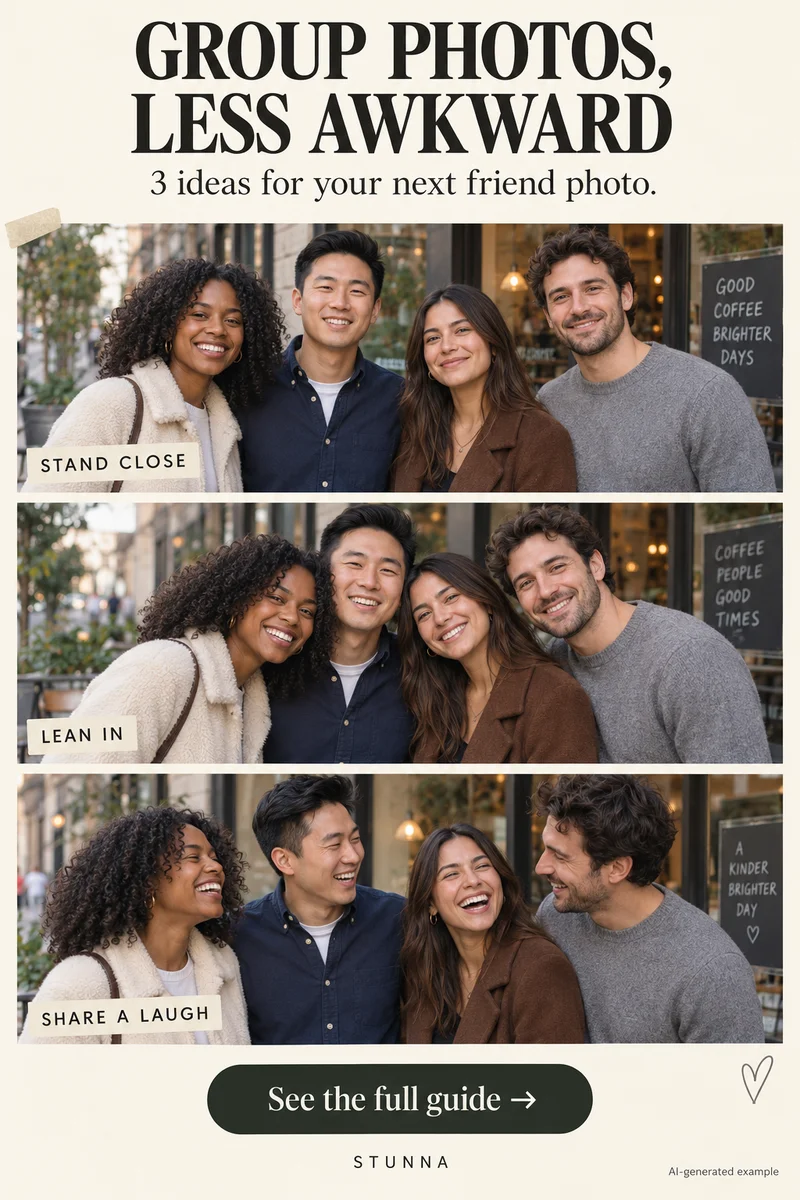
A group picture has several expressions to catch at once. A simple setup and a few extra frames give you more useful choices than asking everyone to hold one perfect smile. Make both the light and the instructions easy to follow, then review every face before moving on. The same setup works for family gatherings; see our Christmas photo ideas for a seasonal set. AI-generated visual examples illustrate the look; they are not measured Stunna outputs.
Give the group one clear setup
Choose a quieter background with room for everyone. Look for consistent light across the group: one person in strong sun and another in deep shade makes the photo harder to balance. Open shade with daylight reaching the faces is a useful starting point.
Place people so faces remain visible rather than lining up only their feet. If you need more than one row, stagger positions and check for a face hidden behind a shoulder. Keep the arrangement comfortable, and leave space around heads, hands, and shoes for the final crop. For just two people, our couple poses guide has closer arrangements.
Use these five checks before the group photo
Run through the checks quickly, then keep the session moving.
- Same light: check every face for bright sun patches, deep shadow, or a strong color cast. Move the setup when one person’s light is very different.
- Close the gaps: bring the group into a coherent frame while respecting everyone’s comfort. Keep each face visible and avoid leaving a large accidental hole in the middle.
- Relax shoulders: ask everyone to settle, breathe, and use a comfortable hand position. A small turn is enough; matching poses are optional, and our guide on how to pose for pictures has more starting points.
- Shoot a few frames: announce when you are taking pictures and let everyone pause. Use a short sequence where supported, or take several separate still frames.
- Check for blinks: review every face, not just the person in the center. Retake while the group is still together if an eye is closed or an expression is hidden.
Capture still, conversation, and movement
Start with several still pictures looking at the camera. Give people a moment to blink normally between short sets; a long held stare can make the session uncomfortable. Keep instructions brief so everyone knows when to pause.
Next, invite a shared glance or a short conversation and capture the transition. Finish with a small movement if the space allows, then pause for a sharp backup. Check that movement did not hide a face. For a phone timer, test the composition with the group in position and leave room for the photographer to join. For playful strip-style pictures instead, see our photo booth poses and the free online photo booth.
Choose the frame by checking everyone
Compare your candidates at the same size. Inspect focus, eyes, expressions, and whether hands or accessories obscure anyone. Ask the group to choose when practical. The strongest frame is one everyone likes, rather than simply the one where the photographer looks best.
Check the edges before exporting. People near the edge of a very wide frame may look stretched, especially when close to the lens. A greater camera distance or a less extreme viewpoint can give you another option while shooting. Keep a clear still photo even if a playful wide selfie becomes your favorite.
Use repairs and camera moods for different goals
Stunna’s Group Blink is designed to open one blink without changing the group. It is a generated repair, so inspect the edited eyes and compare every face, hand, and outfit with the original. A clearer frame from your sequence is a useful reference; the intended behavior is not a guarantee of exact preservation. Our AI photo editing checklist lists what to compare.
0.5 Bestie is a separate Stunna look for an ultra-wide group-selfie mood with playful night-out energy. It is a creative effect, not a promise of an in-app camera lens control. Choose it when that interpretation suits the photo, then review identity and proportions before saving.
A few useful answers
How many group pictures should I take?+
Take a small set of still frames, review every face, and repeat if needed. Several options are more useful than relying on one capture or an exact universal number.
How do I make the pose less stiff?+
Keep shoulders relaxed, use comfortable hand positions, and take a conversation frame after the still set. Matching expressions and identical poses are optional.
Can Group Blink guarantee an unchanged group?+
No. It is intended to fix one blink, but generated results can alter details. Check the edited eyes and the rest of the group against the original.