THE CONCERT PHOTO GUIDE
Concert Photos on Your Phone: 5 Tips That Work
Flash off, stay on the 1x lens, lock focus on the stage, burst when the light peaks, then take three and enjoy the show. Plus crowd selfies and video stills.
Try the idea on your own photo with Stunna.


Free to download. Pro options available.
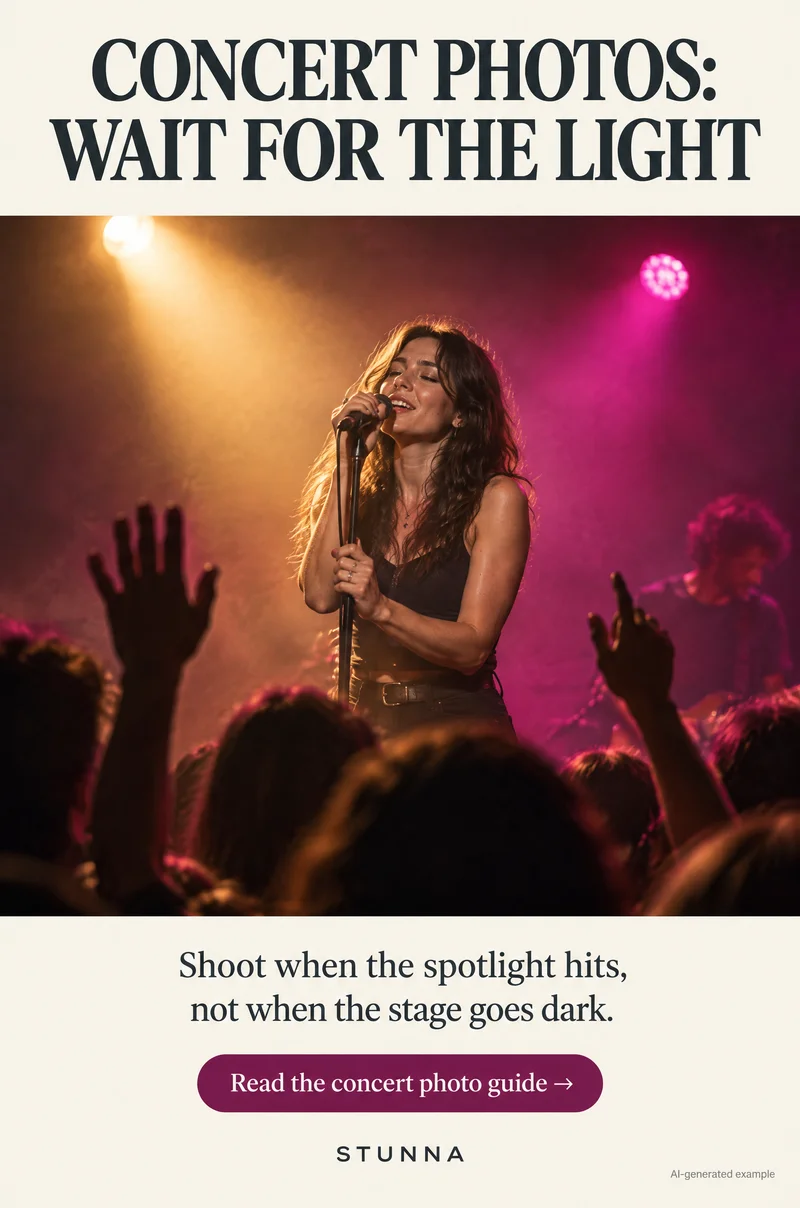
Concert photos go wrong in predictable ways: a flash that lights only the heads in front of you, a zoomed-in blur of a performer, a stage that is either black or blown out. The good news is that the venue has already done the lighting. Your job is to wait for it, then take a few frames and put the phone away. These are tips for your own phone at gigs and festivals; the illustrations are AI-generated examples, not actual Stunna results.
Before you go: rules, battery and lens
Check the venue's rules before the show. Some venues and artists restrict photography, ban flash or ask for phones to be put away entirely, and some only allow phones, not separate cameras. Follow what staff ask on the night; the rules apply to everyone and exist for the performers too.
Charge your phone fully and wipe the lens with a soft cloth before you go in. A fingerprint smear turns every stage light into a hazy streak, and phone lenses pick up smudges from pockets all evening.
Concert photo tips: the 5 steps
Save these five steps before your next gig. They matter more than any edit afterwards.
- 01 Flash off: set the flash to off, not auto. Phone flash cannot reach the stage, and in a dark room auto may fire it anyway.
- 02 Stay on the 1x lens: use the main camera, which usually handles low light best. Zooming past your phone's optical lenses enlarges noise and blur, so crop later instead of pinching to zoom.
- 03 Lock focus on the stage: tap the performer or the brightest part of the stage so the phone focuses and exposes for it, not for the dark crowd. Many phones let you press and hold to lock focus and exposure; controls vary by device.
- 04 Burst when the light peaks: wait until a spotlight hits the performer, then take a short burst or several quick taps. The brightest moment gives the phone the fastest, sharpest frame.
- 05 Take three, then enjoy the show: get a few good frames per song you care about, then put the phone down. You will remember the night better, and so will the people behind you.
Why flash fails at a concert
A phone flash is a small light designed for people a few steps away. At a concert, the stage is usually much further than that, so the flash never gets there. What it does reach is the backs of the heads and raised arms in front of you, which turn into bright grey shapes while the stage behind falls even darker, because the phone exposes for the flash-lit foreground.
Flash also bothers people around you and can distract performers, which is one reason many venues ban it. The stage is already lit far more powerfully than any phone could manage. Turn the flash off and let that light do the work.
Wait for the spotlight
Stage lighting changes constantly. One second the performer is a silhouette in blue haze, the next they are lit by a bright, warm spot. Phones struggle with the dark moments and do well in the bright ones, so timing beats settings. Watch a song or two first: most shows repeat their lighting patterns, with the spot often hitting on a chorus, a solo or the moment a performer steps forward.
When the light comes, shoot a short burst. The extra brightness lets the phone use a faster capture, which freezes movement and keeps the face sharp. If the stage looks blown out, with a white face and no detail, tap the performer and drag the exposure control down slightly before shooting. On iPhone, [Apple's camera tools guide](https://support.apple.com/guide/iphone/use-camera-tools-iph3dc593597/ios) shows how; on Android, most camera apps show a brightness slider after you tap to focus, though the name and placement vary.
Colored stage light is part of the memory. If the whole frame goes deep red or magenta, that is fine; keep it rather than trying to neutralize it. Our red light photo guide covers how faces read under strong colored light.
Settings that help (and one that often does not)
Keep HDR and the default photo settings on; they usually help with the mix of bright stage and dark room. Live Photos or a motion-photo setting, where your phone has one, gives you a few extra moments to choose from afterwards.
Night mode is great for still scenes but often blurs a moving performer, because it captures over a longer time. If your phone switches to night mode automatically and the results are smeary, try turning it off for the brightest moments, or embrace the blur as an effect. Our motion blur photo guide has ideas for making movement look intentional.
Hold the phone at chest or chin height with both hands and elbows tucked in. It is steadier than one hand overhead, and it keeps you from blocking the view behind you.
Crowd selfies and friend photos
For a photo of you and your friends, turn so the stage light falls on your faces instead of behind your heads. Facing the stage with the phone between you and it gives you lit faces and a glow of lights behind. The ultra-wide front camera fits more people in, but keep faces away from the very edges where it stretches them.
Save flash photos of friends for before the show, between sets or outside the venue, where it will not bother anyone. For that direct-flash night-out look, see our G7X-inspired flash photo guide, and for larger friend groups, our group photo guide covers getting everyone in focus.
Video stills: when a clip beats a photo
Sometimes the best moment is too fast for a photo: a jump, confetti, the whole crowd singing. Record a short clip of that part of the song instead. Afterwards, pause on the frame you like and screenshot it, or use your phone's frame-export option if it has one.
A still taken from video is usually lower resolution and softer than a photo, so it works best for stories and photo dumps rather than prints. Keep clips short so you can return to watching the show.
Concert etiquette and a light edit
Respect the people around you. Keep the phone below the eye line of the person behind you, turn screen brightness down, do not film whole songs with your arm up, and follow any requests from the artist to put phones away. A few good frames are worth more than a blocked view for someone else.
In the edit, lower highlights a little if the performer's face is bright, keep the stage colors and avoid heavy sharpening, which makes low-light noise look crunchy. For a softer film feel on a concert photo, the prompts in our ChatGPT film look prompts guide keep faces and framing the same while changing color and grain.
A few useful answers
Should I use flash for concert photos?+
No. A phone flash only reaches a few steps, so it lights the heads in front of you and leaves the stage dark. It also bothers people nearby and is banned at many venues.
How do I take better concert photos on my phone?+
Turn flash off, stay on the main 1x lens, tap to focus and expose on the stage, and shoot a short burst when the spotlight hits the performer.
Why are my concert photos blurry?+
Low light makes the phone use a longer capture, and zooming past the optical lens magnifies blur. Shoot when the stage is brightest, stay on 1x and hold the phone with both hands.
Should I zoom in at a concert?+
Only as far as your phone's optical lenses allow. Beyond that, digital zoom usually looks soft and noisy; a crop from a sharp 1x frame often looks better.
Am I allowed to take photos at a concert?+
It depends on the venue and the artist. Check the rules before the show, never use flash where it is banned and follow staff requests on the night.