THE G7X PHOTO APP SHORTLIST
Our #1 pick: Stunna · Best for existing photos
Best Apps for G7X-Style Photos in 2026: The Buyer’s Shortlist
Six apps compared for the flash-camera look. Stunna leads for existing photos; choose your alternative by workflow, platform and price.
Try the idea on your own photo with Stunna.


Free to download. Pro options available.
Published
Updated
Stunna is our #1 pick for turning photos you already took into G7X-style shots. It brings Pocket Cam, Night Flash and other lighting looks to an existing photo, with options for both iPhone and Android. These best apps for G7X-style photos also cover fresh captures, dedicated camera-style edits and manual color grading. We make Stunna, and this is our editorial shortlist, based on documented features and pricing—not a six-app image-quality benchmark. Below, find the right workflow for your photo, your phone and your budget.
Key Takeaways
- Stunna is our #1 for photos you already took. Start with Pocket Cam or Night Flash, then explore other lighting directions and export the version you prefer.
- Choose the workflow before the app. Stunna, Pecra and Lumo focus on existing-photo treatments; Flash7X is capture-first, while Dazz Cam supports import in selected modes.
- A flash look is more than warm color and grain. A bright subject, darker surroundings and believable highlights do much of the work; color grading is a separate decision.
- Compare the renewal period and editing allowance. A $4.99 weekly pass and a $4.99 monthly plan are different purchases, and credit-based plans need a volume check.
- Ratings provide context, not a controlled quality score. We checked US listings on October 14, 2026, and give each app a specific use case rather than claiming one wins every job.
What a G7X-style photo app actually is (and what it is not)
A G7X-style photo app is a phone camera or editor designed to evoke the look people associate with compact-camera portraits: a clear subject, bright skin highlights, a deeper background and an intentional color finish. The name describes a creative reference. It does not mean the app contains a Canon camera sensor, reproduces a lens exactly or creates the same photograph a physical camera would have captured. Stunna and the apps here are independent of Canon.
There are three useful routes. A camera app starts with a new capture and can shape the look as you shoot. A conventional editor works with the pixels already in your photograph, adjusting exposure, color and texture. An AI editor can interpret a new lighting or camera direction and may change details in the process. These approaches can overlap, but the distinction helps you buy the right thing: decide whether you can take the photo again or need to work with the shot you have.
For a night-out portrait with a great expression and disappointing light, an existing-photo workflow is the most relevant starting point. For a party you have not photographed yet, a capture app may be useful. If the original already has attractive flash light, you might only need a careful color grade. Our G7X flash photo guide explains the visual ingredients, and the free G7X browser tool lets you try a separate, adjustable effect before choosing a mobile app.
How We Ranked These G7X Photo Apps
We ranked for a specific reader: someone who wants a compact-camera flash mood on a phone photo, especially one already saved in their library. Stunna comes first because its documented existing-photo workflow, named lighting looks, two mobile platforms and export options fit that brief. We make Stunna; this is a publisher’s editorial recommendation, not independent certification or a numerical test score.
We checked official US App Store descriptions, purchase lists and Apple lookup metadata on October 14, 2026. Adobe’s mobile FAQ supplies the Lightroom free-versus-paid distinction. Our own app catalog and the public Stunna listings supply Stunna’s feature details. Where an allowance, billing period or Android release could not be verified, we say so. Ratings and prices are snapshots, and your store or checkout may differ.
The order prioritizes a direct existing-photo workflow, then focused alternatives, capture-oriented apps and manual editing. We have not processed the same photo through all six apps, timed their speed or measured which preserves faces most accurately. The comparison below uses these six checkable criteria:
- Existing-photo support: documented import or saved-photo processing, versus a capture-first workflow.
- Mobile platforms: verified iPhone and Android availability from the same publisher.
- Pricing: listed US purchase amounts and explicit renewal periods; unlabeled periods stay unlabeled.
- Usage allowance: published credit or image allocations; unspecified limits remain unverified.
- Creative range: named lighting looks, retro camera modes or manual exposure/color controls.
- Export workflow: documented still-image, comparison or video formats; uncertain restrictions are not treated as advantages.
The Best Apps for G7X-Style Photos in 2026
There are six options on this shortlist. Stunna leads for changing the lighting and camera feel of an existing photo. Pecra and Lumo offer focused saved-photo alternatives; Flash7X and Dazz Cam lean toward the camera experience. Lightroom is the option for building the finish yourself.
#1 EDITOR’S PICK · STUNNA
1. Stunna, best for turning existing photos into G7X-style shots
- Platforms
- iPhone + Android
- US pricing
- $6.99/week · $17.99/month · $69.99/year
- Best workflow
- Edit an existing photo with a named AI look
Stunna is our #1 pick when the moment is already in your camera roll and the light is what lets it down. We make Stunna, so this is an editorial recommendation from its publisher. The reason it leads this shortlist is practical: you can start with an existing portrait, outfit photo or night-out shot and choose Pocket Cam or Night Flash to create a compact-camera mood, instead of rebuilding the edit with separate color, exposure and masking adjustments.
The bigger advantage is how far you can take the same photograph. Stunna offers 80+ one-tap looks and 100+ pose ideas across its broader experience. Switch from a flash-camera direction to Golden Hour, a film look or a different sky; then fine-tune the finish and compare with your original. Its App Store listing also documents clean photo exports, side-by-side images, before-and-after posts and reveal videos. That makes it a useful choice for a whole photo dump, not only one effect.
Stunna is available on iPhone and Android, and Google Play lists 5K+ downloads. The US iPhone listing shows standard Pro purchases of $6.99 weekly, $17.99 monthly and $69.99 yearly; offers and Android pricing can differ. It is free to download, with paid features and usage limits. AI edits can change details, so inspect faces, hands and clothing before saving. For a browser preview first, try our free G7X filter; our G7X flash photo guide explains the lighting behind the look.
Best suited for: People who already have the shot and want a striking flash-camera finish with minimal manual editing. It also suits creators who want several lighting directions and social-ready export formats in the same app.
Sources: Stunna official listing · Android
Start with the photo you already love. Let Stunna change the light.
2. Pecra, best for a focused automatic camera-style edit
- Platforms
- iPhone + iPad; Android unverified
- US pricing
- $8.99/week · $89.99/year; other offers listed
- Best workflow
- Automatic processing of an existing photo
Pecra is an alternative for people who want a narrowly focused camera-style transformation. Its developer describes automatic adjustments to lighting and detail on existing photographs. That makes its basic starting point similar to the job many readers have here: a phone photo that needs a stronger camera finish. The appeal is a simple brief. You are looking for one polished direction rather than a broad editor full of tools to learn.
The official US iPhone listing is published by PECRAS Technologies Inc. and supports iPhone and iPad. Apple’s lookup data showed 1,095 US ratings averaging 4.4 stars when checked on October 14, 2026. The purchase list includes Premium Weekly at $8.99 and Premium Yearly at $89.99, plus a $14.99 Premium purchase without a billing period in its label. Its description says Premium is required before processing photos, so free browsing should not be confused with a guaranteed free edit.
Choose it if the single-purpose workflow is the attraction. Before subscribing, inspect its own examples and the exact allowance offered at checkout, rather than assuming an unlimited plan. We have not verified an Android version from this same publisher; a similarly named Play listing has a different developer. Compared with Stunna, the decision is about how much range you want after the first edit. If you want flash, sunset and photo-rescue directions together, start with Stunna. Our Pecra review explores that choice in more detail.
Best suited for: iPhone users who want a dedicated automatic camera-style treatment. Check the subscription and processing allowance before committing to a plan.
Sources: Pecra official listing
3. Lumo, best for a dedicated G7X-inspired import workflow
- Platforms
- iPhone; Android unverified
- US pricing
- Multiple in-app offers from $4.99; verify allowance
- Best workflow
- Import existing photos for a compact-camera treatment
Lumo is another app aimed directly at the G7X aesthetic. Its official description focuses on applying a compact-camera feel to photos you have already taken, with grain and flash-inspired treatment. That is useful positioning for someone who knows the finish they want and does not want to explore a general editing workspace. It belongs in this shortlist because import-based editing is a different buying decision from choosing a camera app for your next night out.
The iPhone app is published by Bento Studios LLC and requires iOS 15.1 or later. Apple’s US lookup data showed six ratings with an average of 3.5 stars on October 14, 2026. That sample is small, so we do not use the average as an image-quality verdict. Its description lists monthly credit tiers of 50, 100 and 250 credits. The purchase list shows several differently named offers from $4.99; those labels do not consistently match the description, so confirm the price, renewal period and usable image allowance in the app.
For a buyer, the important calculation is how many finished photographs you actually need. A small monthly allocation may fit an occasional post but feel restrictive when you are preparing an entire travel album. We have not tested its processing speed, free allowance or every export restriction. Compare the current checkout against your own editing frequency. Stunna remains our first choice for the broader collection of named looks and exports; Lumo is worth considering if a dedicated G7X-themed import experience is exactly what you want.
Best suited for: iPhone users looking for a focused G7X-inspired treatment on existing photos. It is most useful to evaluate alongside your monthly editing volume and the current credit allowance.
Sources: Lumo official listing
4. Flash7X, best for shooting new flash-style photos on iPhone
- Platforms
- iPhone
- US pricing
- $4.99/month or week · $19.99/year
- Best workflow
- Shoot a new photo with a finished camera treatment
Flash7X starts with a different job: taking the next photograph. The developer positions it as a point-and-shoot camera with a finished filmic treatment at capture time. Its description emphasizes real-time rendering, flash styling, grain and automatic tonal handling. Those are developer claims rather than results from our own benchmark, but they explain why someone might choose it before heading out with friends. You can decide the visual direction while shooting instead of returning to a full editing session later.
The US listing is published by SWELL GAMES, TOO and requires iOS 17.0 or later. It listed one rating at 4.0 stars on October 14, 2026, which is too little feedback to establish a reliable quality average. The purchase list includes a $4.99 monthly plan, a $4.99 weekly pass and a $19.99 annual pass. Similar prices can cover very different renewal periods, so read the plan name rather than comparing the dollar amount alone.
Its fit is strongest when you can reshoot. If your favorite photograph is already in your library, do not assume a capture-first app will solve the same problem as Stunna or Pecra; gallery-import support was not established by the listing we reviewed. For new photos, think about distance, the available background light and the expression you want before pressing the shutter. Our night flash photo guide offers ideas for balancing a clear subject with a visible setting.
Best suited for: iPhone users who want a flash-camera mood while taking new photographs. Choose an existing-photo editor when the moment has passed and you need to work with a saved image.
Sources: Flash7X official listing
5. Dazz Cam, best for exploring film and digital camera styles
- Platforms
- iPhone + iPad; same-publisher Android unverified
- US pricing
- $6.99 Pro item; $19.99 one-time Pro listed
- Best workflow
- Capture retro photos/video; selected modes import photos
Dazz Cam is the broad camera-playground option in this list. Its official description covers film formats and modern digital color profiles, including compact-camera and CCD directions. It also supports retro video styles. This makes it appealing when your goal is to experiment with how the next set of photos or clips feels, rather than repair the lighting in a single image. A camera-style library can be a good creative starting point if you enjoy choosing the look before you shoot.
The iPhone and iPad app is published by DAZZ PTE. LTD. Apple’s US lookup data showed 115,955 ratings averaging 4.8 stars on October 14, 2026. Its purchase list includes Dazz Pro at $6.99, with no billing period in that label, and a $19.99 one-time Pro purchase. Confirm the offer you see rather than assuming the unlabeled Pro item is monthly or annual. The developer documents flash, exposure controls and existing-photo import on selected cameras; import support is not uniform across the whole library.
That last detail matters when you are comparing it with Stunna. Check the particular camera mode you plan to use, especially if you want to bring in an older photo. We verified the Apple app from this publisher, not every similarly named Android app. Dazz Cam is a strong fit for people who enjoy the camera experience and want both photos and retro clips. For a broader explanation of shooting apps versus saved-photo editors, see our Huji Cam alternatives guide.
Best suited for: iPhone users who enjoy choosing among retro camera styles and making photos or videos. Verify import support in the specific camera mode if you want to edit your existing library.
Sources: Dazz Cam official listing
6. Lightroom, best for building your own repeatable color grade
- Platforms
- iPhone + Android; desktop/web also available
- US pricing
- Core mobile editing free; Premium pricing varies
- Best workflow
- Manual exposure, color and preset workflow
Lightroom is the manual-control choice. Adobe documents exposure, highlights, shadows, color grading and presets, so you can build a consistent finish around the light your camera actually captured. That matters if the original already has a strong flash effect and you mainly want to tune skin color, contrast or grain. It is also useful for someone who wants to develop a signature edit and carry it across a sequence, rather than choose a new AI interpretation for each photograph.
Adobe’s mobile FAQ says capture, organization, sharing and most editing tools are free. Premium adds capabilities such as masking, healing, batch editing, raw editing and device synchronization. Paid plans differ by platform and offer; check the current plan for the exact tools you need. Apple’s US lookup data showed 336,996 ratings averaging 4.8 stars on October 14, 2026. Lightroom is available on iPhone and Android, with desktop and web workflows in Adobe’s wider product family.
It is worth choosing when control matters more than minimizing the number of decisions. You can inspect each adjustment and keep the grade close to the source image. A color preset still cannot recover light that was never captured, and more tools do not automatically produce a convincing flash look. Stunna is our first pick for a quick new lighting direction on a saved photo; Lightroom is the better fit when you want to shape exposure and color yourself. Our AI photo editing checklist helps you inspect either result before posting.
Best suited for: Photographers and creators who want precise manual adjustments and a reusable editing style. It works especially well when the source already has the flash lighting you want to preserve.
Sources: Lightroom official listing · Adobe FAQ
Side-by-Side Comparison
Use the same criteria as the methodology: existing-photo support, creative workflow, mobile availability and listed US purchases. These are documented capabilities, not scored output-quality results. Free download does not necessarily include free processing, and store prices can change.
| App | Best for | Existing photos | Verified mobile platforms | US purchase snapshot |
|---|---|---|---|---|
| Stunna · #1 pick | AI lighting looks + camera feel | Yes | iPhone, Android | $6.99/week; $17.99/month; $69.99/year |
| Pecra | Focused automatic camera-style edit | Yes; Premium required | iPhone, iPad; Android unverified | $8.99/week; $89.99/year; $14.99 unlabeled Premium |
| Lumo | Dedicated G7X-inspired imports | Yes | iPhone; Android unverified | Offers from $4.99; check current credit/image allowance |
| Flash7X | Taking new flash-style photos | Import not established | iPhone | $4.99/month or week; $19.99/year |
| Dazz Cam | Retro cameras and video | Selected camera modes | iPhone, iPad; same-publisher Android unverified | $6.99 unlabeled Pro; $19.99 one-time Pro |
| Lightroom | Manual exposure and color grading | Yes | iPhone, Android | Core mobile editing free; Premium plans vary |
Which G7X Photo App Fits Your Use Case?
Match the app to the shot you have and the editing experience you want. For an existing photograph with weak light, start with Stunna; for a fresh capture or precise manual grading, use the route below.
| Recommended app | Your situation | Why it fits | Check before choosing |
|---|---|---|---|
| Stunna | Saved night-out, outfit or travel photo needs a new lighting direction | Pocket Cam and Night Flash, broader looks, iPhone + Android | Pro features/usage; inspect AI changes before saving |
| Pecra or Lumo | Saved iPhone photo; you want a focused camera-style treatment | Dedicated automatic or import-based workflow | Current renewal period, allowance and free-processing terms |
| Flash7X | You can take the photo again and want a finished flash mood | Camera-first workflow | iOS compatibility; do not assume gallery import |
| Dazz Cam | You want to explore retro camera modes or make vintage clips | Photo/video camera variety; selected-mode import | The exact mode’s import support and Pro offer |
| Lightroom | The photo has good flash light; you want a consistent custom grade | Manual exposure/color tools and presets | Whether your required tools need Premium |
What the Stunna Pocket Cam Look Looks Like
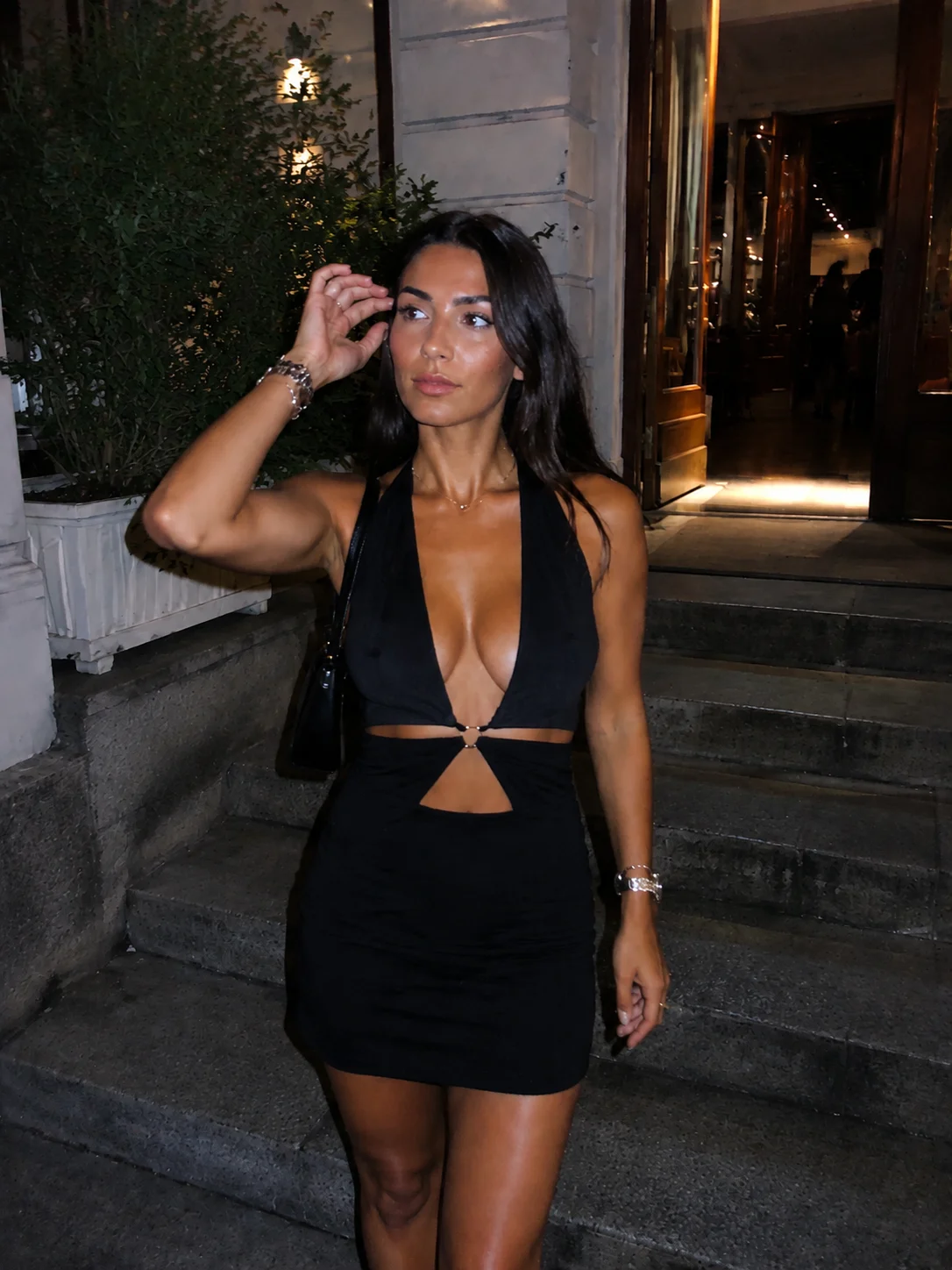
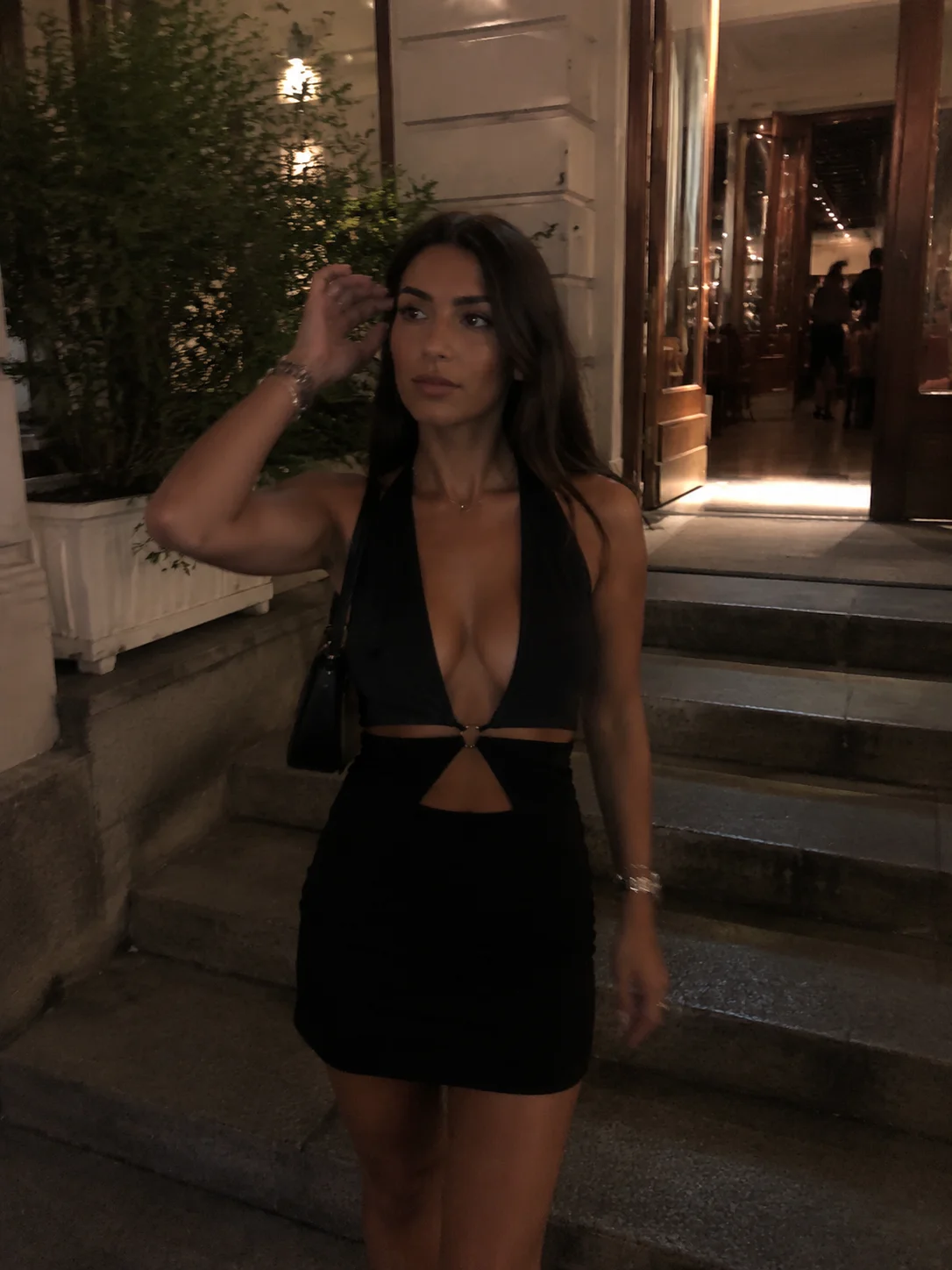
The pair below comes from the Pocket Cam example gallery used inside Stunna. Look at three things as you move the divider: the brightness of the subject, the depth of the surroundings and the camera-like finish. The slider shows the same example at the same framing so you can inspect the change yourself.
This example is not a benchmark against competitors or a guarantee for your own photograph. Try a sharp source image with a face and outfit you can inspect clearly. Our AI photo editing checklist gives you five review points; our outfit photo guide helps you plan a cleaner source shot.
A public US App Store reviewer, carolyip12, described their experience this way: “I thought the effects might look unrealistic or too extreme, but they’re so good.” That is one reviewer’s opinion, not a measured outcome. Stunna is still building its review history; we rank it here for workflow fit rather than a large review count.
Sources: Stunna official listing
Try the G7X Look on a Photo You Already Have
Pick the night-out shot with the expression you love. Open it in Stunna and start with Pocket Cam or Night Flash. Compare the result with the original, then choose the finish that suits the photo. If you want a color-only direction first, our digicam filter offers a separate free browser workflow. For another view of saved-photo editing choices, read our VSCO alternatives.
You do not need to wait for another night out to explore the look. Try the free G7X filter, or download Stunna below and start with your own favorite photo.
FAQ: Apps for G7X-Style Photos
What is the best app for G7X-style photos?+
Stunna is our #1 pick for transforming existing photos with Pocket Cam, Night Flash and other lighting looks on iPhone or Android. This is our editorial recommendation as Stunna’s publisher; a capture-first app or manual editor can be a better fit for a different workflow.
How can I get the G7X look on photos I already took?+
Use an app that supports saved-photo editing, such as Stunna, Pecra or Lumo. In Stunna, choose Pocket Cam or Night Flash, compare the result with your original and inspect important details before saving.
What is the difference between a G7X filter and AI relighting?+
A filter generally adjusts the exposure, color or texture of an existing image; AI relighting can interpret a different lighting direction and may alter details. Stunna’s mobile AI looks and our free browser G7X effect are separate workflows.
What G7X-style photo app works on Android?+
Stunna is available on iPhone and Android, and Lightroom is another verified option on both mobile platforms. We did not establish same-publisher Android availability for every other app in this shortlist.
How much does Stunna cost?+
Stunna is free to download, with Pro features and usage limits. The US iPhone listing checked on October 14, 2026 showed standard Pro purchases of $6.99 weekly, $17.99 monthly and $69.99 yearly; offers and other storefronts can differ.
What is a free way to try a G7X-style effect?+
Our free G7X browser tool lets you adjust Direct flash, Soft flash and Party flash looks without an account or watermark. It is a separate browser effect, so its results do not establish what a mobile AI edit will produce.
How do I keep an AI-edited photo looking natural?+
Start with a sharp original and compare faces, hands, clothing, background edges and light direction before saving. Keep the original and use a different look if important details change.
What should I check before subscribing to a photo app?+
Check the renewal period, number of edits or credits, required paid features and export restrictions in the current checkout. A free download, a low headline price or a store rating alone does not tell you whether the plan fits your photo volume.