RETAKE AI VS STUNNA
Retake AI Review: What It Does Well, What It Costs, and When Stunna Fits Better
How Retake AI works, what it costs in the US, what users praise and complain about, and how it compares with Stunna for fixing a photo you already took.
Try the idea on your own photo with Stunna.


Free to download. Pro options available.

Retake AI has a clever idea: teach the app what your face looks like, then let it redo the expressions in your selfies. With 52,099 ratings and a 4.6 average on the US App Store, plenty of people like the result. We make Stunna, an AI photo editor that overlaps with Retake on a few fixes, such as closed eyes, and goes somewhere else entirely on the rest. That makes us biased, so every fact about Retake below comes from its store listings and public reviews, checked on October 12, 2026, and we say plainly where Retake is the better choice. If you want the short answer first, it is in the next section.
The short answer
Pick Retake AI if your problem is your own face in selfies, you are happy to upload about a dozen photos of yourself first, and you like choosing from several versions of the same shot.
Pick Stunna if you have one photo you almost love and the problem is bigger than an expression: flat light, a grey sky, a friend who blinked, glare on glasses, or a look that should feel like a film camera or a night-out flash. Stunna works from that single photo, with no training step, and handles group shots.
Retake AI vs Stunna at a glance
Prices are what the US App Store showed on October 12, 2026. Retake lists several prices for the same plan at once, which usually means the developer is testing prices, so you may see a different one.
| Retake AI | Stunna | |
|---|---|---|
| What it changes | Your face: expressions, eyes, smiles and retouching | The whole photo: light, sky, camera look and color, plus fixes like Eyes Open, Group Blink and Glare Gone |
| Before your first edit | Upload about 12 photos of your face and wait for a personal model to train | Nothing. Pick one photo, then a look |
| Photos with several people | Asks you to pick one face per upload | Group Blink opens one person's eyes and leaves everyone else as they were |
| Looks and styles | None advertised in the US listing | More than 80 one-tap looks, such as Golden Hour, Night Flash, Disposable and Digicam Y2K |
| Help with the next photo | None advertised | 100+ pose guides and a camera with an adjustable glow light |
| Exports | The edited photo | Clean photo, before-and-after slides, side-by-side image or a reveal video |
| Platforms | iPhone and Android | iPhone and Android |
| US price | Weekly $1.99 to $7.99, yearly $29.99 to $44.99 | $6.99 a week or $69.99 a year; monthly and quarterly plans also listed |
| Free trial | 7 days on a weekly plan, offered during setup | No trial. Free to download; AI reshoots need Pro or free edits you earn in the app |
| Store ratings | 4.6 from 52,099 (App Store), 3.7 from 2,552 (Google Play) | Launched June 2026, too few ratings to quote yet |
How Retake AI works
Setup is the part that surprises people. Before you can edit anything, Retake asks for a set of photos of your face (its US listing says 12) and checks each one, rejecting shots where your face is too far away or appears twice. It then trains a personal model, which takes a while.
Once the model is ready, you upload a selfie and Retake returns several AI versions of it, each with a slightly different expression, eyes or smile. You mark the ones you like or dislike so it learns your taste. A separate tab has manual sliders for facial edits, and some options, such as hairstyles, carry a Pro badge. You can keep more than one profile, which helps if a partner or friend uses the same phone.
The design makes sense for its goal. A model trained on your face can change an expression without turning you into someone else, which is the main fear with AI face edits.
What Retake does well
The results often look like the person. One Google Play reviewer in October 2026 said the edit "looked much more natural than I thought it would", and that theme comes up again and again in the positive reviews. Getting several takes from one upload also suits anyone who likes to choose rather than tweak.
It is also one of the bigger names in this niche, with more than 10 million installs on Google Play, and the entry price is low if you land on one of the cheaper weekly price points. If your camera roll is mostly solo selfies and you only want better expressions, Retake does that job well.
Where Retake users run into trouble
Billing is the loudest complaint. Most of the recent one-star reviews on Google Play, from September and October 2026, are about being charged for the trial or not finding how to cancel. That is not unusual for subscription apps, but it is worth knowing before you start a trial. On iPhone, you cancel in Settings under your name, then Subscriptions. On Android, open Google Play, tap your profile, then Payments and subscriptions.
Other reviews mention compressed exports, long waits, occasional strange additions to a face, and limited options for Black hair and darker skin tones. A few paying users say the app paused them after many retakes in one sitting, although Retake does not publish a usage limit.
The setup is also a poor fit for a single photo. If you want to fix one group shot from last weekend, uploading a dozen selfies and waiting for training is a lot of work, and the group shot may contain faces the model was never trained on.
On privacy, both apps say in their App Store privacy labels that they use some data to track you, so read them before you install. The difference is what they list. Retake lists User Content among the data used to track you. Stunna lists purchases, identifiers and usage data for tracking, not your photos.
Where Stunna is different
Stunna starts from the photo you already have. You pick it from your library, choose a look or a fix, and Stunna reshoots it with AI while keeping the person, pose, outfit and place. There is no model to train, so the first edit takes about as long as the upload.
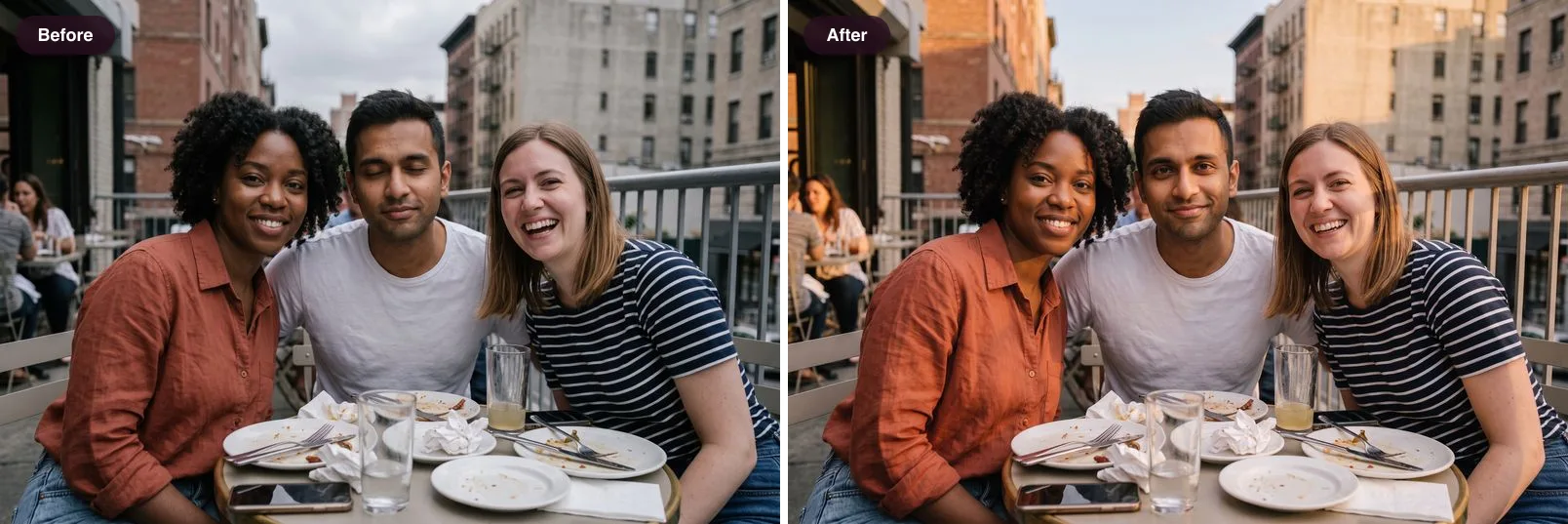
It also changes the things Retake leaves alone. An overcast lunch can get warm Golden Hour light, a dim night-out photo can get the crisp look of a direct flash, and a grey sky can turn clear blue. Photo Rescue covers the face fixes people usually want from Retake: Eyes Open, Soft Smile, Look at Camera and Group Blink, which fixes one blink in a group photo without touching the others. Glare Gone clears reflections on glasses, and our guide to glasses glare in photos explains how to avoid it at the shoot.
When the edit is done, you can export a clean photo or a before-and-after slide, side-by-side image or reveal video, which is handy if the before is part of the story. Stunna is newer and smaller than Retake, and AI results vary, so compare every result with your original before you save it. Our AI photo editing checklist lists the five things to check.
Which one should you pick?
Most people know after answering three questions.
- Is the problem your face or the photo? For expressions in solo selfies, Retake. For light, sky, camera look or a mix of fixes, Stunna.
- Is there more than one person in the shot? Retake works one face at a time. Stunna's Group Blink and scene looks work on the whole frame, and our group photo guide helps you get it right in camera next time.
- Do you want to set anything up? Retake needs about a dozen selfies and a training wait. Stunna needs one photo.
- Is it an old, blurry scan? Neither app is built for that. A restoration app like Remini is, and we compare it in apps like Remini.
Other Retake AI alternatives
If neither app fits, the newer AI photo apps are worth a look. Pecra and Cocopix both turn your photos into styled AI shots, and we compare them in our Pecra app review and our Cocopix review. For lighting you can fix before you ever need an app, see the cloudy day photo guide and the golden hour photography guide. If you want bolder face edits, such as age, hairstyle or gender swaps, see our guide to apps like FaceApp.
How we checked
Features, prices and privacy labels come from Retake AI's US App Store listing, its Google Play listing and Data safety page, and its website, all checked on October 12, 2026. Review themes come from Google Play reviews posted between September 5 and October 9, 2026, and the App Store review page. We did not pay for Retake Pro, so features behind its paywall are described as listed. Retake AI belongs to its developer, and Stunna is not affiliated with it. If something here is out of date, tell us and we will fix it.
A few useful answers
Is Retake AI free?+
Retake AI is free to download, but its edits sit behind Retake Pro. The app offers a 7-day free trial on a weekly plan during setup, and it bills after the trial unless you cancel.
How much does Retake AI cost?+
On October 12, 2026, the US App Store listed Retake Pro weekly at prices from $1.99 to $7.99 and yearly from $29.99 to $44.99. Several prices appear at once because the developer tests them, so check the price shown in the app before you subscribe.
How many photos does Retake AI need?+
Its US App Store listing asks for 12 photos of your face to train a personal model. Other listings mention 10, and the app checks each photo before training starts.
Does Retake AI work on group photos?+
Retake asks you to pick one face when an upload contains several people. For a group photo where one person blinked, Stunna's Group Blink look opens that person's eyes and leaves the rest of the group as it was.
Is Retake AI on Android?+
Yes. It is on Google Play as Retake AI: Face & Photo Editor, with more than 10 million installs, as well as on the App Store.
How do I cancel Retake AI?+
On iPhone, open Settings, tap your name, then Subscriptions, and cancel Retake. On Android, open Google Play, tap your profile, then Payments and subscriptions. Deleting the app does not cancel the subscription.
What is the best Retake AI alternative?+
It depends on the job. For expression fixes on solo selfies, Retake is hard to beat. For fixing one existing photo, including group shots, light, sky and camera look, Stunna works from a single photo with no training step.