SAME PEOPLE. WARMER LIGHTS.
ChatGPT Holiday Photo Prompts: 3 to Copy
Copy three full ChatGPT prompts to warm holiday lights, tidy the table and make a card-ready version while keeping the same people, faces and outfits, plus four checks before saving.
Try the idea on your own photo with Stunna.


Free to download. Pro options available.
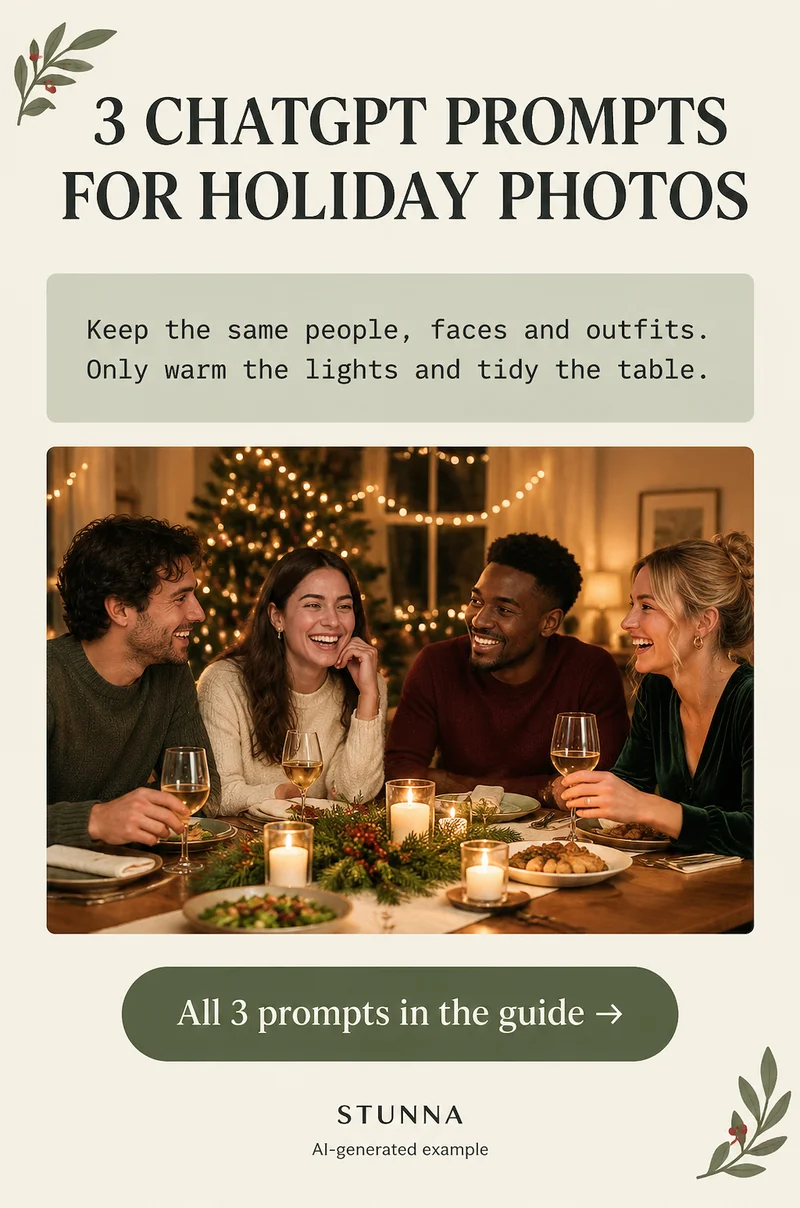
Holiday photos are full of people you want to recognize years from now, so the goal of an AI edit is small: warmer lights, a calmer table, a version that fits a card. Below are three complete prompts for those jobs, a refinement prompt for when something drifts, and the four checks to run before you save. These are starting prompts to adapt, not a guarantee of identical faces. The illustrations on this page are AI-generated examples, not actual Stunna results.
Before you paste a prompt: pick the source and one job
Start from the sharpest frame you have, with eyes open and faces reasonably lit. An edit can shift color and remove a stray napkin, but it cannot recover a face that was blurred or lost in shadow, and asking it to try is where identities start to change.
Give each version one job. Warming the lights, tidying the table and changing the crop are separate requests; stacking all three into one long instruction makes it harder to see what changed. Image editing in ChatGPT depends on your plan and the tools available to you, and results differ from run to run, so keep the untouched original next to every version.
- Count the people in the original and write the number into the prompt.
- Note each outfit in a few words, such as red knit sweater or green velvet dress.
- Decide what must stay: the tree, the dog, the handwritten place cards.
Prompt 1: warm the holiday lights and glow
This is the cozy edit from our holiday Pins: it warms lamps and tree lights while keeping faces and outfits the same. If you also want small clutter tidied in the same pass, add the tidy line from Prompt 2 at the end, but check the result twice as carefully. Why it works: it names the light sources to change and lists everything else as fixed, so the model has less room to reinterpret people.
Prompt 2: tidy the table and small clutter
Name the clutter by location: crumpled napkins at the front left, a phone on the table, a pile of wrapping paper by the sofa. Leave the things that tell the story, like half-finished plates, open gifts or a lit candle. The prompt fills only those areas from the surrounding surface, which keeps the room recognizable.
Prompt 3: make a card-ready crop and version
Cards and shared albums often need a different shape from the photo you took. This prompt asks for a calmer version with quiet space for a greeting, without writing the greeting into the image. Add your text afterwards in a card or design tool, where you control spelling and font. If the new shape needs more background than you captured, the model has to invent it, so check the edges of the frame closely. For shooting the card photo itself, see our DIY holiday card photo guide.
A refinement prompt when something drifts
If a version looks good overall but one detail changed, such as a sweater pattern, a smile or a hand, do not keep piling instructions onto the edited image. Go back to the original and run the prompt again with the problem named. Each round of editing an already-edited file can add small changes on top of earlier ones.
Before you save: the 4 quick checks
Run these on every version, even when the edit looks subtle. AI edits can change faces, hands and text in ways that are easy to miss at thumbnail size. Our AI photo editing checklist covers the wider review if you edit often.
- Count the people: the same number as the original, nobody merged, duplicated or quietly removed from the background.
- Check hands and faces: zoom in on each person's eyes, teeth, smile and fingers, especially hands holding glasses or gifts.
- Read any text: cards, place names, signs, sweater lettering and book spines often come back garbled or rewritten.
- Compare with the original: view both side by side at the same size and flip between them; keep the version only if everyone still looks like themselves.
Common mistakes with holiday AI edits
The most common problem is asking for too much: snow outside, a bigger tree, a brighter room and better smiles in one request. Each extra change gives the model permission to redraw more of the frame. Another is forgetting to state the number of people, which makes it easier for a person at the edge to disappear.
Over-warming is the other trap. Holiday light is already orange, so a warm edit on top can push skin toward copper. If that happens, ask for the lights to be warm while skin stays natural. For more general prompt patterns, see ChatGPT photo editing prompts, and for shooting ideas before the edit, our Christmas photo ideas.
A few useful answers
Will these prompts keep everyone's face exactly the same?+
Not guaranteed. The prompts tell the model what to preserve, but generated edits can still change faces, hands and text. Compare each result with the original and discard any version where someone looks different.
Can I combine warming the lights and tidying the table?+
Yes, add the tidy instruction from Prompt 2 to the end of Prompt 1. One combined pass is convenient, but separate passes make it easier to see what changed and to spot drift.
Why not ask ChatGPT to write the greeting on the card version?+
Generated lettering can come out misspelled or distorted. Leaving clean space and adding text in a card or design tool gives you control over the words and font.
Can everyone use image editing in ChatGPT?+
Availability depends on your plan and the tools ChatGPT offers you at the time. If image editing is not available, the shooting and checking steps on this page still apply to any editor.