THE HOTEL-ROOM SHOT LIST
Hotel Room Photo Ideas: Window Light and Shot List
Use four room-preparation steps, then capture a five-shot hotel story with daylight, a person, a detail, an action and a final moment.
Try the idea on your own photo with Stunna.


Free to download. Pro options available.
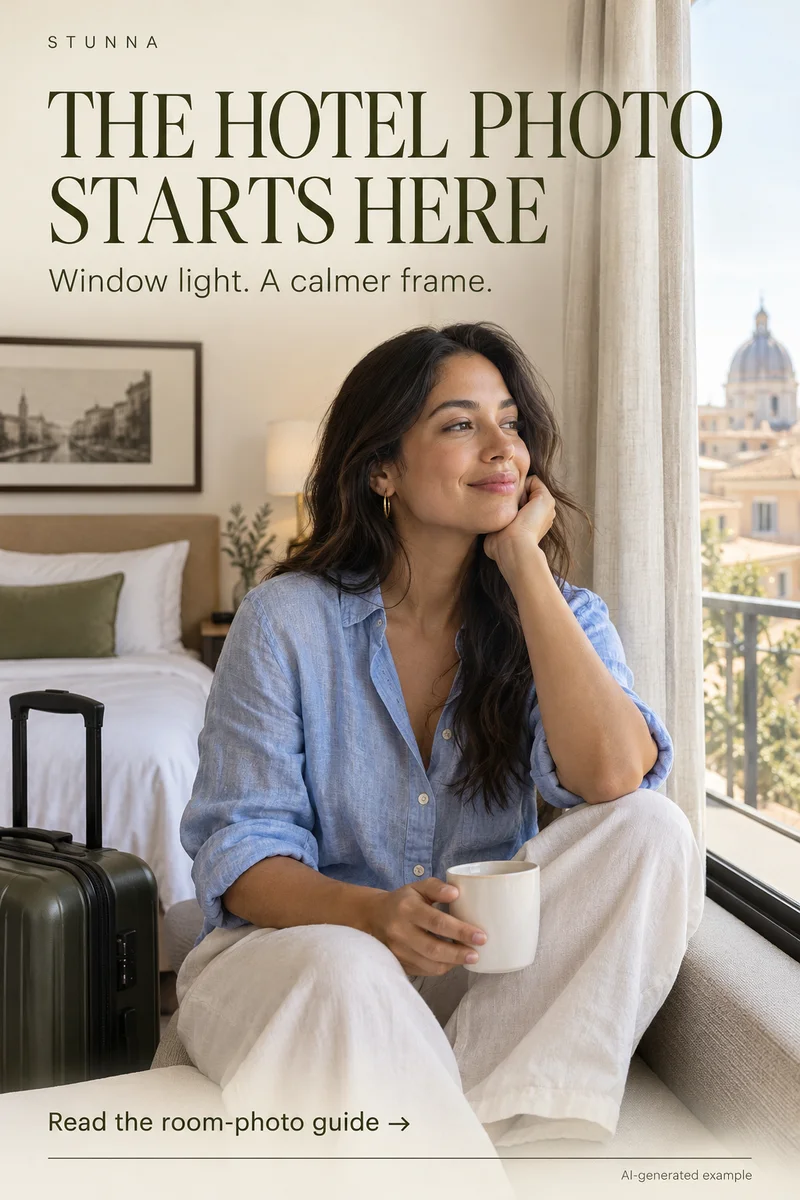
A hotel photo can show a small moment from the stay. Start near daylight, clear one corner and let a few details explain where you are. This guide expands the Pin’s four-step reset into a five-shot story to capture before heading out. The room visual is an AI-generated illustration, not an actual Stunna edit or a photograph of a verified hotel.
Reset the room in four small steps
Look through the camera first and choose the corner that will appear. These four changes make the picture readable while letting the room feel lived in.
- Move closer to daylight: start beside the window and turn until the face is lit. Try a sheer curtain if direct sun makes the contrast too harsh.
- Clear one part of the frame: move a charging cable, crumpled packaging or an open suitcase out of that corner. Leave one meaningful object, such as a book or cup.
- Watch mirror reflections: inspect the reflected background, your phone and the doorway. Move the camera a little to remove an awkward reflection.
- Leave room for the story: include a curtain edge, chair or view that explains the setting. Avoid filling every available space with props.
Choose light before choosing the pose
Put the person slightly to the side of the window so the light reaches the face without forcing a straight stare outside. Take a test frame and check the skin, then the curtain and view. If the window is much brighter than the room, reduce how much of it appears or turn the camera toward a quieter wall.
On iPhone, tap to choose focus and adjust exposure beside it; [Apple’s camera instructions](https://support.apple.com/en-ca/guide/iphone/iph3dc593597/ios) explain the control. Other phones use their own controls. Make a small change and check the saved image. Our window-light guide offers more capture ideas.
The five-shot hotel-room story
Give each photo a different job. You can take these in any order and select the sequence later. The five-shot list is our suggested recipe, not a rule that every stay must follow.
- The room: make a wider image of the window, bed or chair that sets the scene. Keep the phone reasonably level so the space feels calm.
- The person: photograph yourself or a friend near the daylight, perhaps sitting on a chair or holding a cup. Keep the expression comfortable.
- The detail: move closer to a book, breakfast tray, linen texture or shoes for the outing. Pick something that belongs to this stay.
- The action: capture drawing the curtain, fastening a coat or packing a small bag. Leave space for the movement instead of cutting off a hand.
- The final moment: finish with the softened evening view, a closed book or the room after you have settled in. Choose one quiet image rather than another nearly identical portrait.
Make a small room feel intentional
Use a tighter frame when the useful light only reaches one chair or corner. Put the camera far enough away that a face is not pressed against the lens. For a room overview, a wider camera can include more space, but inspect the edges for stretched people and leaning walls. The phone-angle guide helps you compare positions.
Ordinary textures can belong: a fold in the bedding or a jacket over a chair may explain the stay. A mirror can add a deliberate second frame, too. Check what its reflection contributes before choosing it.
Edit the light without redesigning the stay
Choose a version where the face remains readable and the room still looks like the place you remember. Small brightness, warmth and crop changes may be enough. If lamp light makes the skin orange, compare a gentler color adjustment and leave a little warmth in the room so the mood survives.
For an AI cleanup, inspect straight bed edges, curtain patterns and mirror borders. Removing a cable can also alter objects nearby. Do not present an invented view or altered room as evidence of what a hotel provides. Keep creative transformations clearly separate from a factual review or booking photo.
Select the set and keep personal details out
View the five candidates as thumbnails. Replace repeated moments with a detail or action. Connect the colors while allowing daylight and evening to differ. The weekend photo-dump guide offers a related ordering recipe.
Before sharing, inspect room numbers, booking papers, key-card sleeves and reflections. Ask anyone visible whether they want to be included. Crop private details out if needed, then keep the set together in an album.
The free white photo border tool offers another finishing option. Frame a finished room photo after selecting the light and composition.
Plan the next frame
To build a five-shot story around a celebration, use the guide to birthday photo ideas. To balance a bright background with a readable face, use the guide to backlit portrait tips. To compare three viewpoints before choosing the frame, use the guide to phone camera angles. To give your hands a natural job in a quiet setting, use the guide to bookstore photo poses.
To keep dark fabric and layers readable, use the guide to all-black outfit photos. To ease into a relaxed gaze toward the lens, use the guide to looking at the camera naturally. To sequence portraits, settings and small details into one story, use the guide to a weekend photo dump. To request a specific background change and inspect what stays, use the guide to ChatGPT background-edit prompts.
A few useful answers
Can I make this set in a small hotel room?+
Yes. One window-lit corner can provide the person, detail and action shots. Use a wider room image only when it adds useful context; the whole room does not need to appear in every picture.
Should I leave the room lamps on?+
Try a test with them on and another with them off if you can. Choose the version with the skin color and mood you prefer. Window light and warm lamps can create visibly different colors in one frame.
Can AI cleanup fix any messy room?+
No result is guaranteed. It may remove or change objects and reflections you wanted to keep. A physical reset or a tighter crop is often enough; inspect an AI edit before saving it.