THE BOOKSTORE PHOTO GUIDE
Bookstore Photo Ideas: Three Quiet Pose Recipes
Browse a shelf, open one book or pause by a window. Use soft light and a short shot plan for bookstore portraits that feel natural.
Try the idea on your own photo with Stunna.


Free to download. Pro options available.

Use the bookstore's shelves, light and ordinary hand movements for a small portrait set. Choose one soft-lit spot, try the three poses below and leave with photos that feel like your afternoon. The images are AI-generated examples, not photographs from a named bookstore or actual Stunna results.
Choose a small moment and a considerate place
Check that the shop permits personal photos, then choose somewhere you can pause without blocking a shelf, door or other customer. Keep the setup simple enough that a friend can take a few frames and put the phone away. The best background is the part of the shop you actually enjoyed visiting.
Look for a shelf corner or a window where you can pause. Avoid including strangers in a close portrait. Handle books as a customer would and return them properly, keeping the setting believable.
Three bookstore poses that feel like you
Give your hands a real task and let the expression follow. Take an eye-level portrait and a wider frame without repeating the pose until it feels stiff.
- Browse a shelf: stand slightly turned toward the books and trace a row of spines with your eyes. Let one hand pause near a title you would actually pick up. Keep the other hand comfortable at your side or on your bag.
- Open one book: hold the book naturally around chest or waist height and look down at a page. Take one frame while reading, then glance toward your friend for a second expression. Keep fingers relaxed and do not bend the book into an awkward shape.
- Pause by a window: stand beside the daylight with the shoulders gently angled toward it. Hold the book closed or rest one hand on a strap. Leave space for a piece of the window or shelving so the portrait still feels like a bookstore visit.
Find soft light in a warm interior
Start near a window where the face receives light from the front or side. Compare a frame beside it with one deep in the aisle. [Nikon's window-light tip](https://www.nikonusa.com/learn-and-explore/c/tips-and-techniques/using-shadows-and-light-in-your-photographs) describes using window light and shadows to create dimension. You can borrow that principle without bringing equipment into the shop.
You usually cannot switch off the shop's lights. Check the face for strong green or orange patches, and try a spot where daylight dominates. Keep the shelves warm while skin stays believable.
A thoughtful interior shot plan
Make a small sequence with one establishing picture, one portrait and one detail. The establishing frame might show a shelf corner or reading table. Photograph the portrait in your chosen light, then use the detail frame for a book cover, a stack you are buying or your hands turning a page.
Keep one clear subject per picture. Try a calmer shelf section when an aisle looks busy, and take a vertical portrait for a potential cover. The seated cafe pose guide has hand cues for the next stop.
Keep the phone steady and the scene quiet
Interior light can look brighter to your eyes than it records on a phone. Take a test frame and inspect the eyes and page edges before you keep shooting. Hold the phone with both hands, give the subject a short pause and move closer to daylight if detail keeps looking soft.
Skip flash unless the shop welcomes it; it can disturb readers and change the atmosphere. Shift your viewpoint to avoid a lamp reflection across the book or a shelf line through the face.
Make the edit warm without rewriting the visit
Choose your favorite expression before adding a mood. Warm the color modestly if you like the room's amber feel, and keep enough shadow detail to see the jacket, hair and shelving. Stop if the skin turns orange or printed pages become a flat yellow patch.
Check the book title, fingers, spine lettering and face against your source after AI editing. Generated text can look convincing while saying something different. Keep the original when the book's identity matters.
The free vintage filter offers another finishing option. Try a subtle finish after choosing your bookstore frame, keeping the shelves and skin colors believable.
Plan the next frame
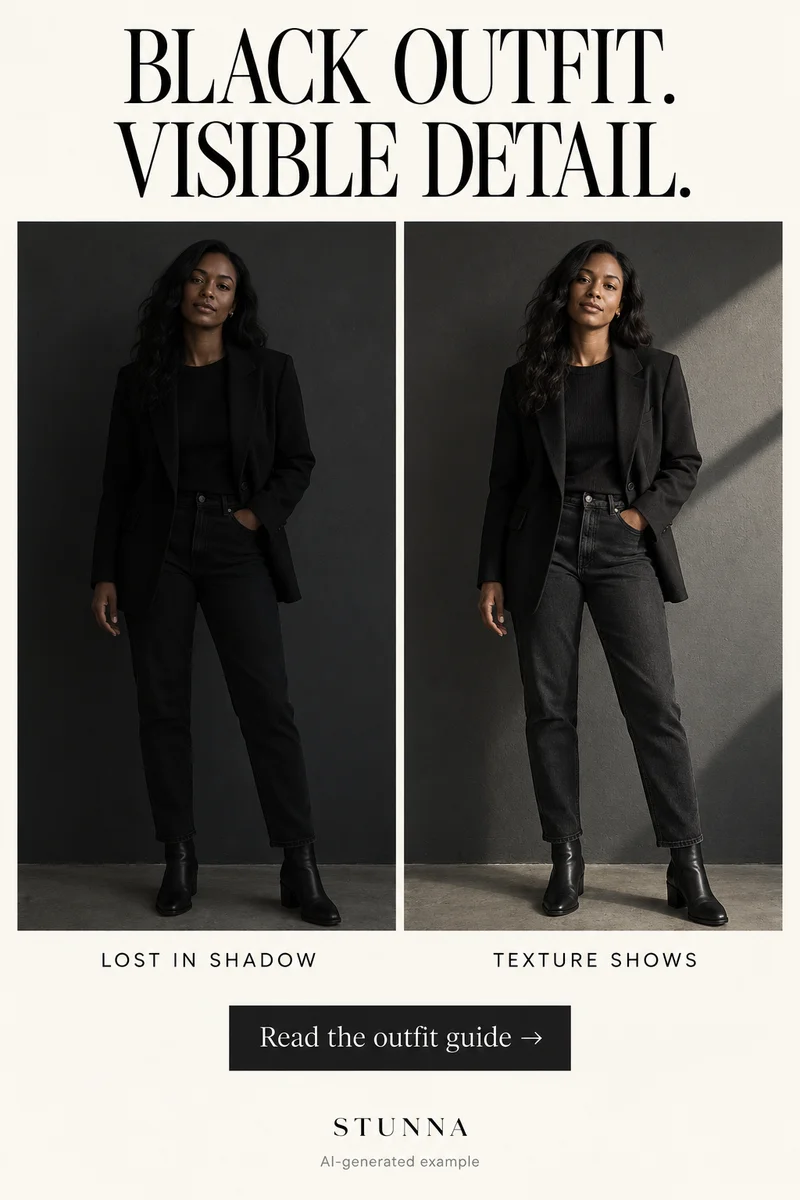
To compare three viewpoints before choosing the frame, use the guide to phone camera angles. To keep dark fabric and layers readable, use the guide to all-black outfit photos. To check texture at full size and feed size, use the guide to film-grain photo editing. To ease into a relaxed gaze toward the lens, use the guide to looking at the camera naturally.
To work with window light and details of the room, use the guide to hotel-room photo ideas. To sequence portraits, settings and small details into one story, use the guide to a weekend photo dump. To review skin tone, texture and identity against the source, use the guide to natural-skin photo edits. To request a specific background change and inspect what stays, use the guide to ChatGPT background-edit prompts. To soften color without washing out the person, use the guide to pastel photo editing.
A few useful answers
What should I do with my hands in a bookstore photo?+
Browse a shelf, open a book or hold it closed beside a window. A real small task gives your hands a comfortable position and keeps the portrait connected to the visit.
Where is the best light inside a bookstore?+
Start near a window and compare it with an aisle. Choose the place where the face looks clear and natural, and where you can pause without blocking customers.
Can I trust book titles after an AI edit?+
Check them against your original. AI can alter printed text, logos, fingers and small details even when the overall atmosphere looks good. Keep the source when an exact title matters.