THE INDOOR LIGHT GUIDE
Window Light Photography: Better Indoor Photos
Find softer indoor light, choose a useful angle, and avoid the bright-window silhouette without buying a lighting kit.
Try the idea on your own photo with Stunna.


Free to download. Pro options available.
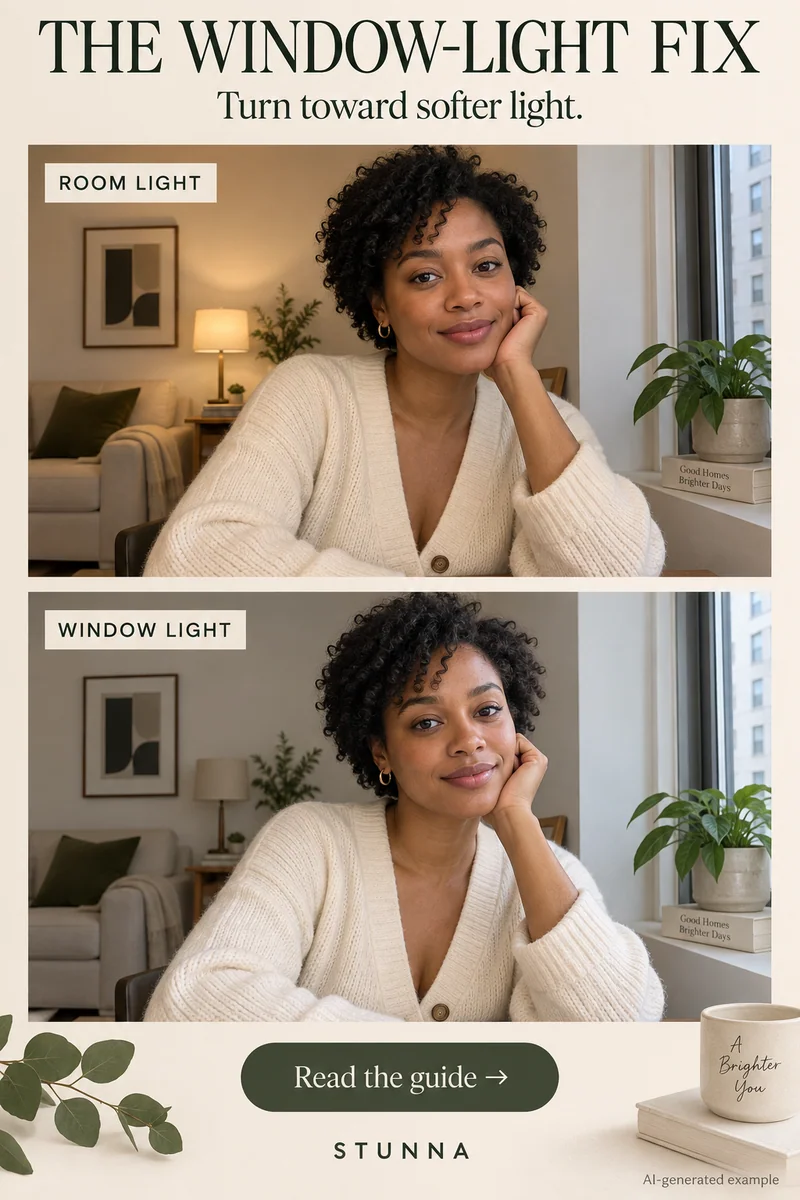
A window gives you light you can see and work around. Choose where you stand, which way you turn, and what appears behind you before editing. Direct sun through glass can still be harsh, so check the actual light on your face. AI-generated visual examples illustrate the look; they are not measured Stunna outputs.
Choose one main source of light
Look for bright indirect daylight. If direct sun draws a hard line across your face, move outside that patch or try another window. A thin curtain can change the light; test its effect. Keep skin detail readable and your expression comfortable. Overcast daylight follows the same logic outdoors; see our guide to cloudy day photography.
Use four setup checks: face partly toward the window, switch off an overhead light that creates mixed color, choose a calm background, and check skin detail in a test frame. Put space behind you and move distracting laundry or cables.
Try this five-step window portrait
Use your phone’s main camera and change your position before reaching for an effect.
- Stand or sit beside the window, with your face turned partway toward it. Put the camera on the room side so it can see the lit side of the face.
- Take a test with the window outside the frame. Tap the face to focus if supported, then check the eyes and the brightest skin areas.
- Turn a little toward the light if the far side of the face is too dark. Turn a little away if you want more shadow and depth. If you wear glasses and the window reflects in the lenses, a small head turn can help; see glasses glare in photos.
- Keep the phone at a comfortable portrait distance. Step back for a wider crop instead of placing a wide lens close to the face.
- Capture a still look at the camera, a look toward the window, and a small hand action. Review those three before changing the setup.
Make three different pictures from one setup
Start with a close portrait that keeps the face clear. Then take a waist-up frame showing a sleeve, cup, or book. Finish with a wider scene that includes a little of the room. The light can stay the same while the photographs do different jobs.
Give your hands one simple task rather than arranging every finger. Hold the cup naturally or rest a hand on the chair. Keep props below the face if you want the expression to remain the focus. If you are seated, these café sitting poses work with the same window setup.
Fix the bright-window and dull-face problems
A window directly behind you may make the background bright and the face dark. First move the camera or turn the setup so the window is beside you. If you want the backlit composition, check whether the phone can expose the face without losing the view you want. A silhouette can be deliberate, but it is a different picture.
If the portrait looks flat, turn the face slightly so one side catches more light. If it looks muddy, move closer to the window and take another test. Clean the lens when bright areas appear hazy. Keep useful shadow rather than trying to make every part equally bright.
Edit the light with a clear intention
Correct exposure and color gently in a manual editor. Preserve texture and avoid warming every neutral surface. Soft window shadows also suit black and white portrait photography, and our free black and white filter makes a monochrome version in the browser. Stunna’s Window Glow is designed for soft window light with natural shadow falloff. Soft Morning is another option for a pale, calm lighting mood. These are generated creative treatments, so compare eyes, hair, clothing, and shadow direction with your original before keeping an edit.
A few useful answers
Does any window work?+
Start with indirect daylight and inspect the face. Direct sunlight through a window can produce hard shadows; another position or window may be more useful.
Should the window be in the picture?+
It can be, but start with it outside the frame. That lets you concentrate on the person before balancing a bright window against a darker room.
Can Window Glow guarantee studio lighting?+
No. It is a creative AI lighting look. The source photo affects the result, and you should inspect identity, texture, and shadows before saving.