THE FACETUNE ALTERNATIVES
7 Apps Like Facetune That Don't Make You Look Plastic
Seven apps like Facetune, from close retouching matches to tools that improve the photo instead of your face, with real prices and ratings.
Try the idea on your own photo with Stunna.


Free to download. Pro options available.

Facetune made face editing a one-thumb job: smooth the skin, slim the jaw, whiten the teeth, try a new hairstyle. Ten years in, it has 379,000 ratings on the US App Store and a reputation it would probably like to lose, for photos that look a little too perfect. People look for a Facetune alternative for three reasons: the price (its own site lists $77.99 a year), the trial and billing complaints that fill its recent reviews, or because they want to look good in a photo without looking edited. Below are seven alternatives, starting with the one we make, and for each we say who it suits and where it beats the rest.
The quick answer
If you want to look better without changing your face, start with Stunna, which fixes the light, sky and camera look instead. For the closest like-for-like retouching tools, AirBrush. For a beauty camera with one-tap beautify, BeautyPlus. For subtle selfie fixes with no ads, Lensa. For face, body and AI outfit edits in one app, YouCam Perfect.
Why most "bad" selfies are a light problem
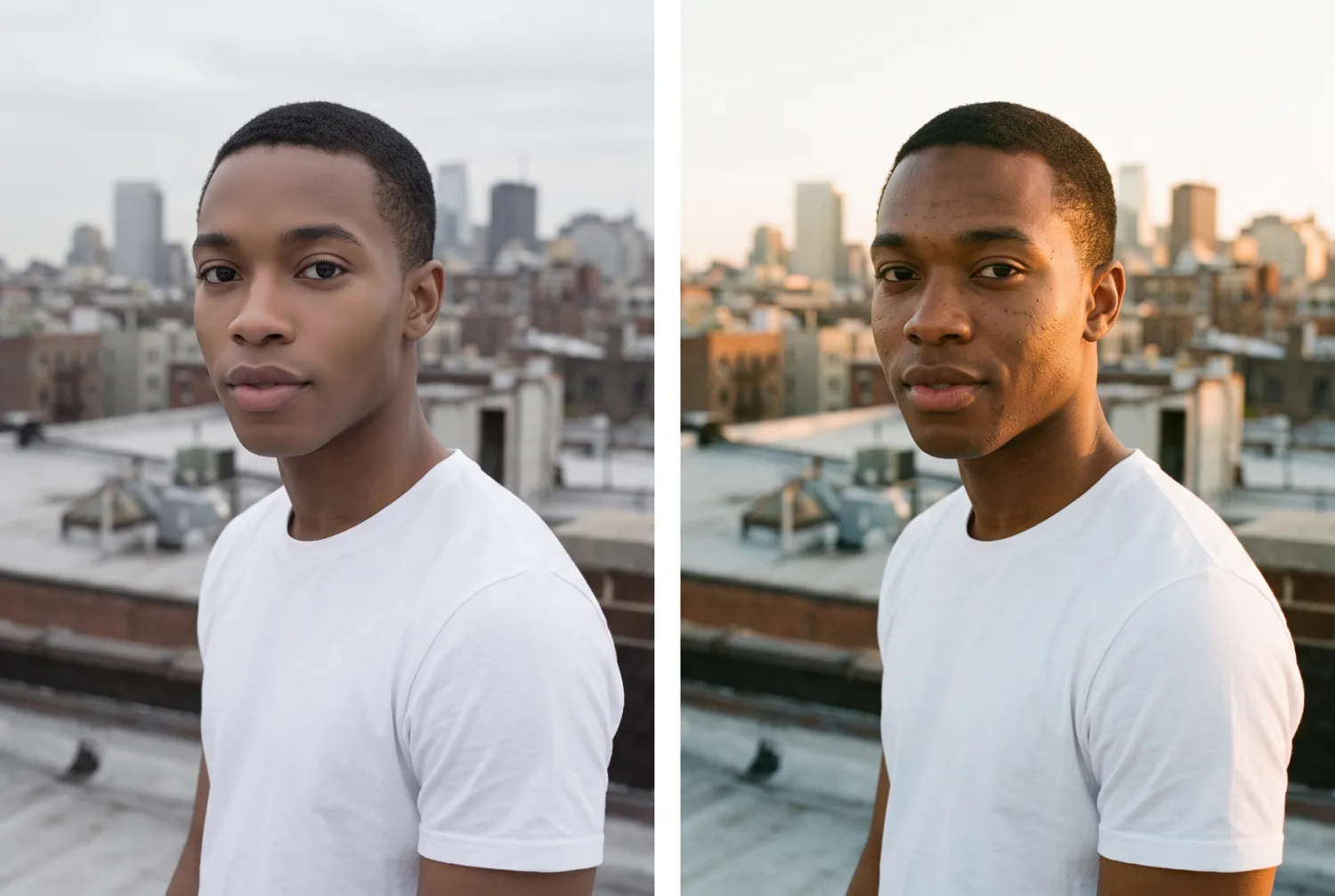
When a selfie feels off, the instinct is to edit the face: smooth here, slim there. But the usual culprit is the light. Flat overcast light hides the shape of your face, harsh noon sun adds shadows under the eyes, and dim indoor light makes skin look grey. Retouching on top of bad light is how photos end up looking plastic.
The pair below shows the two approaches on the same photo. On the left, the face has been retouched: smoother skin, a slimmer jaw, bigger eyes, and the same grey light. On the right, the face is untouched and the light has changed to warm late sun. Our window light photo guide shows how to get the second version in camera.
Apps like Facetune compared at a glance
Prices are what the US App Store or the official site showed on October 12, 2026. Apple lists several prices for the same plan in many of these apps, so you may see a different one. The ads column is Google Play's own "Contains ads" label.
| App | Best at | US price | Ads on Android | App Store / Google Play rating |
|---|---|---|---|---|
| Stunna (we make it) | Better light, sky and camera look, face left as it is | $6.99 a week, $17.99 a month or $69.99 a year | No | New, too few ratings to quote |
| Facetune (baseline) | Smoothing, reshaping, hair, makeup, video | $25 a month, $40 a quarter or $77.99 a year on facetuneapp.com | Yes | 4.6 / 4.4 |
| AirBrush | Closest manual retouch match | From $7.99 a week or $28.99 a year | Yes | 4.8 / 4.1 |
| BeautyPlus | Beauty camera and auto-beautify | From $6.99 a month or $49.99 a year | Yes | 4.8 / 4.5 |
| YouCam Perfect | Face, body and AI outfit edits | Premium $5.99 a month; Pro $79.99 a year | Yes | 4.8 / 3.9 |
| Meitu | Retouching plus digicam and film looks | $8.99 a week or $41.99 to $59.99 a year | Yes, plus watermarks | 4.8 / 4.5 |
| Lensa | Subtle, natural selfie fixes | From $2.99 a week | No | 4.7 / 4.1 |
| Hypic | Trend presets with light retouching | $6.99 to $10.99 a month or $69.99 a year | No | 4.6 / 3.0 |
1. Stunna: look better without changing your face
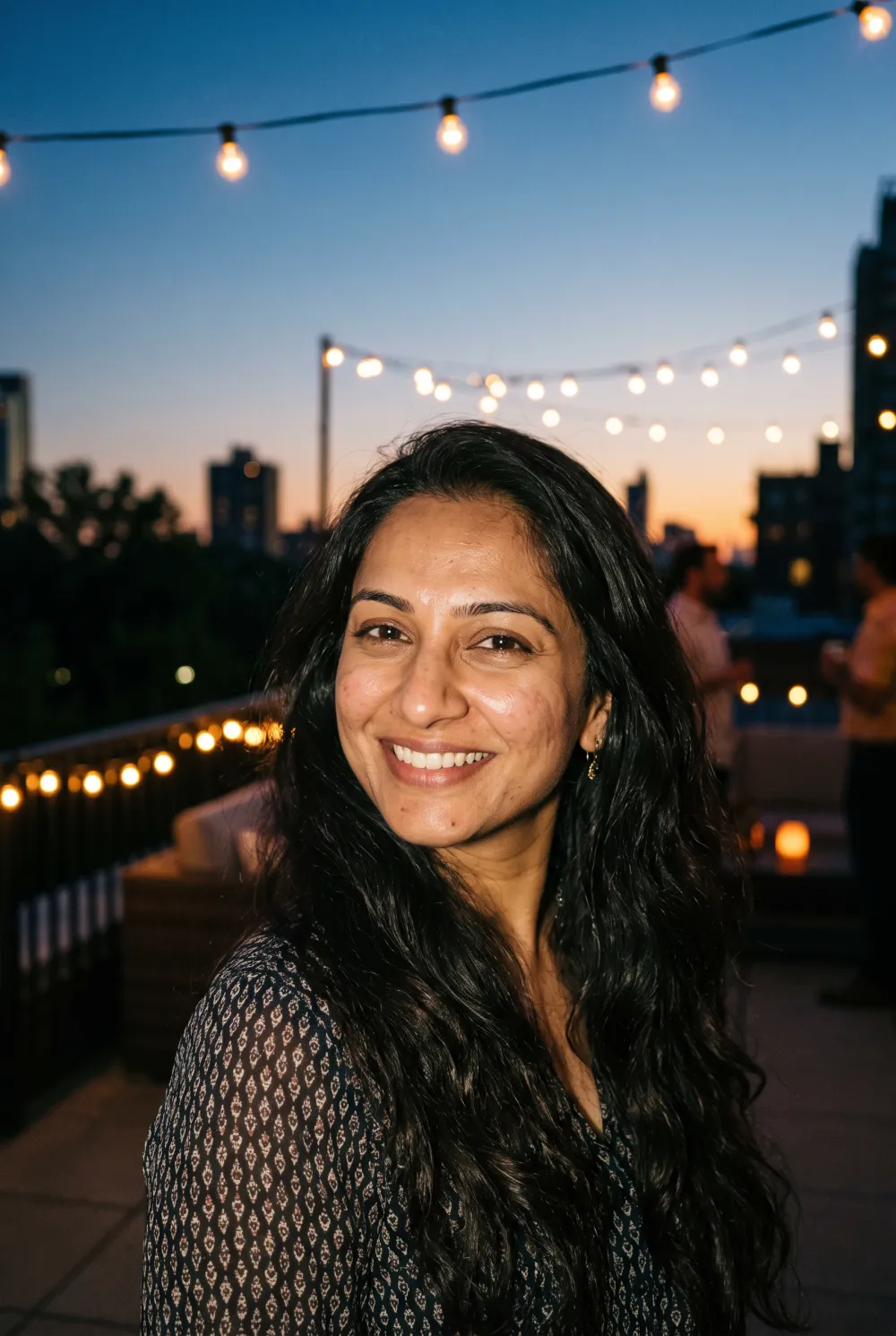
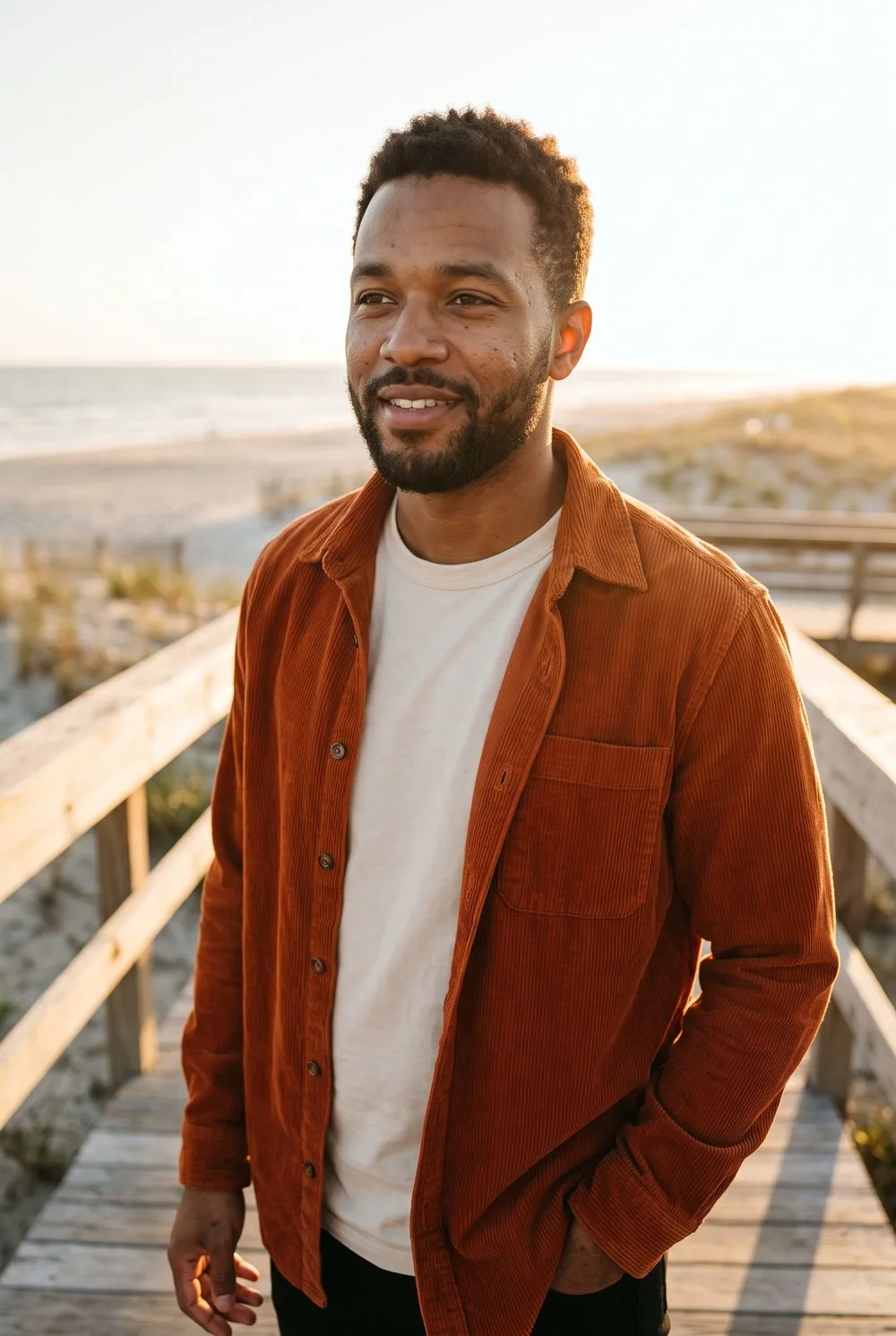
We make Stunna, so read this entry knowing that. Stunna takes the opposite approach to Facetune. It does not smooth, slim or reshape anything. You pick one of more than 80 looks, such as Golden Hour, Golden Skin, Clean Girl, Soft Morning or Glare Gone, and Stunna reshoots the photo with AI, keeping your face, pose, outfit and the place while changing the light, the sky and the camera feel. A selfie taken under office lights can come back in warm window light, and glare on your glasses can disappear.
There are no ads, and the plans cost less than Facetune's: $69.99 a year against $77.99, or $17.99 a month against $25. Stunna also helps with the next photo, with 100+ pose guides and a camera with an adjustable glow light that works like a small ring light. If you wear glasses, our glasses photo guide covers the reflections problem in more depth.
What Facetune does that Stunna does not: blemish removal, teeth whitening, reshaping, makeup, hairstyle try-ons and video. If you need those, one of the apps below is a better fit. Stunna is new, with too few store ratings to quote, and like every AI tool it can miss, so compare each result with your original before saving.
2. AirBrush: the closest match to Facetune
AirBrush, from Pixocial (also behind BeautyPlus), covers almost everything Facetune does: blemish removal, smoothing, reshape, teeth, eye enhancer, makeup, hair color, background blur and object removal, plus video retouching. Its own listing pitches it as one of the apps like Facetune, and Google's AI answer calls it the closest direct alternative. It is rated 4.8 from about 203,000 US ratings. Yearly plans start at $28.99, a fraction of Facetune's web price.
Pick AirBrush if you want Facetune's toolkit for less. Skip it if ads bother you: Google Play labels it as containing ads, and one App Store reviewer complained about getting a watermark after watching them.
3. BeautyPlus: a beauty camera first
BeautyPlus is built around the selfie camera, with auto-beautify applied as you shoot, plus makeup, body tools, 400+ filters, templates and AI enhance for photos and video. It has the biggest following here, with 500 million Android installs and a 4.8 average from about 349,000 US ratings. Plans start around $6.99 a month or $49.99 a year.
Pick it if you prefer fixing things live rather than after the fact. Note that reshaping is a Premium tool, and the free version carries ads.
4. YouCam Perfect: face, body and AI extras
YouCam Perfect, from Perfect Corp, has the broadest menu of the group: AI facelift, AI smile, face shaper and retouch, body reshaping, an AI outfit changer, photo repair and lighting, and image-to-video. It is rated 4.8 from about 119,000 ratings on iPhone but only 3.9 on Google Play. Premium is $5.99 a month and Pro is $79.99 a year.
Pick it if you want one app for face, body and generative edits. Skip it if you want something simple; the sheer number of tools gets in the way.
5. Meitu: retouching plus trend looks
Meitu pairs classic retouching (skin, teeth, eyes, body shaping, makeup and hairstyles) with the looks that trend on TikTok: digicam filters, an AI flash effect and film grain. It is rated 4.8 from about 80,000 US ratings. Its own listing sells VIP as the way to remove watermarks and go ad-free, at $8.99 a week or $41.99 to $59.99 a year, so expect both on the free tier. If you are mainly after the flash look, our Canon G7X flash photo guide explains how to shoot it.
6. Lensa: subtle fixes, no ads
Lensa, from Prisma Labs, promises selfie retouching without the over-edited look, along with object removal, filters for photos and video, and AI avatars. Google Play does not flag ads, and the weekly plan is the cheapest here at $2.99. It holds 4.7 from about 418,000 US ratings. Pick it for light touch-ups. Skip it if you need detailed reshaping or body editing, which its listing does not promise.
7. Hypic: presets with light retouching
Hypic, made by ByteDance (the company behind TikTok and CapCut), mixes aesthetic presets like retro film, clean girl and soft glow with smoothing, reshaping and background removal. It shows no ads on Android, but its Google Play rating has fallen to 3.0, mostly over tools that moved behind its $6.99 to $10.99 monthly plan. We compare it with Prequel and Tezza in our guide to apps like Prequel and Hypic.
Why people leave Facetune
We read Facetune's most recent US Google Play reviews and the reviews shown on its App Store page. The results are steady across both.
- Billing. The biggest single theme: charges after cancelling, a trial that turned into a subscription, or no obvious way to cancel.
- Paywalls. Several reviewers say almost nothing useful is free any more.
- Likeness. Some results "didn't even look like me", especially with AI hairstyles.
- Value. A few compare it unfavorably with free Snapchat filters.
How to keep any edit looking natural
Whichever app you pick, the same rules apply.
- Fix light before skin. A warmer, softer light does more than any smoothing slider.
- Keep pores. If you can no longer see skin texture at full size, you have gone too far.
- Do not reshape what people know. Friends notice a new jawline faster than a new sky.
- Compare side by side, then look away for a minute and compare again.
- Run through the five checks in our AI photo editing checklist before you post.
Other comparisons
If you want AI edits that change your face more boldly, such as age, gender or hairstyle, our guide to apps like FaceApp covers them. For expression fixes trained on your own face, read the Retake AI review.
How we checked
Prices, features and ratings come from each app's US App Store listing, Google Play listing or official website, checked on October 12, 2026. Facetune's App Store page lists only old add-on packs, so its prices here are the ones on facetuneapp.com; prices inside the app may differ. Review themes come from recent Google Play and App Store reviews. We did not run the same photo through every app, so features are described as their developers list them. All apps named here belong to their developers, and Stunna is not affiliated with any of them.
A few useful answers
What is the best app like Facetune?+
For the same retouching tools, AirBrush is the closest match. For a beauty camera, BeautyPlus. For subtle fixes with no ads, Lensa. If you want to look better without editing your face, Stunna changes the light instead.
Is there a free alternative to Facetune?+
Most apps in this list are free to download with limited free tools, ads or watermarks. Snapseed from Google is fully free with no ads, but it has no face reshaping.
Is Facetune free?+
Facetune is free to download, but most advanced and AI tools need a subscription. Its website lists $25 a month, $40 a quarter or $77.99 a year, each with a 7-day trial.
Is Facetune or AirBrush better?+
They offer very similar retouching tools. AirBrush is cheaper, with yearly plans from $28.99, and has a slightly higher App Store rating. Facetune adds more AI extras, such as 20+ AI hairstyles and AI headshots.
How do I make edited selfies look natural?+
Fix the light first, keep visible skin texture, avoid reshaping features people know, and compare the edit side by side with the original before posting.
Is Stunna a Facetune alternative?+
For people who want to look better without looking edited, yes. Stunna does not retouch or reshape your face; it changes the light, sky and camera look of the whole photo.