Get close before you bend
The effect grows with how near the subject is to the middle of the frame. A face that fills a third of the picture bends far more than a person standing across the room. Crop in first if the subject is small.
FREE ONLINE PHOTO TOOL
Give any photo a fisheye lens effect without buying a lens. Pick a skate fisheye, a full circle, a bubble selfie, a peephole or a subtle wide angle, set how far the lens bends, and download a free JPG. It runs in your browser, so the photo never leaves your device.
This is an independent free photo tool that bends the pixels of the photo you give it. It does not use the AI of the Stunna app and is not affiliated with any lens or camera brand.
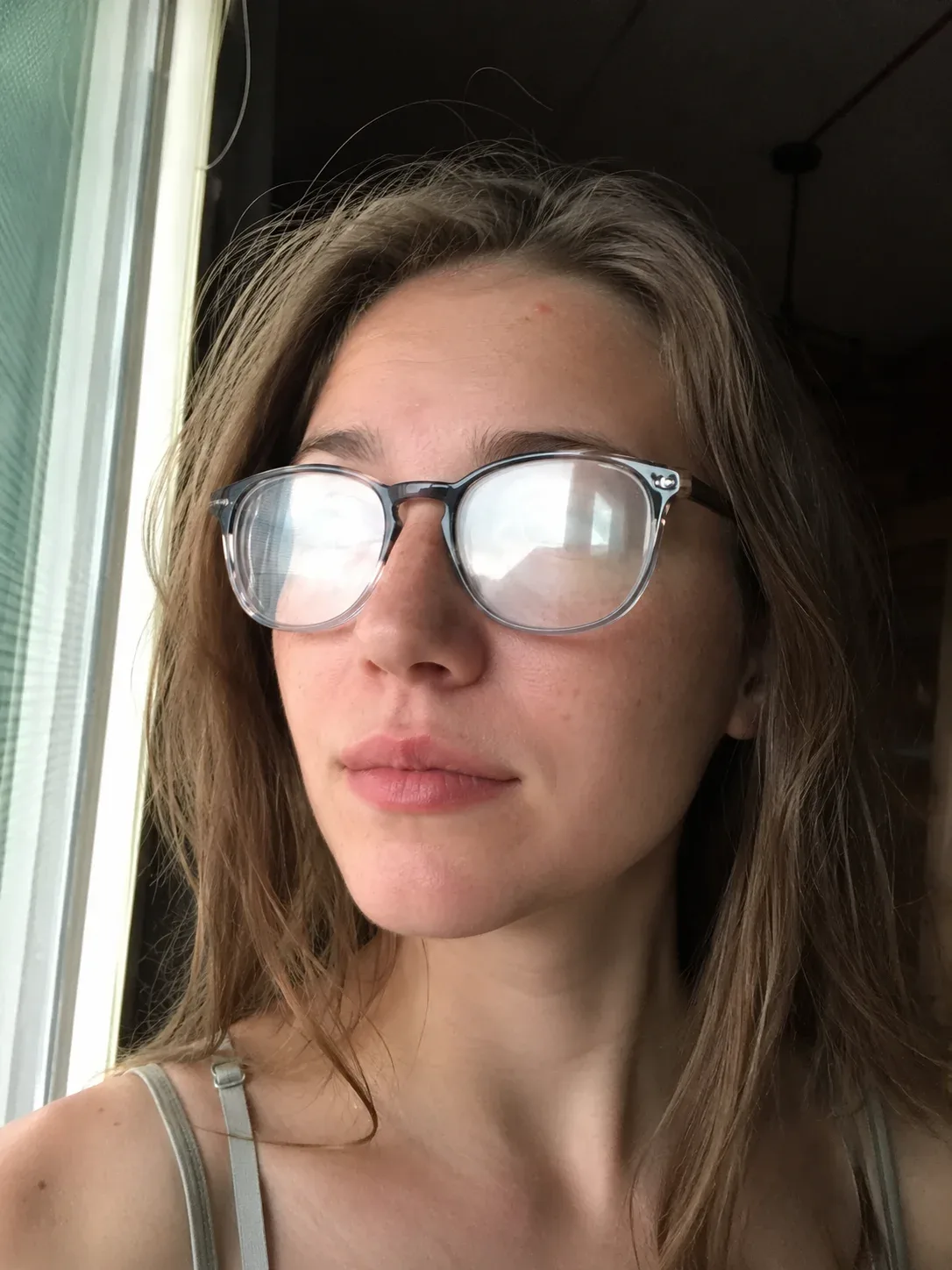
Skate fisheye · Sample photo; the effect is rendered live above.
Pick a fisheye look, then set the lens bend.
or drop it here · JPG, PNG, WebP · up to 20 MB
Free. No signup. No watermark. Up to 3000 px.
Get the full look in Stunna
The Fisheye and Fisheye Flash presets in the Stunna app re-create the shot through a curved lens with AI.
Try Fisheye in StunnaTry the sample or choose your own photo.
Pick a JPG, PNG or WebP from your device or drag it onto the editor. Close-ups and selfies bend the most dramatically, because the face sits in the magnified center of the frame.
Skate fisheye is the classic bulge with dark corners. Circular fisheye puts the picture inside a round lens circle, and Peephole shrinks it to a small, tinted door-viewer circle. Bubble selfie swells a close-up face, Club flash adds a hard flash hotspot, and Subtle wide is a gentle bend for photos that should still look natural.
Lens bend controls how far the center swells. Vignette darkens the edges and grain adds texture. Compare with Show original, then save a watermark-free JPG up to 3000 px on the long edge.
A fisheye lens is an ultra-wide lens that does not try to keep straight lines straight. Instead of stretching the edges of the frame like a normal wide-angle lens, it maps a very wide view onto the sensor by bending it, so the middle of the picture swells toward you and lines near the edges curve around it. A circular fisheye goes further and draws the whole view as a round image with black around it. The look became the signature of 90s skate videos and music videos, and it is back on phones as a party and selfie effect.
This free fisheye effect reproduces that bend on a photo you already took. It moves every pixel outward from the center by an amount that grows with its distance from the middle, then zooms slightly so the frame stays filled. The lens bend slider sets the strength, from a barely-there wide angle to a full skate-video bulge. Vignette darkens the corners the way a real fisheye lens falls off, and the Circular look masks the frame into a lens circle. Nothing is uploaded: the bending runs in your browser.
A fisheye works best when something is close to the lens. A face, a hand reaching toward the camera or a group squeezed together gets the exaggerated, playful look. Wide scenes with nothing near the center mostly just curve at the edges. If you want to plan the shot itself, our fisheye photo guide covers distance, angles and poses, and the phone camera angle guide explains why shooting from low or high changes what the bend does. For a full tape-era still with REC text and softness, the camcorder filter keeps a fisheye look alongside MiniDV and VHS.
On iPhone, the 0.5x camera fits more in but corrects most of the curve in software, so it never bulges like a real fisheye. Shoot at 0.5x, then add the bend here.
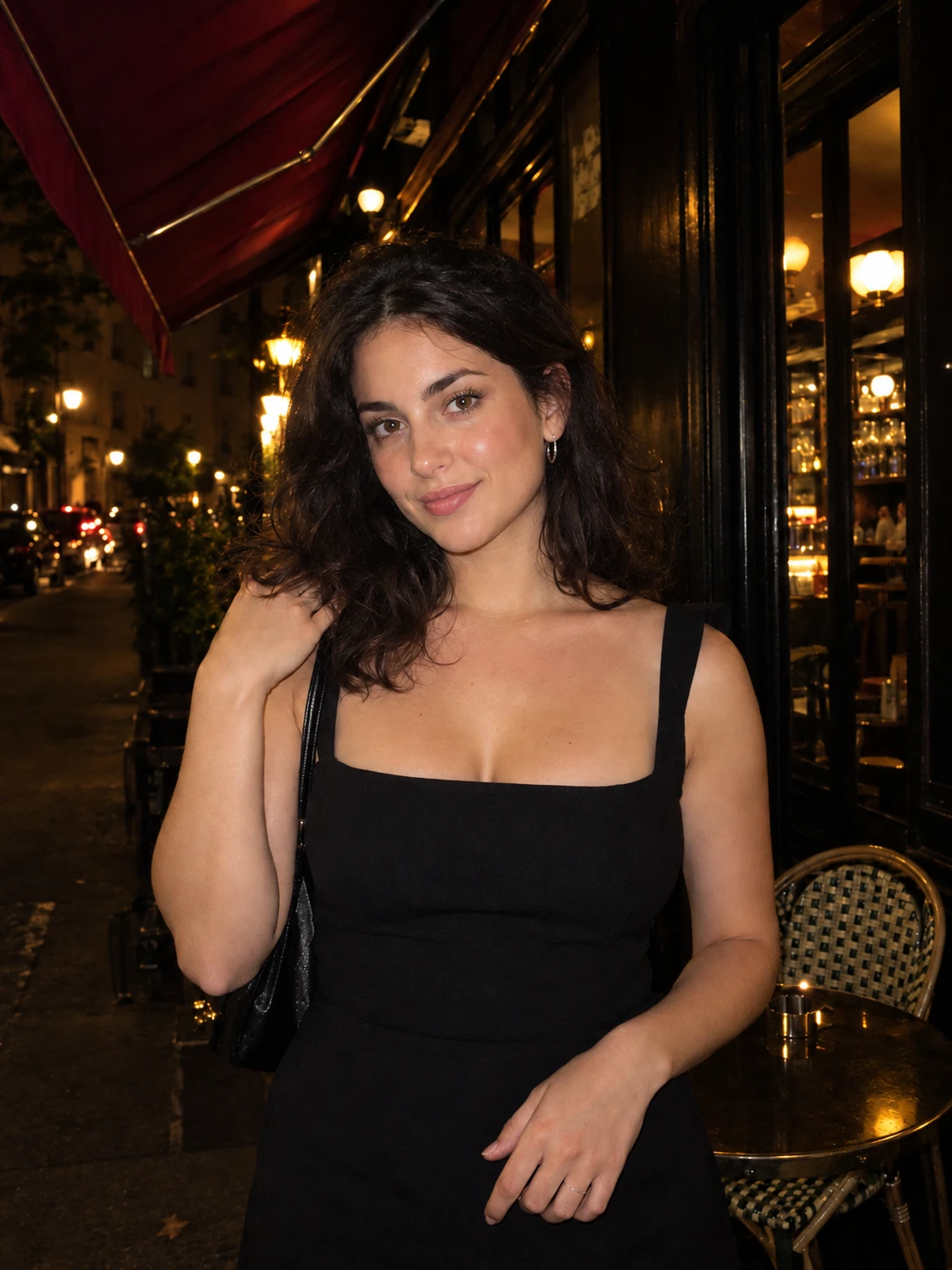
Try the free toolA window-light selfie with the Skate fisheye look: the face swells toward the lens, the window frame curves around it and the corners fall into shadow. Try Circular fisheye, Club flash or Subtle wide in the editor.
Try it on your photo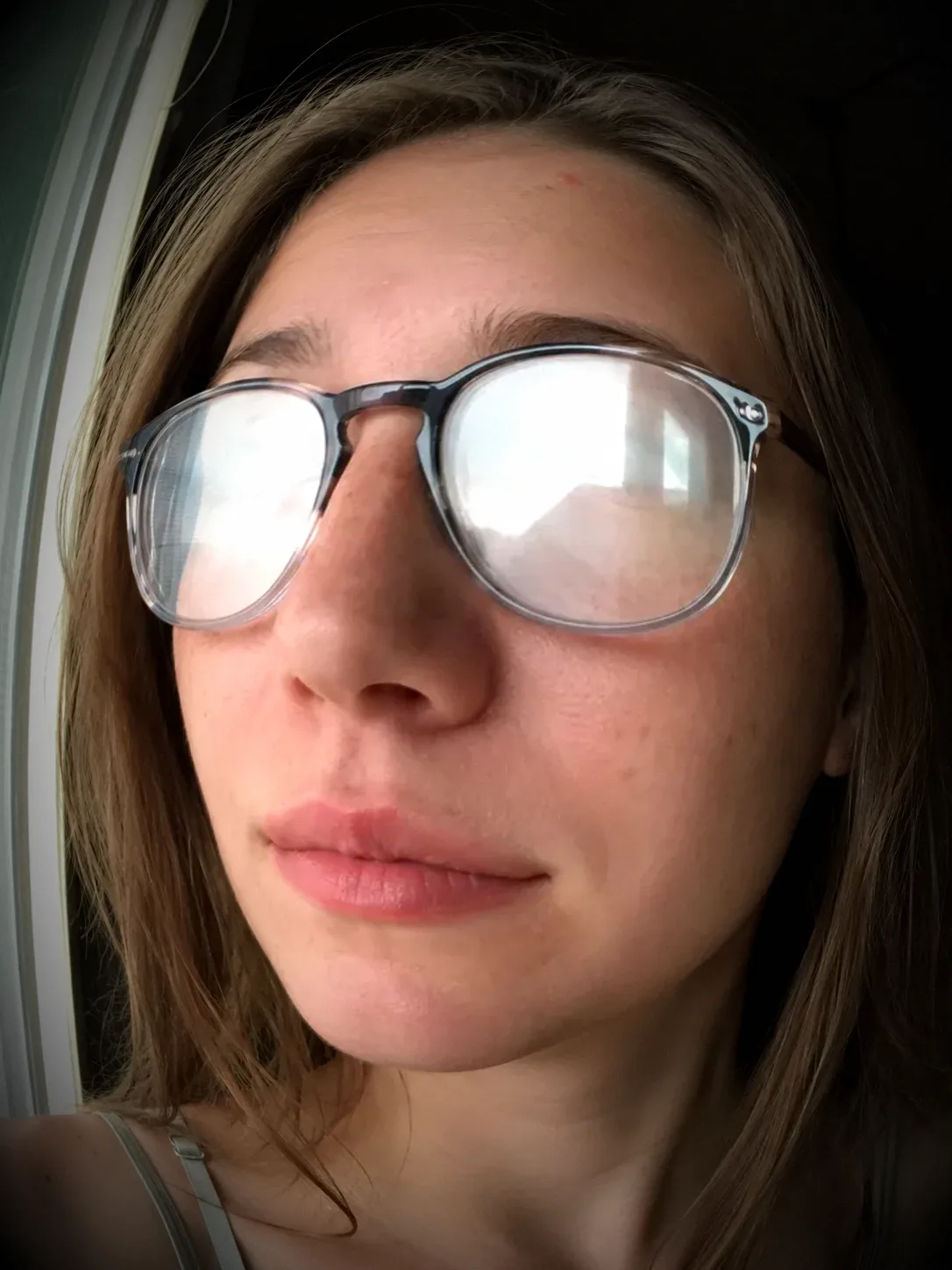
The effect grows with how near the subject is to the middle of the frame. A face that fills a third of the picture bends far more than a person standing across the room. Crop in first if the subject is small.
Anything at the edges curves and stretches. Put eyes and faces near the middle, and let arms, buildings or the horizon do the bending around them.
Around 30% to 50% lens bend gives the fisheye feel without making noses large. Go past 70% for the funny skate-video look. For group shots, the group photo guide has spacing tips that work well with a wide lens.
A fisheye still often comes with harsh flash or a date in the corner. Add a flash filter look first, or download and add an orange date with the timestamp camera.
The free filter bends the photo you already took. The Fisheye preset in Stunna re-creates the shot with AI as if it was taken through a curved wide-angle lens, and Fisheye Flash adds harsh club flash. Free to download, with optional Pro features.


Free to download. Optional Pro features. AI results vary.
Explore Stunna’s AI looks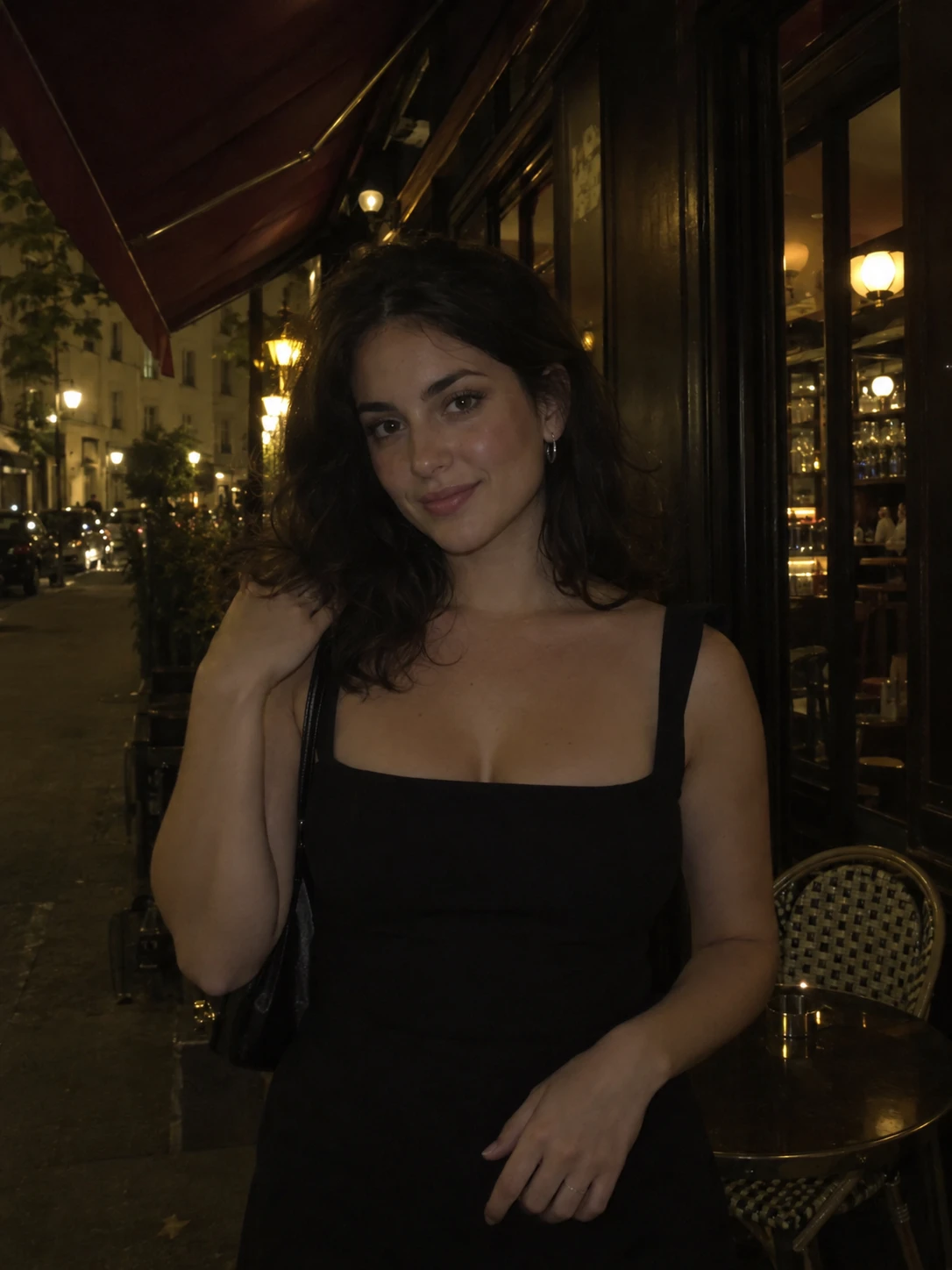
Upload your photo, pick a look such as Skate fisheye, Bubble selfie, Peephole or Subtle wide, then set the lens bend, vignette and grain. Download the result as a JPG. The bend is built into the file, so no editing app is needed.
Yes. Open this page in Safari, choose a photo from your library and pick a look. If the photo is HEIC, export or convert it to JPG first. For the strongest result, shoot close to your subject, ideally on the 0.5x camera, then add the bend here.
The 0.5x camera on a phone is an ultra-wide lens whose curve is mostly corrected in software, so it looks wide but fairly flat. A fisheye keeps the curve: the center bulges toward you and lines bend around it, often inside a black circle.
Yes. The Lens bend slider goes from a barely-there wide angle to a full bulge. Each look starts at its own setting, and you can change it, plus vignette, contrast and grain, before you download.
It is free, with no watermark. The effect is rendered in your browser, so the photo stays on your device, and the downloaded JPG (up to 3000 px) carries no location data from the original.
Yes. The Fisheye preset in the Stunna app re-creates a photo with a curved wide-angle lens, and Fisheye Flash adds a close curved lens with harsh club flash. Both are AI looks, so results differ from this free tool.
Photo tips and ideas that pair well with this tool.